How to Sell Indonesian Stocks on Pluang
This document provides a step-by-step guide on how to sell Indonesian stocks using the Pluang app.
15 Steps
Q: How do I sell Indonesian stocks on Pluang?
A: You can sell Indonesian stocks on Pluang in 2–3 minutes through the Portfolio menu in the app. Select the stock you want to sell, enter the number of lots and selling price, then confirm your order. Sales can only be made during IDX trading hours.
Before you start, make sure:
- You have Indonesian stocks in your Pluang portfolio that you want to sell
- It is within IDX trading hours: Monday–Thursday, Session 1 at 09:00–12:00 WIB, Session 2 at 13:30–15:49 WIB, and Friday, Session 1 at 09:00–11:30 WIB, Session 2 at 14:00–15:49 WIB
Steps:
- Open the Portfolio menu
From the Pluang app homepage, tap Portfolio, then select the Indonesian Stocks section
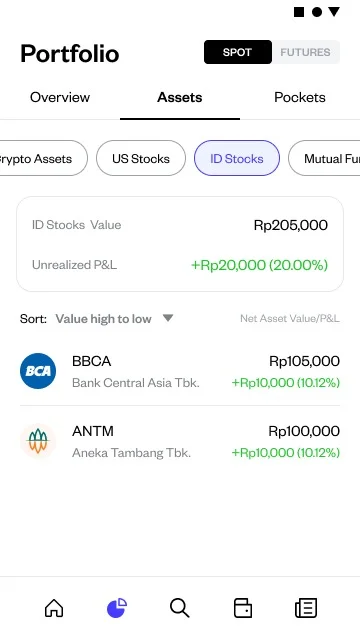
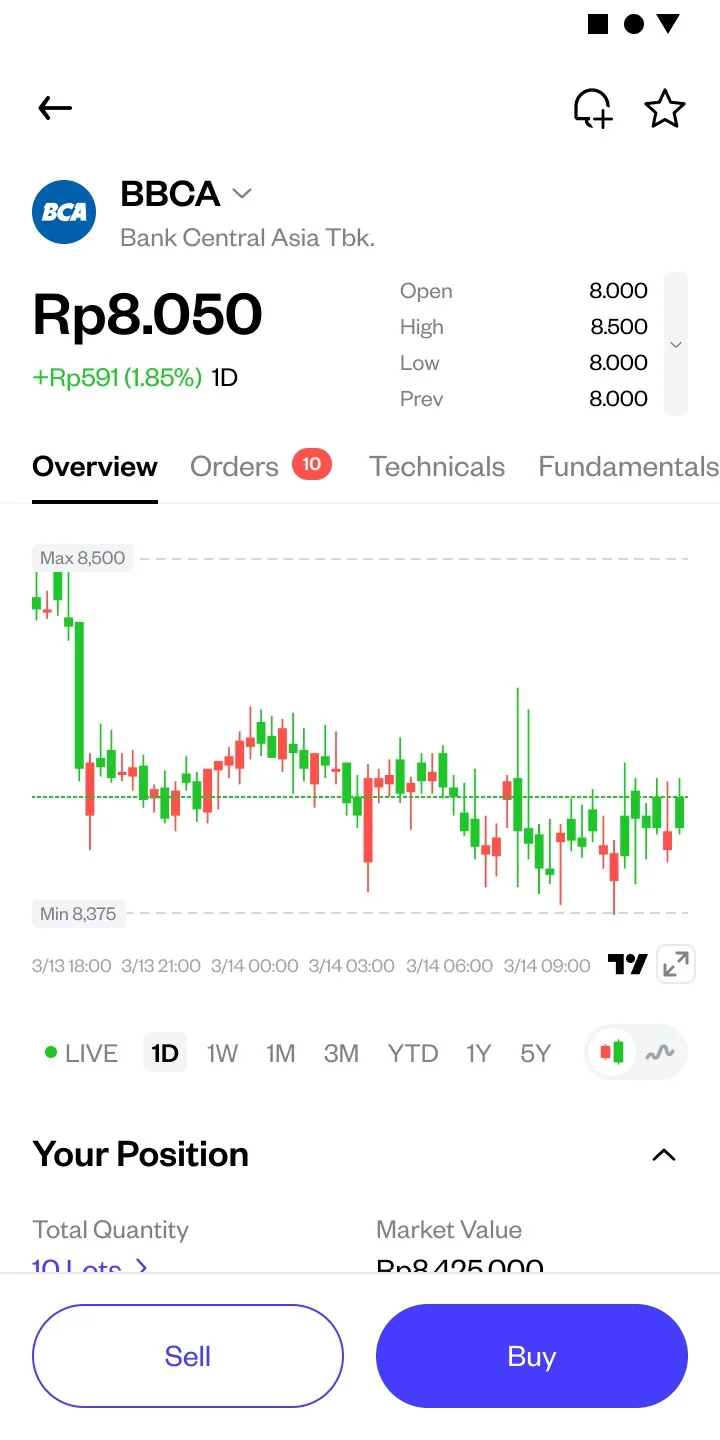
Select the stock you want to sell
Tap the stock to open its detail page
Tap the Sell button
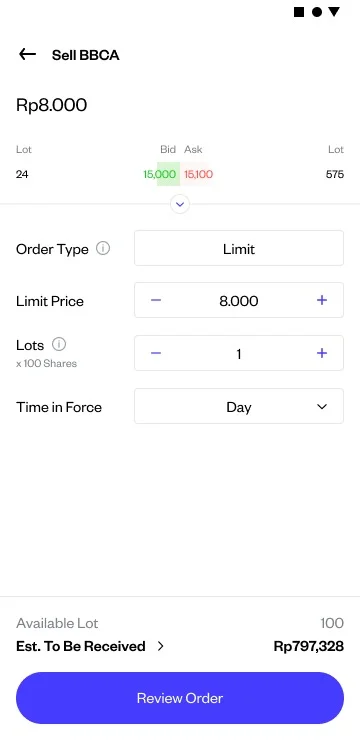
Enter the selling price and number of lots
You can sell partially or all of your holdings, in lot units. Enter your desired selling price per share
Review the order summary
Check the details: stock name, number of lots, selling price per share, and estimated proceeds after fees
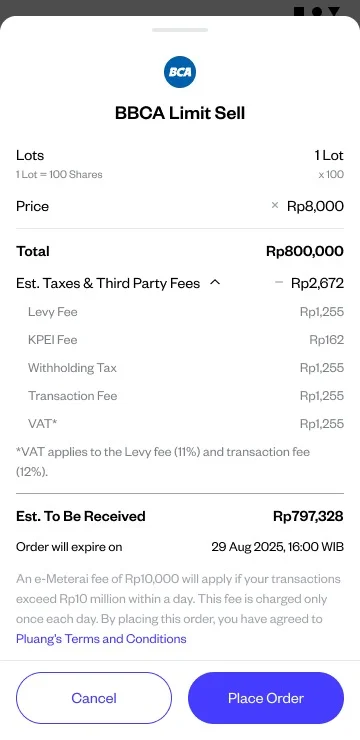
Confirm your order
Tap Place Order and enter your PIN or use biometric authentication
Success indicator:
You will see a confirmation screen that your sell order has been successfully submitted to the exchange. Once executed, the stocks will be removed from your portfolio. Sale proceeds can only be withdrawn after T+2 (2 business days after the transaction).
Things to note:
- Stock sales can only be executed during IDX trading hours
- For limit orders, execution only happens if there is a buyer at your specified price
- Sale proceeds follow T+2 settlement — funds cannot be withdrawn before settlement is complete
- If e-stamp duty applies (total daily transaction > Rp10,000,000), a Rp10,000 fee will be automatically added
Related Mini Q&A:
Q: When can I withdraw funds from selling stocks?
A: Sale proceeds are available for withdrawal after T+2 (2 business days after the transaction).
Q: Can I sell part of my holdings?
A: Yes, you can sell part of your holdings in lot units.
Q: What fees apply when selling Indonesian stocks on Pluang?
A: Indonesian stock trading fees are currently 0% during the promo period (learn more here).
Q: What happens if my sell order is not executed?
A: If there is no buyer at your specified price before market close, the order will be automatically canceled (expired).
Q: How do I cancel a sell order that has not been executed?
A: You can cancel a pending order through the order history menu in the Pluang app.