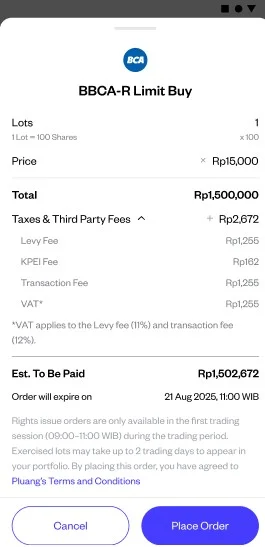
How do I buy or sell rights or warrants on the market on Pluang?
You can buy or sell rights or warrants on Pluang in 1–2 minutes using the same Explore and order flow as any regular Indonesian stock — just search for the ticker with its "-R" or "-W" suffix (e.g. BBCA-R, BBCA-W).
Before you start, make sure:
-
For rights: the Trading End date hasn't passed yet — after that, the rights trading window shuts and only exercise remains
-
For warrants: the warrant is still within its listed validity period — expired warrants are no longer tradeable
-
You have sufficient RDN balance for a buy order, or the rights/warrant lots available for a sell order
6 Steps
Open the Explore page
Navigate via Home → Explore → Indonesian Stocks.
Enter the ticker with its suffix
Type the exact ticker including the suffix — e.g. "BBCA-R" for rights or "BBCA-W" for warrants.
Select the ticker from the search results
This opens the asset detail page, identical in layout to a regular stock page.
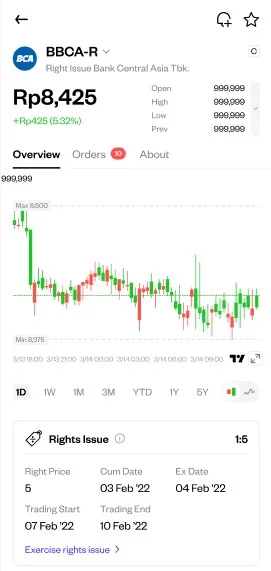
Tap Buy or Sell
Choose the action you want — buying adds the -R/-W ticker to your holdings; selling exits your existing position.
Enter your order details
Set the price and number of lots, same as a standard Indonesian stock order.
Review and Confirm the order