How To Modify OCO Order
6 Steps
Navigate to https://trade.pluang.com/en
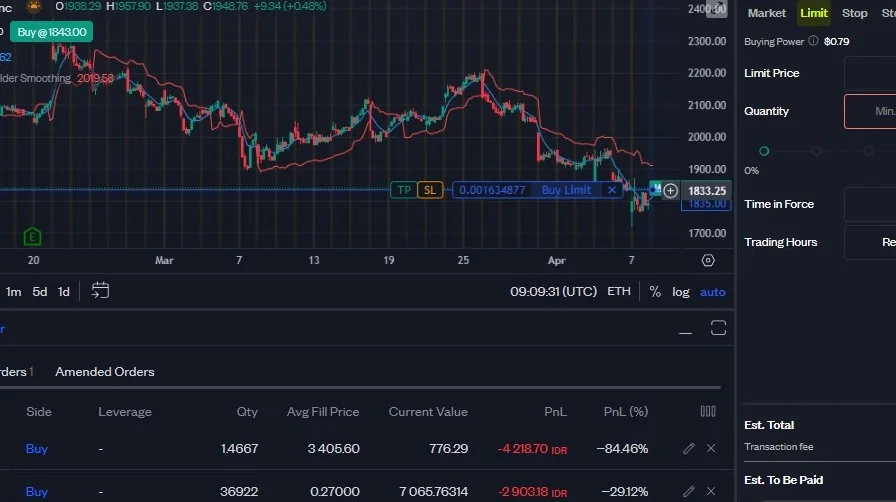
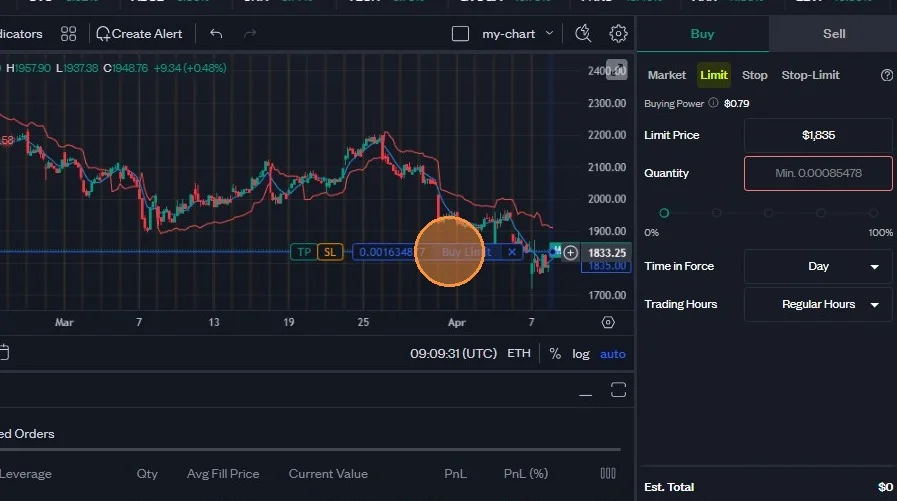
Right click on the order you want to modify from the chart.
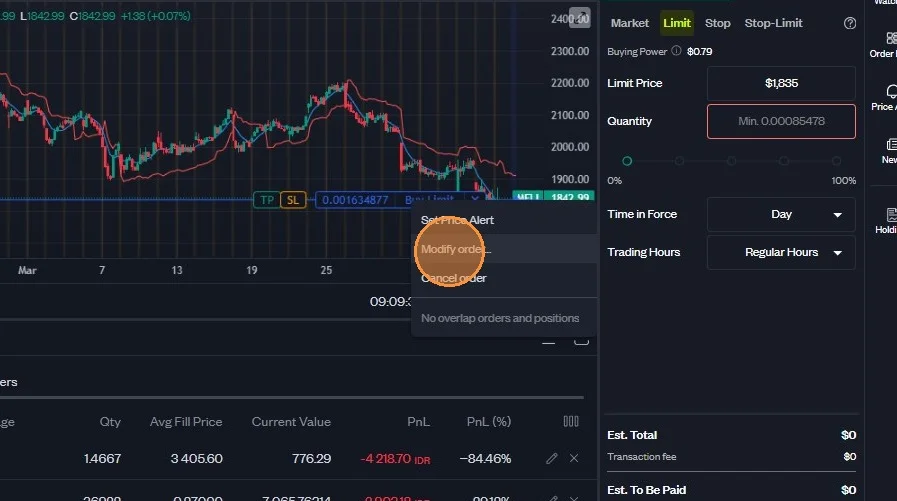
Choose "Modify Order".
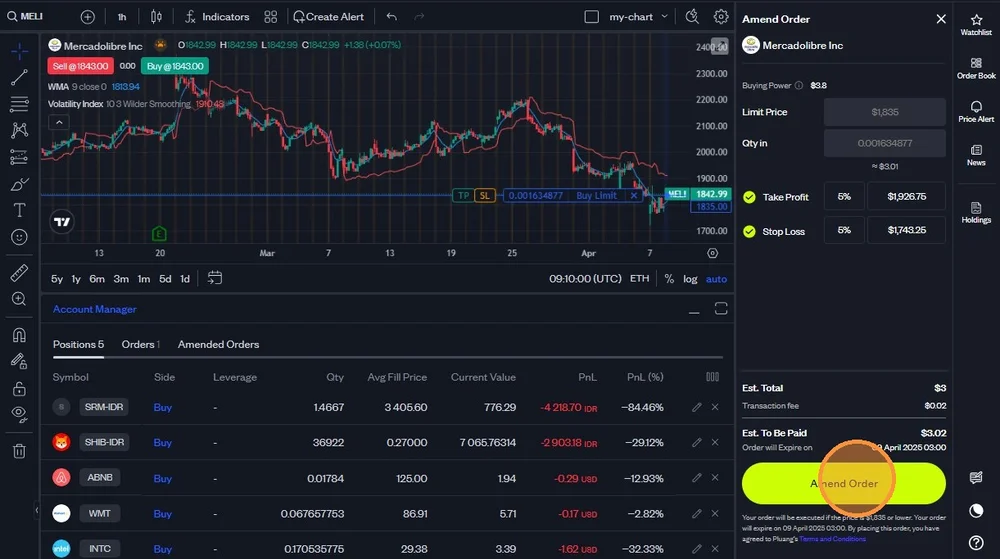
Select whether you want to add Take Profit setting, Stop Loss, or both.
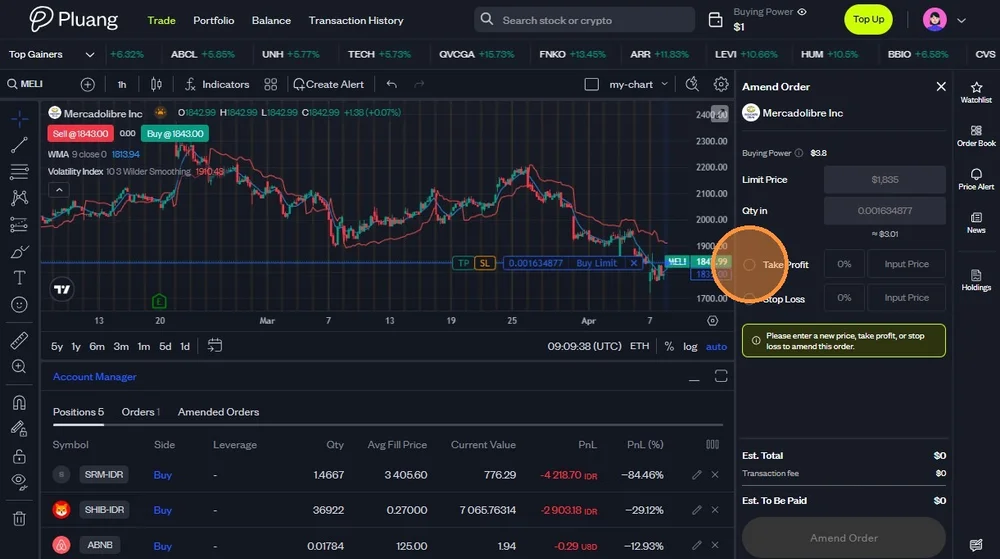
Set the price limit for Take Profit and Stop Loss. You can set it manually or enter how many percentage you want the limit is from the current market price.
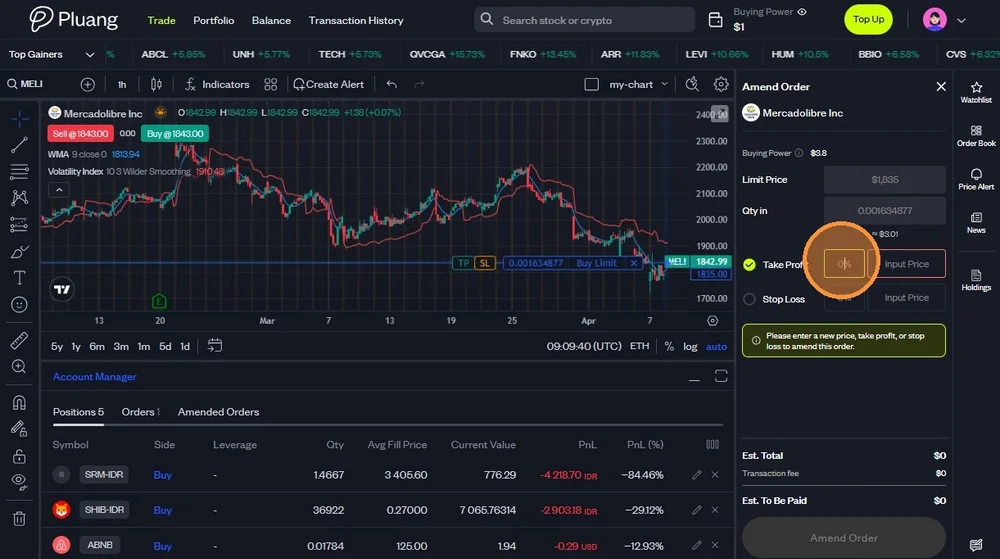
After you filled all details, click "Amend Order" to complete your amendment.