How To Create Price Alert For US Stocks
10 Steps
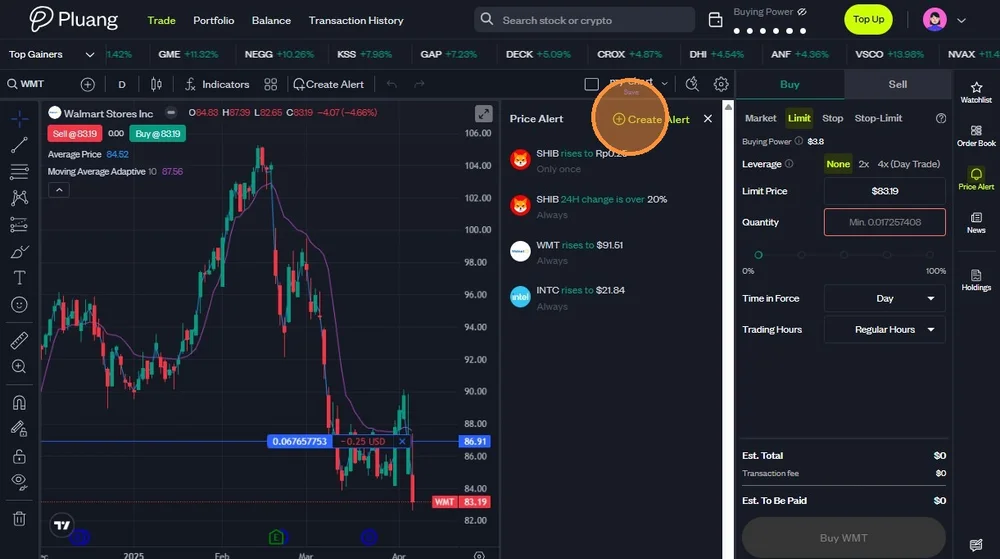
Navigate to Pluang Web Trading at https://trade.pluang.com/en . You could create Price Alert from two entries.
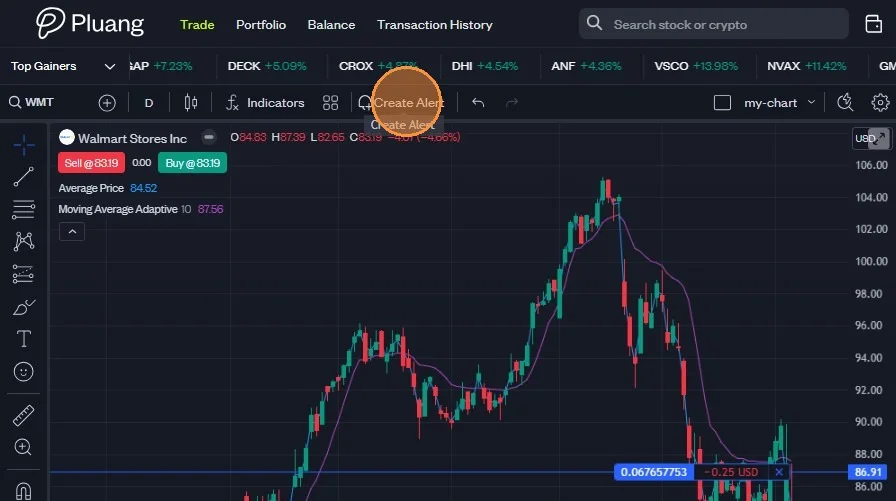
- Click "Create Alert" on top of the asset graphic.
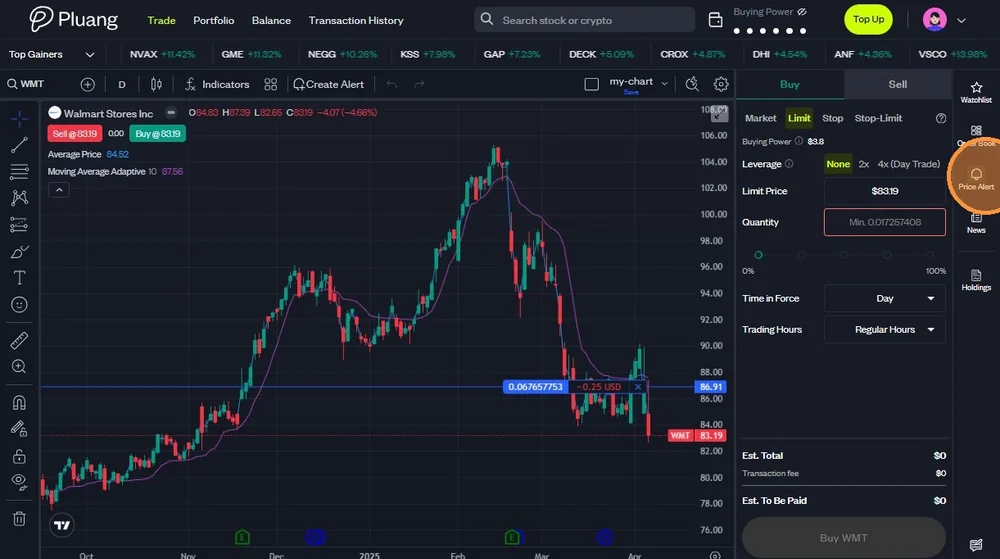
- Or, click "Price Alert" icon on the right side menu bar.
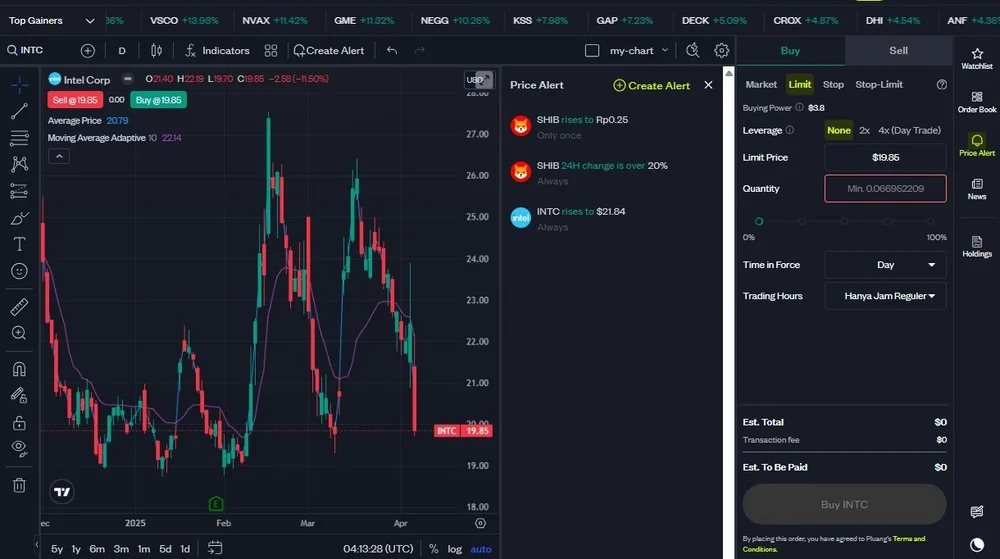
Next, click "Create Alert"
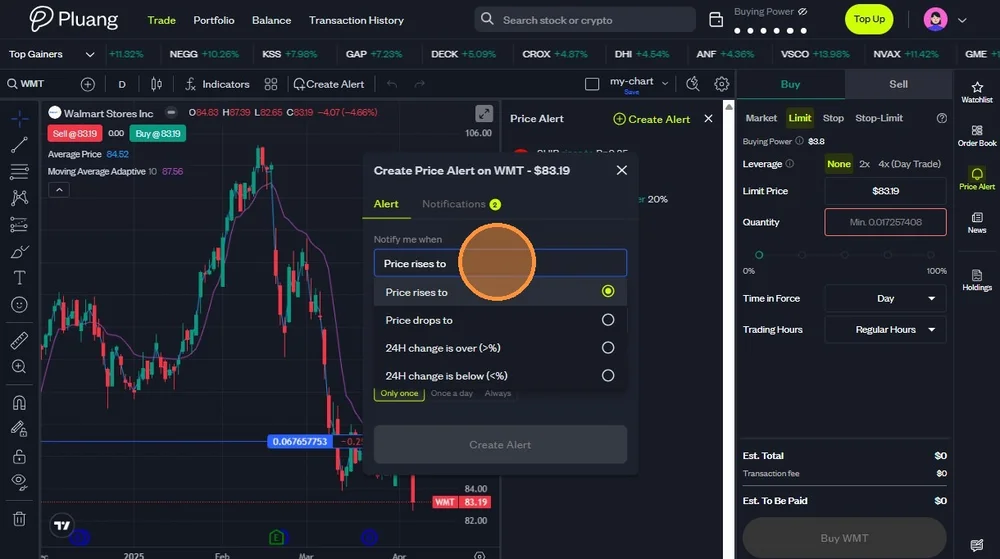
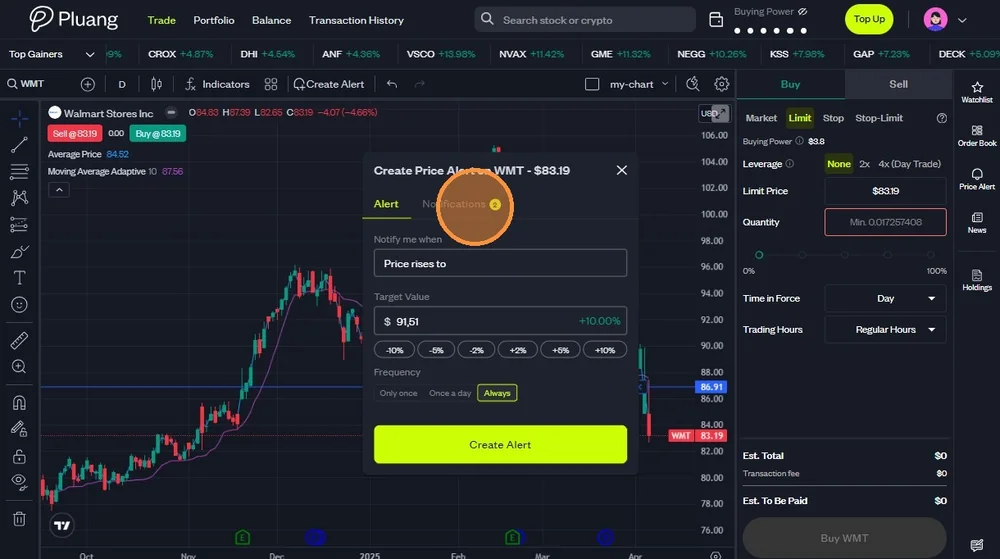
Choose on which kind of alert you want to create. You could create alert for:
- Price rises to certain percentage.
- Price drops to certain percentage.
- Changes within 24 hour is above certain percentage.
- Changes within 24 hour is below certain percentage.
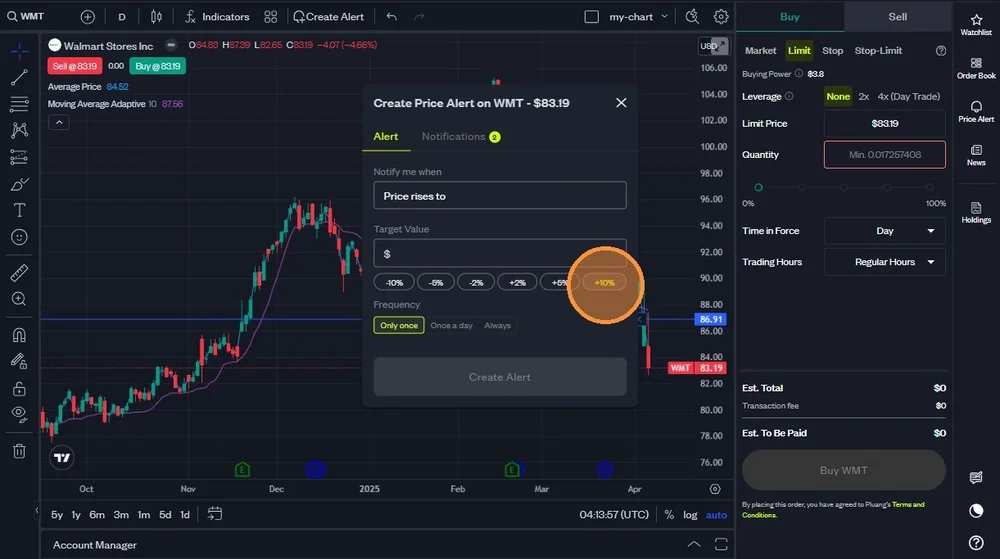
If you choose alert for "Price rises to", you could either type specific price target or choose from the available percentage (+5% or +10%).
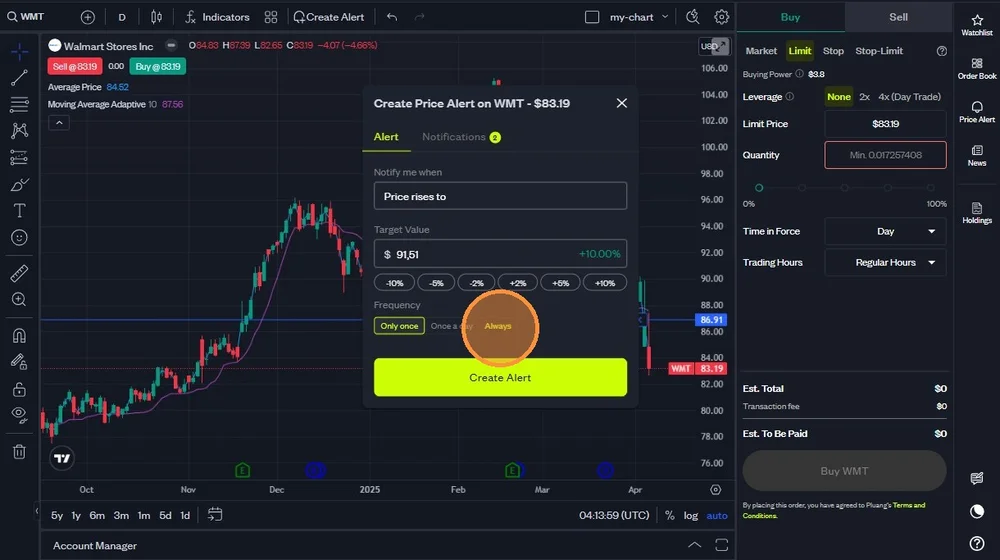
Choose the frequency of the alert. You could choose whether the alert comes only once, once a day, or always.
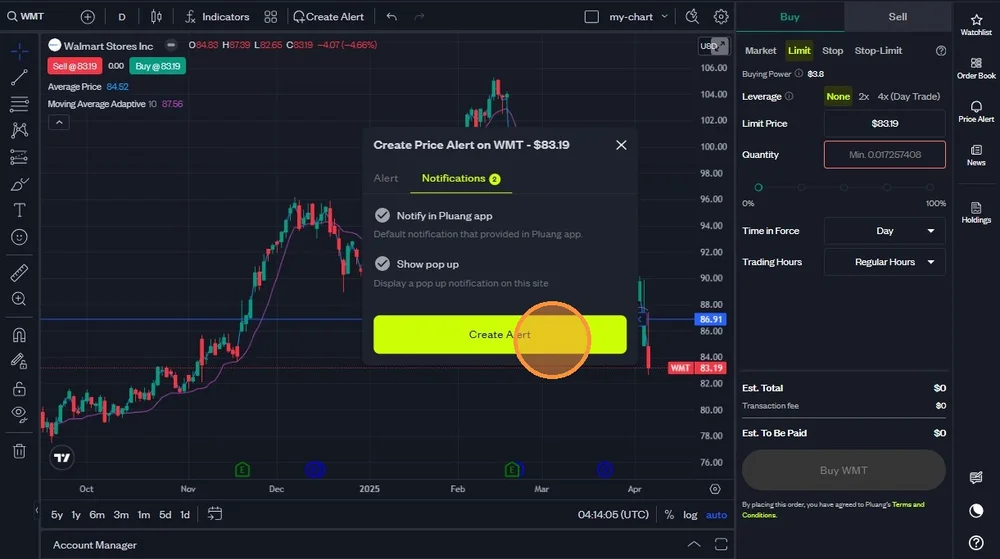
Click "Notifications" tab to choose whether you want to get notification via app and/or pop up on web trading.
Check the checkbox to choose which alert you want to receive.
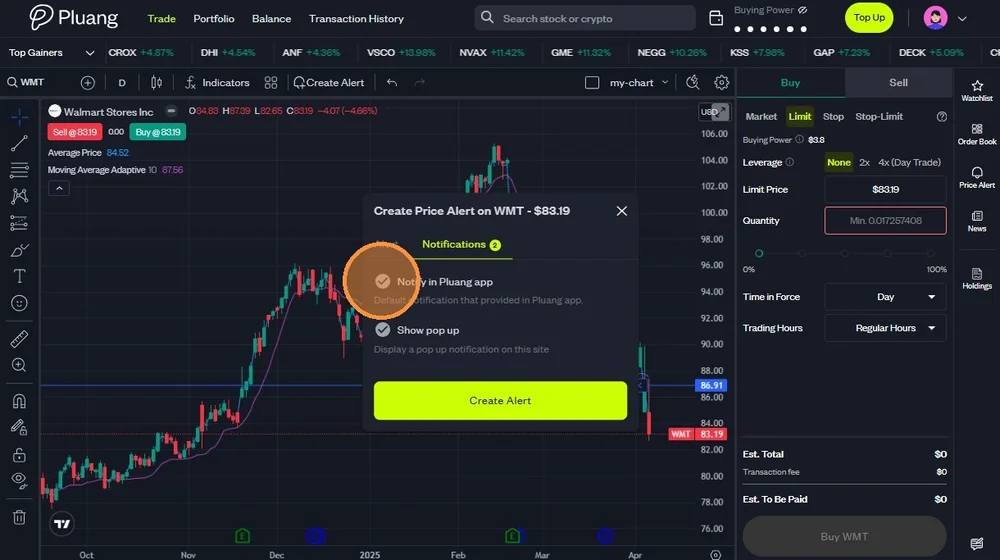
After you complete all the options, click "Create Alert".