How To Add Indicator & Save Indicator Template in Pluang
9 Steps
Open Pluang Web Trading athttps://trade.pluang.com/en and choose which asset you want to add the indicator to.
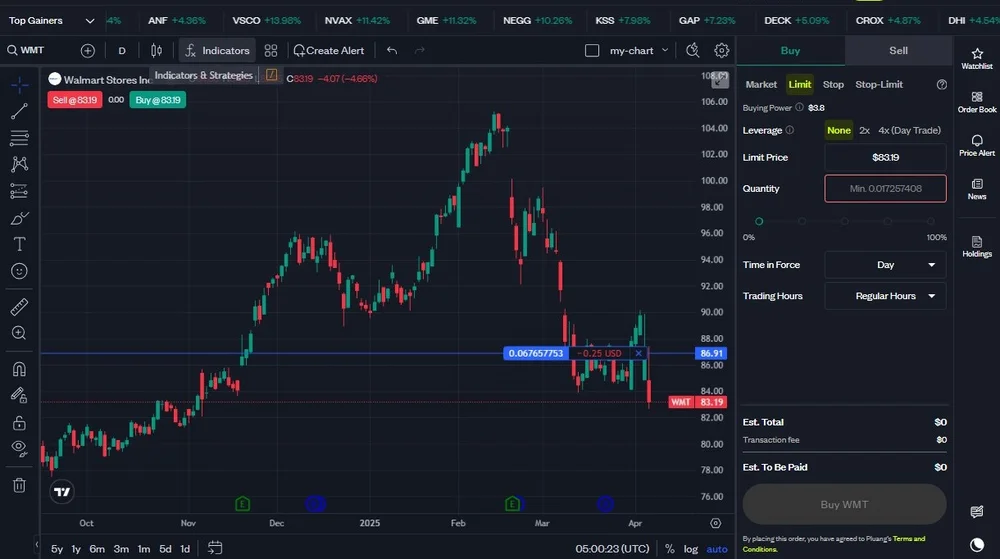
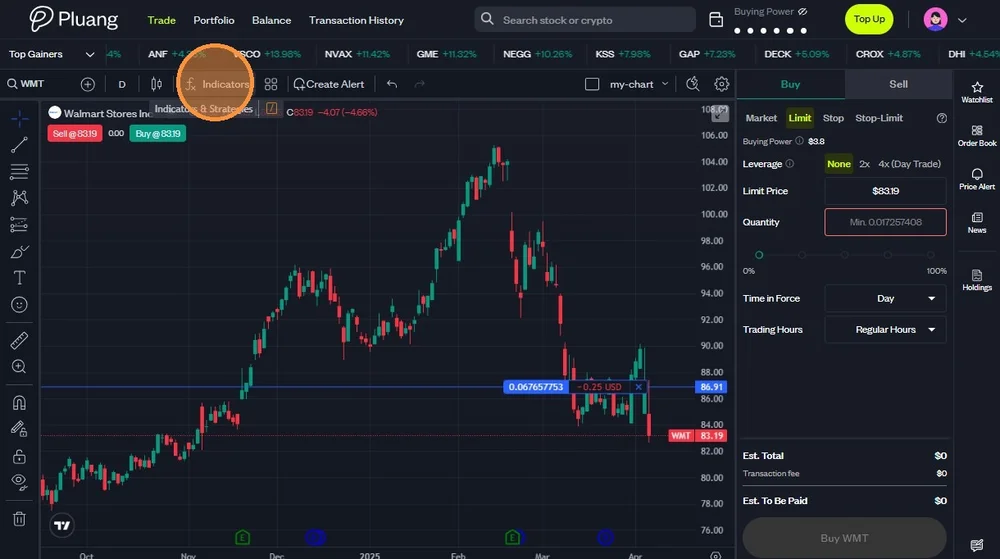
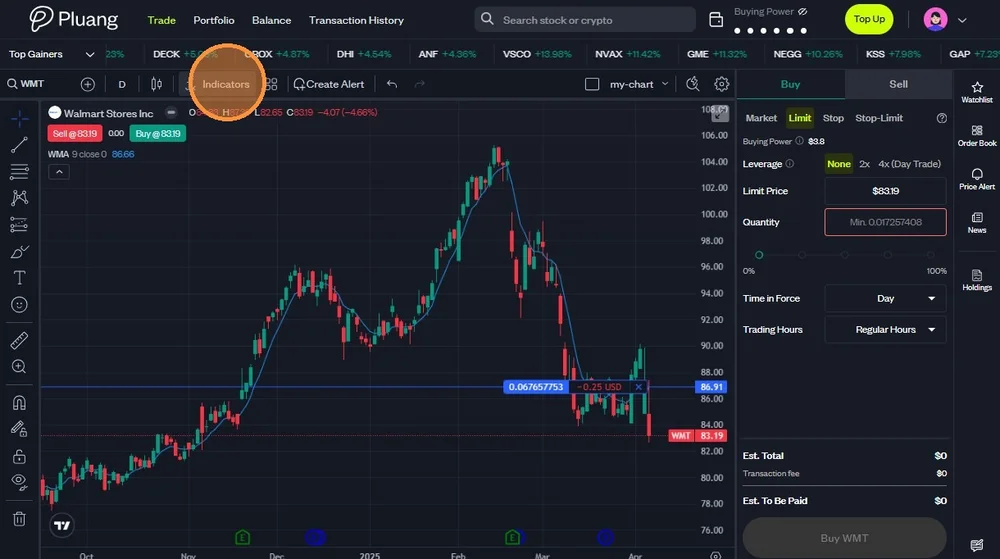
Click "Indicators".
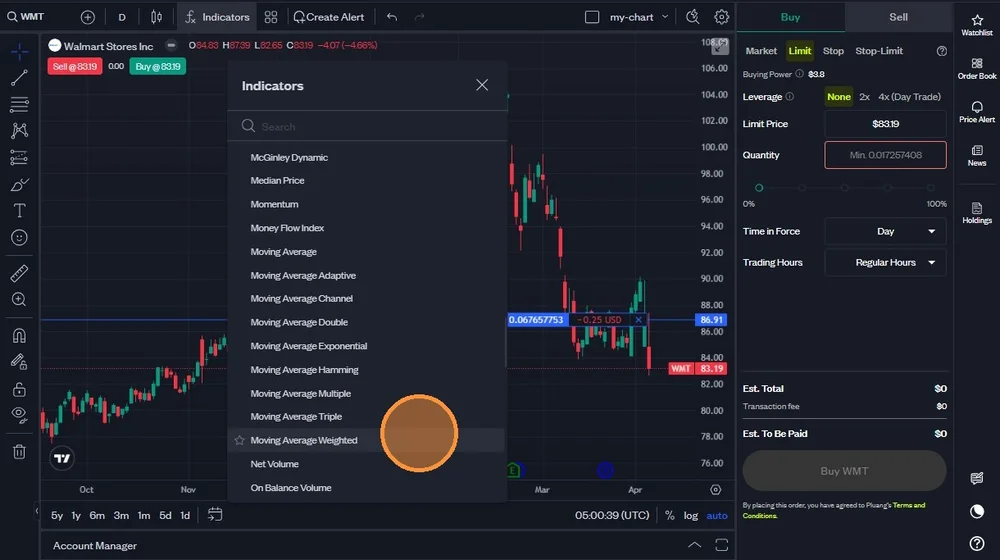
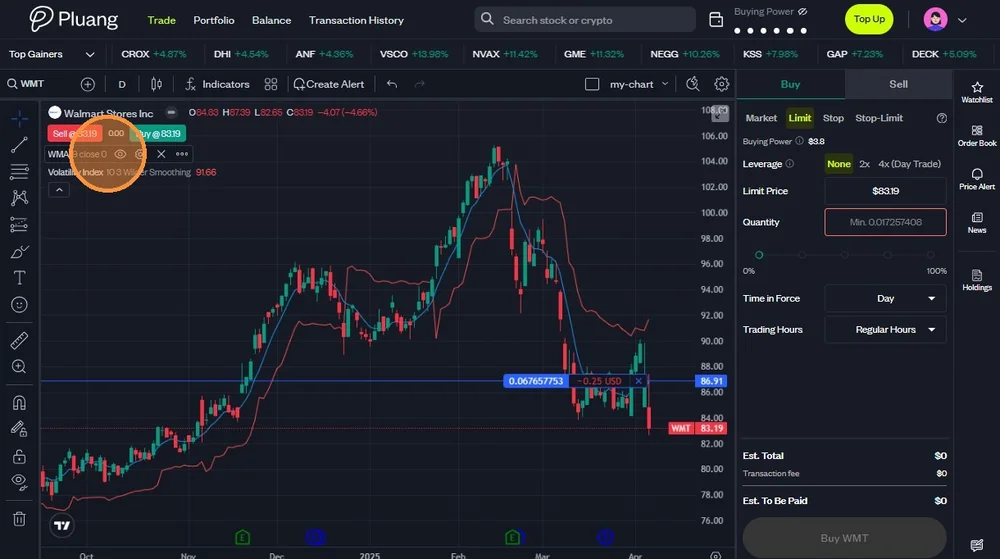
Choose which indicators you want to add. No maximum amount of how many indicators you could add on one chart, and you could add all available indicators for the asset.
Click "Indicators"
The indicators you choose would appear on the top left of the chart, and the data also appears on the graphic.
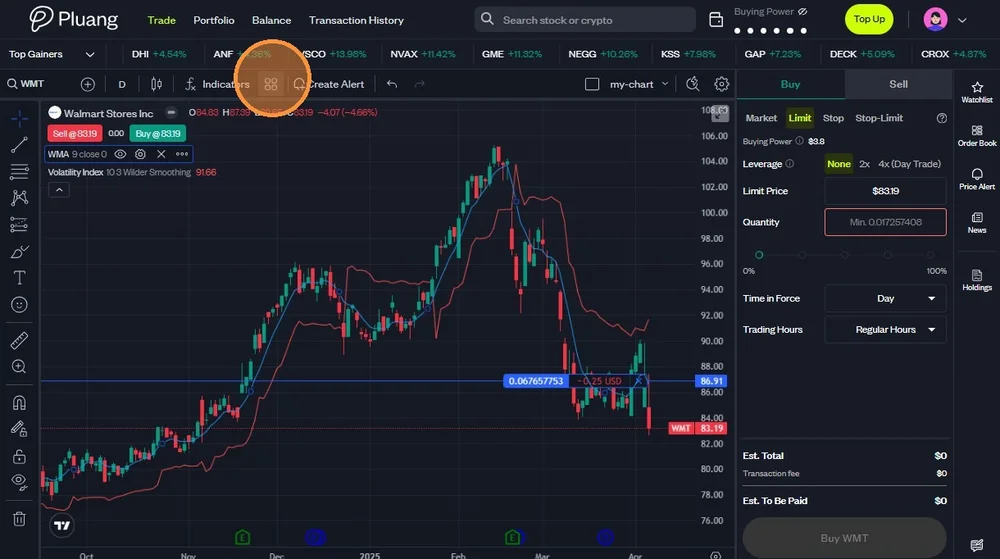
Click the icon on the right side of the Indicators list to save the chart template.
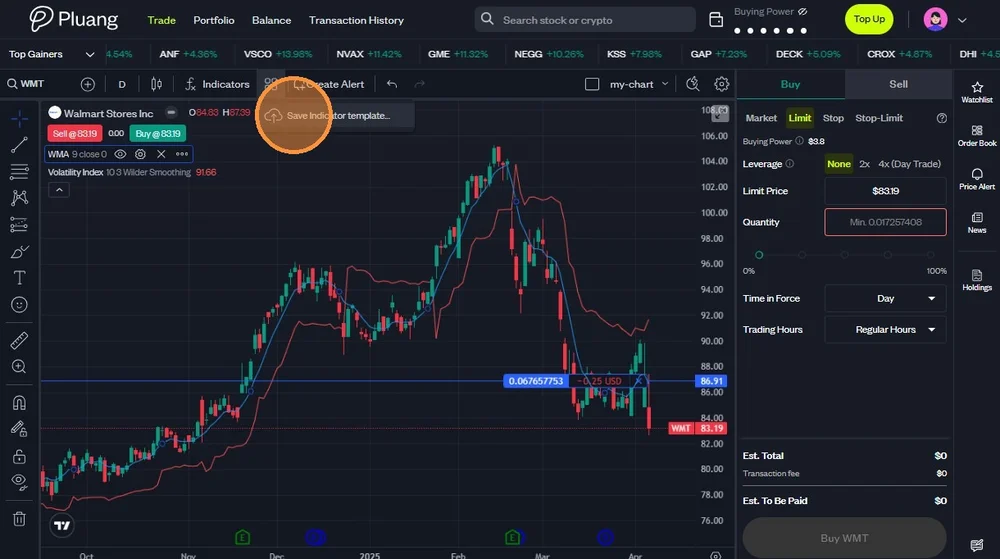
Click "Save Indicator template" to save the template.
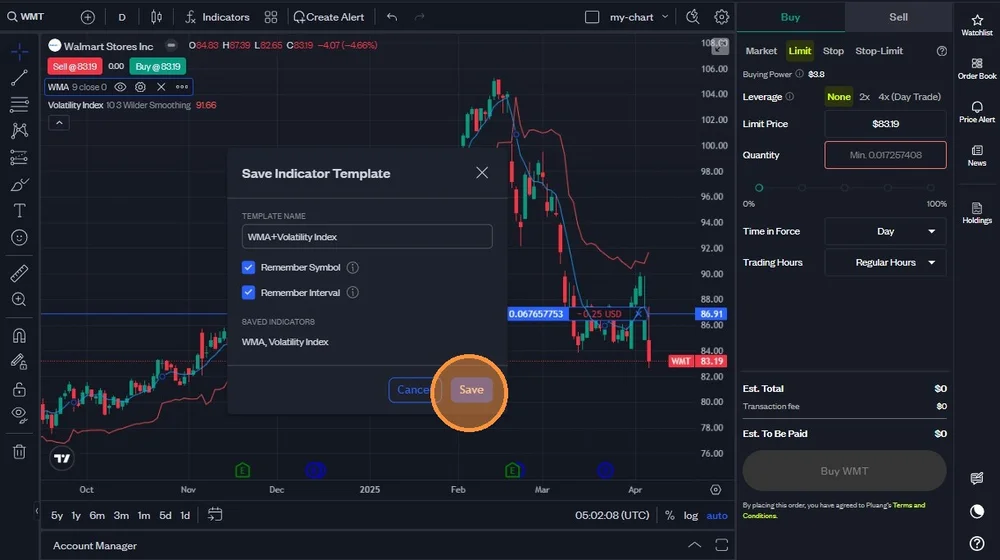
Check on whether you want the template to remember the symbol and interval you previously set.
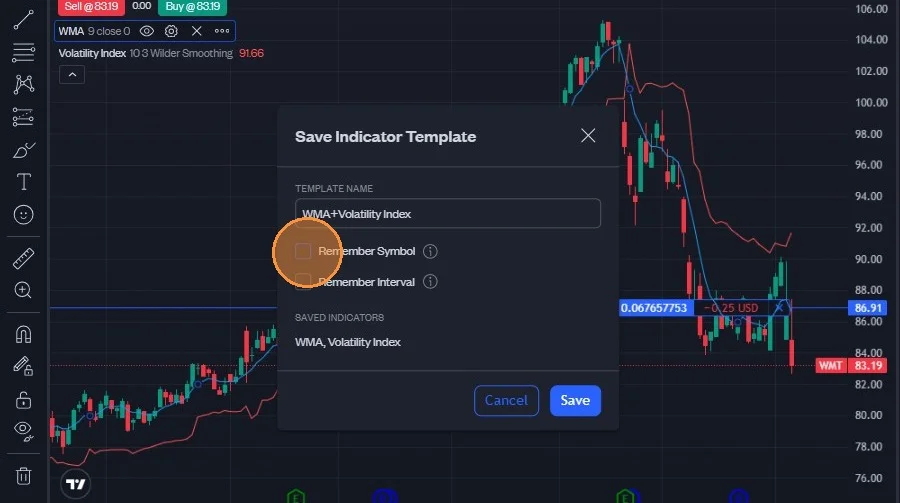
Click "Save".