Pluang Web: Sell Crypto
7 Steps
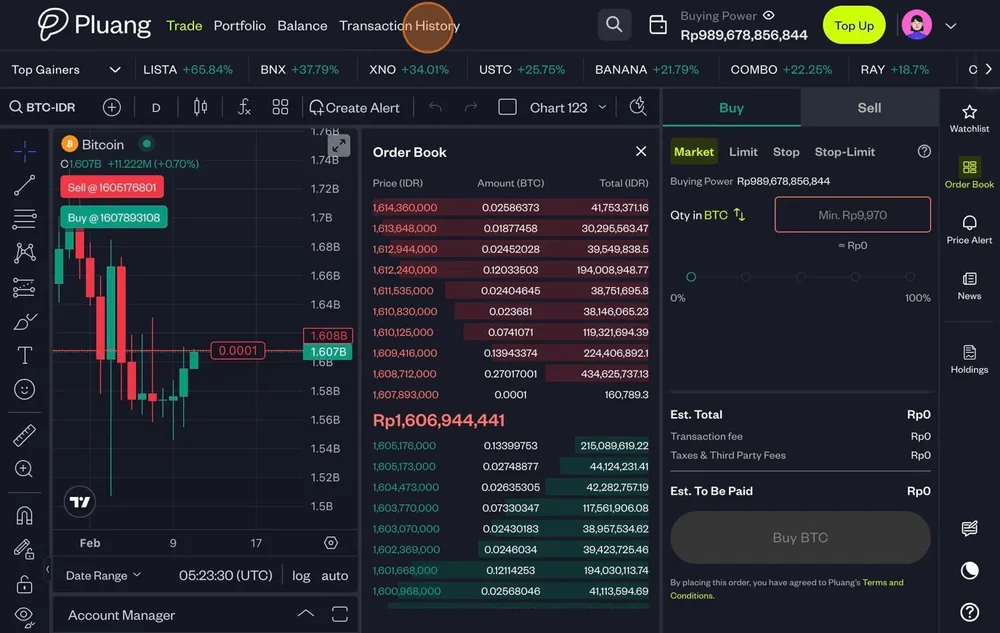
Navigate to https://trade.pluang.com/en
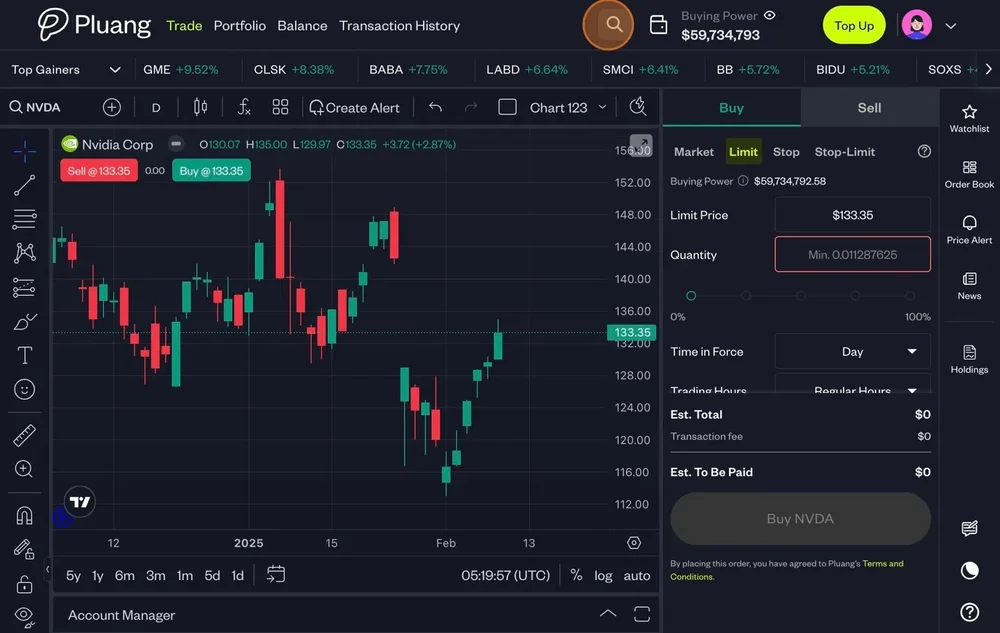
Click here and search for your underlying stock in the "Search stock or crypto" field"
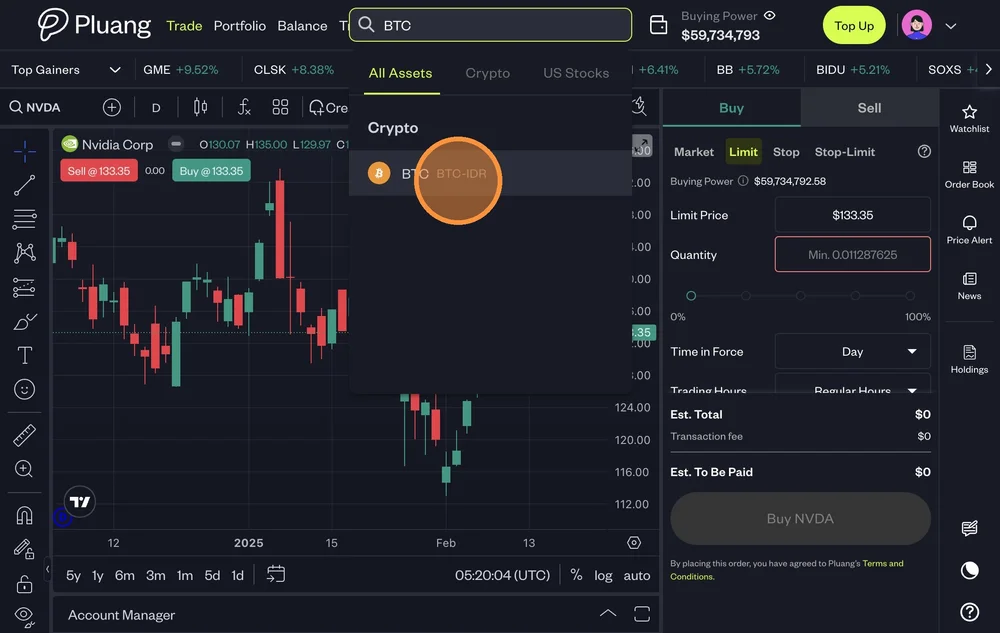
Type the underlying crypto asset name and select
Click "Sell"
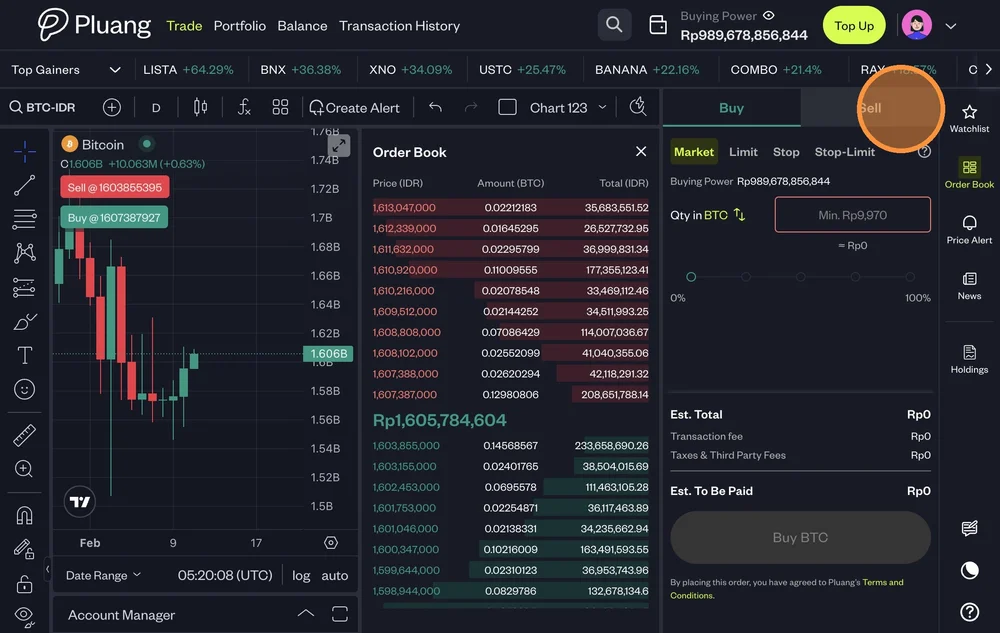
There are 4 types of Sell Orders
Sell Market : Sell crypto at the best available price
Sell Limit : Trigger a sell order when the price raises to a specified price or higher
Sell Stop Order : Trigger a market sell order when the price drops to a specified price or lower.
Sell Stop-Limit Order : Trigger a limit sell order when the price drops to a specified price or lower.
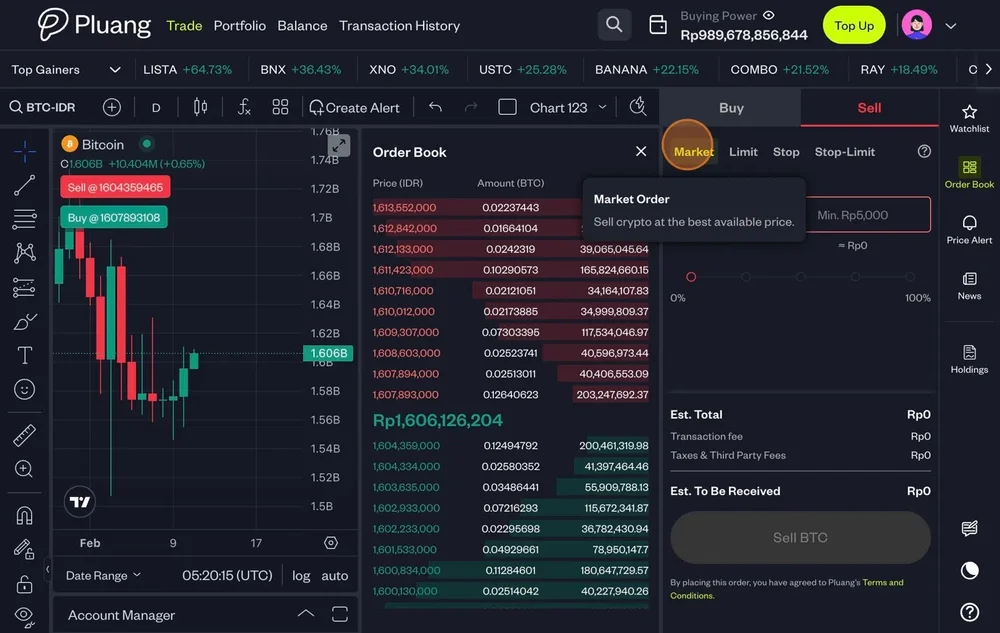
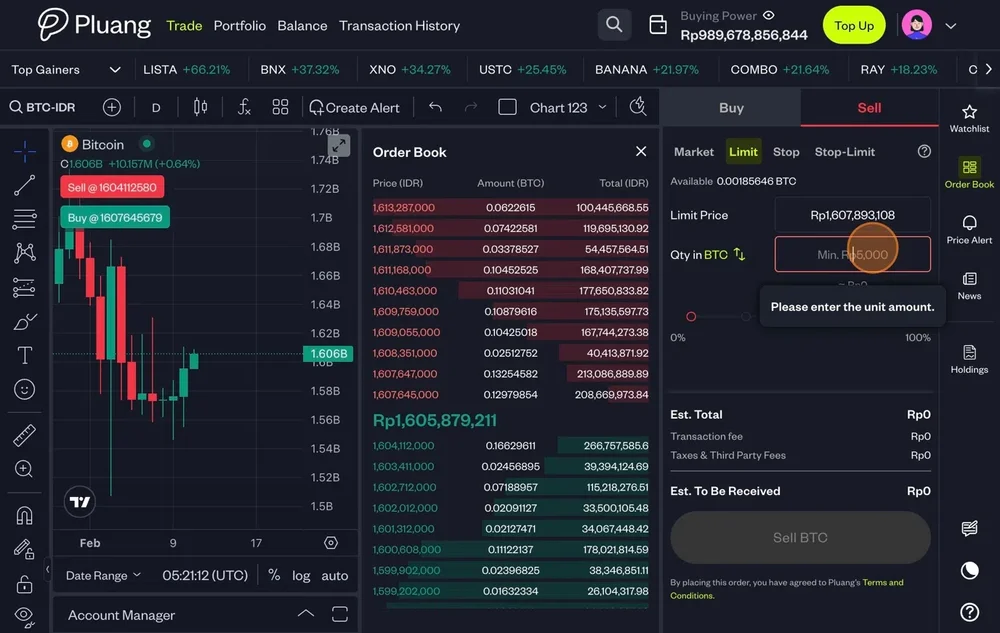
To execute a Sell order populate:
Market - Quantity
Limit - Limit Price & Quantity
Stop - Stop Price & Quantity
Stop-Limit - Limit Price , Stop Price & Quantity
Click "Sell BTC"
The order placed and the status is visible in the "Asset" section of your "Transaction History"