Pluang Web: Buy Crypto
8 Steps
Navigate to https://trade.pluang.com/en
Click here and search for your underlying stock in the "Search stock or crypto" field"
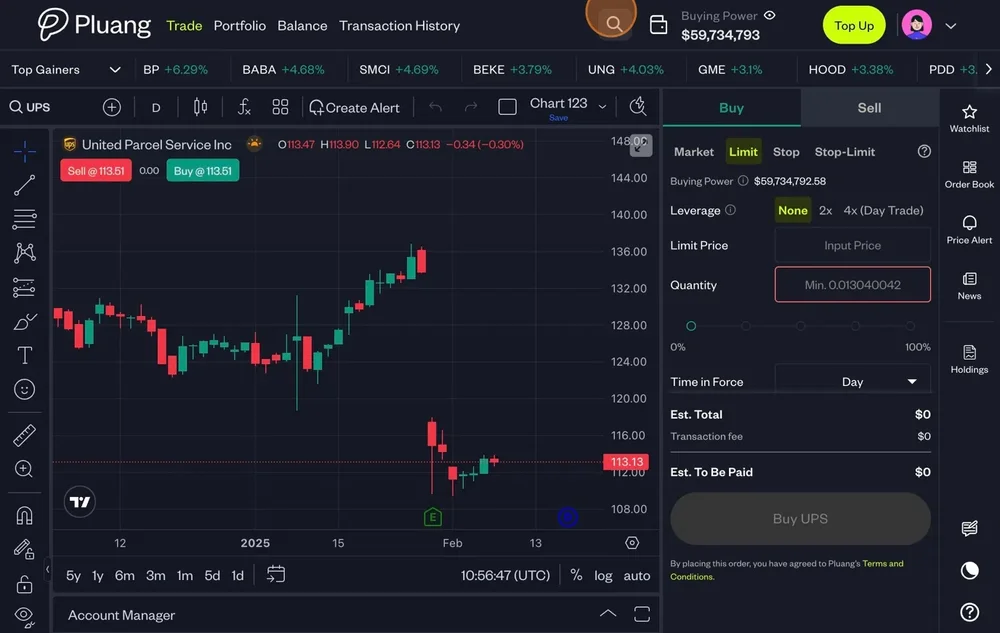
Type the underlying name of the stock and select
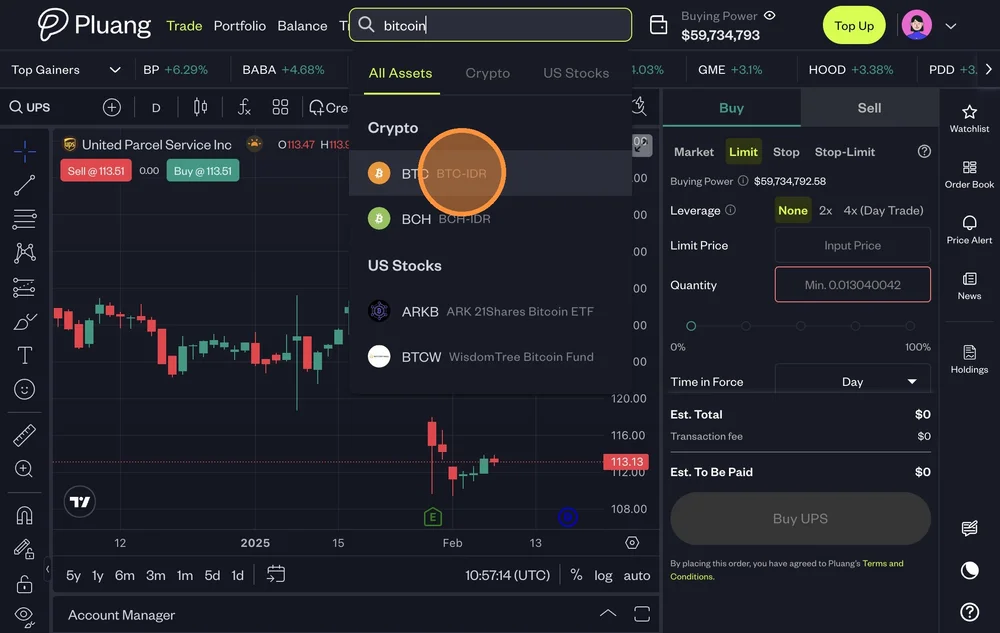
Click "Buy"
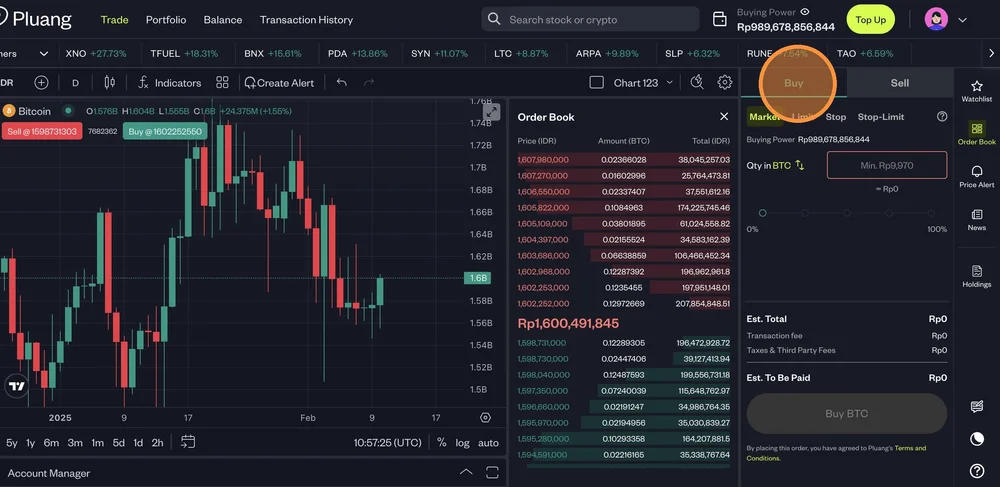
There are 4 types of Buy Orders:
- Buy Market - Buy Crypto at the best available price
- Buy Limit - Trigger a buy order when the price falls to a specified price or lower
- Buy Stop Order - Trigger a market buy order when the price rises to a specified price or higher
- Buy Stop-Limit Order - Trigger a limit buy order when the price rises to a specified price or higher
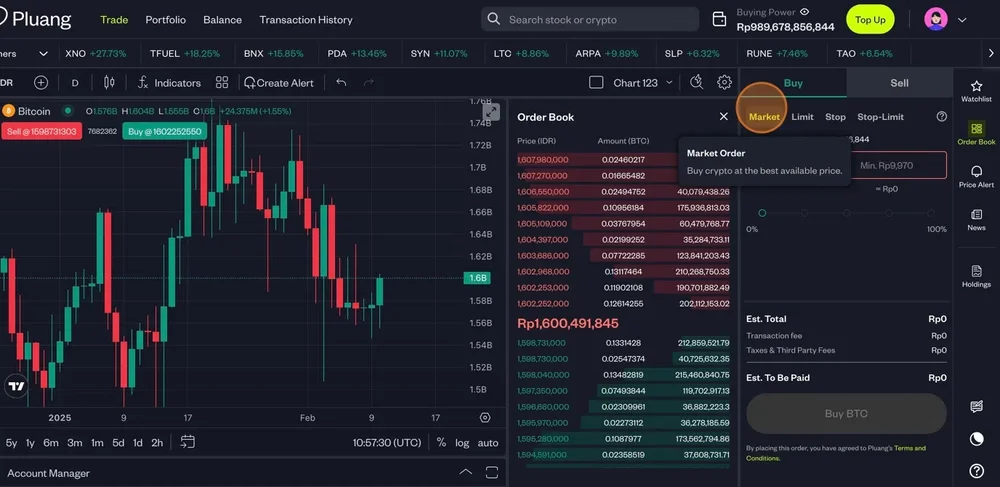
To place a buy order fill in, for:
- Market:
- Quantity
- Limit:
- Limit Price
- Quantity
- Stop:
- Stop Price
- Quantity
- Stop-Limit:
- Limit Price
- Stop Price
- Quantity
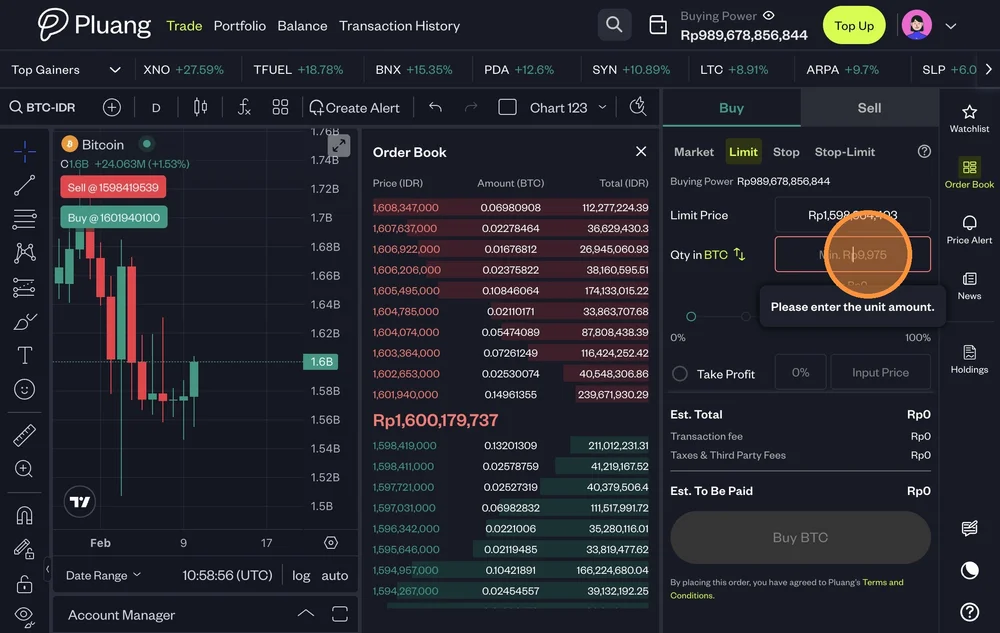
Once the details are filled in, Click "Buy BTC"
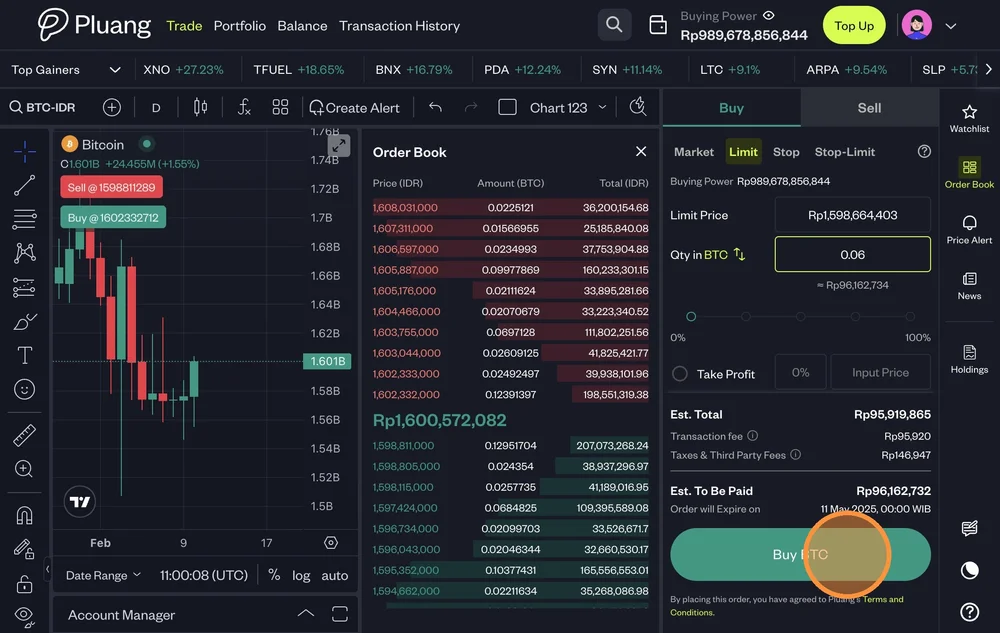
Once your requested details are matched your order will be executed successfully
You can review the order status in the "Transaction History"