How to Move Balance to USD Margin
6 Steps
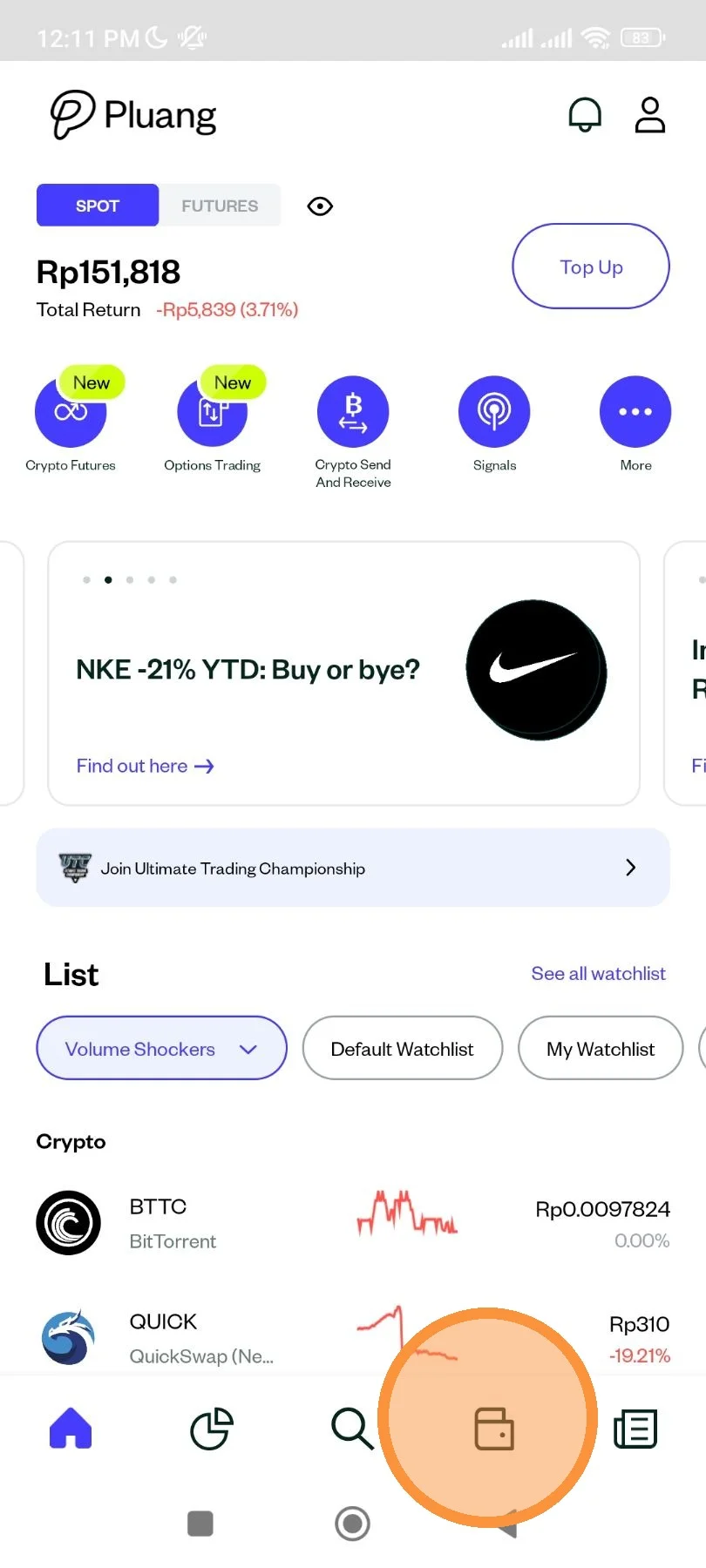
Open Pluang app and click on "Wallet".
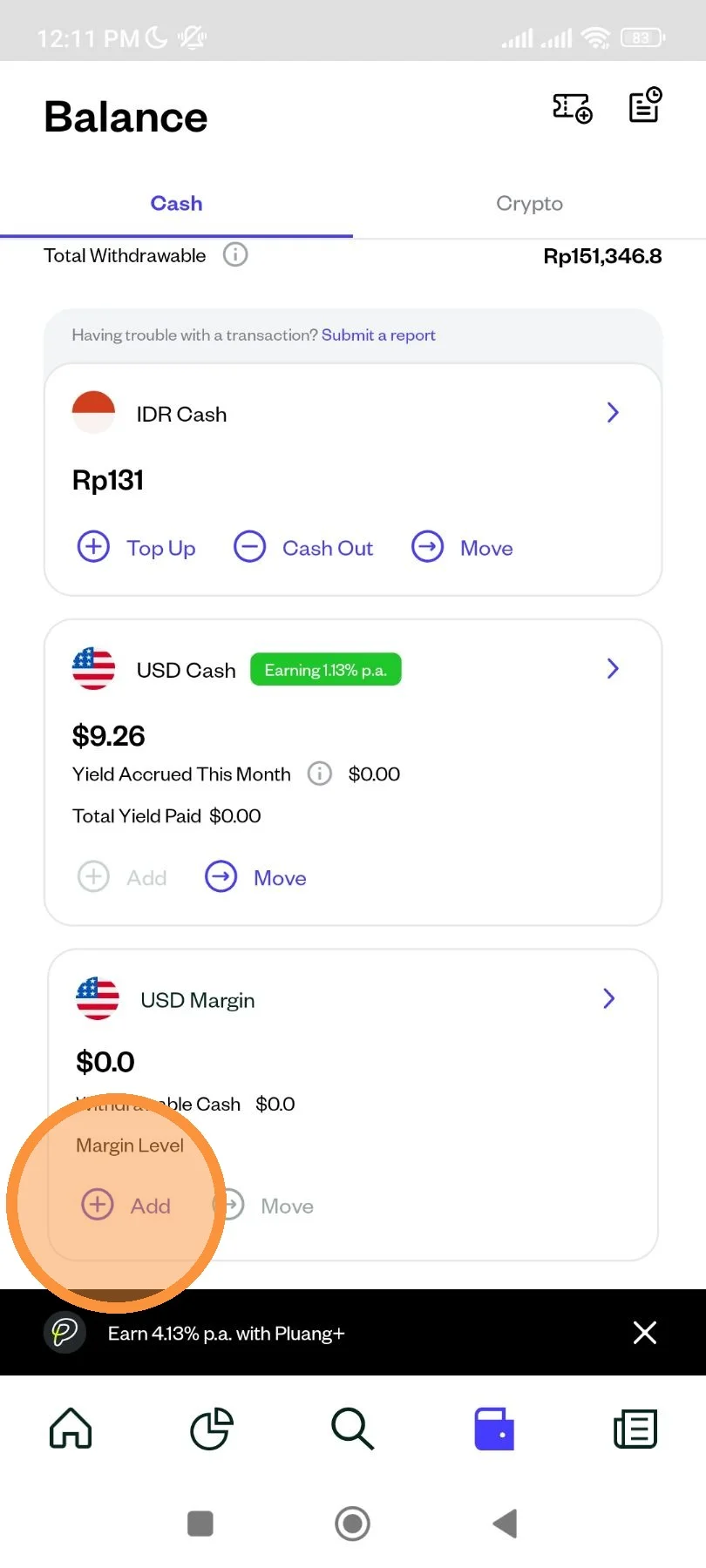
On USD Margin, click "Add".
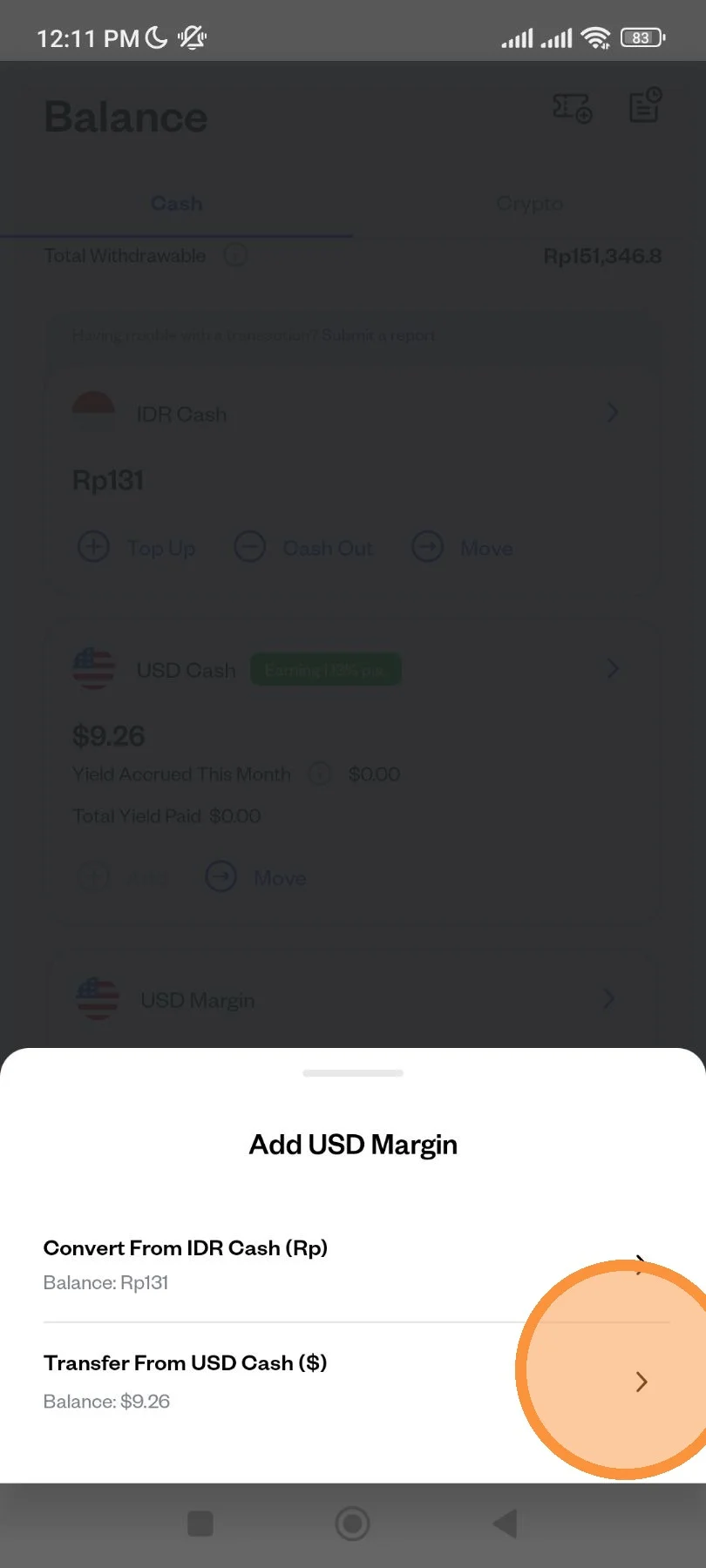
Select "Transfer From USD Cash ($)".
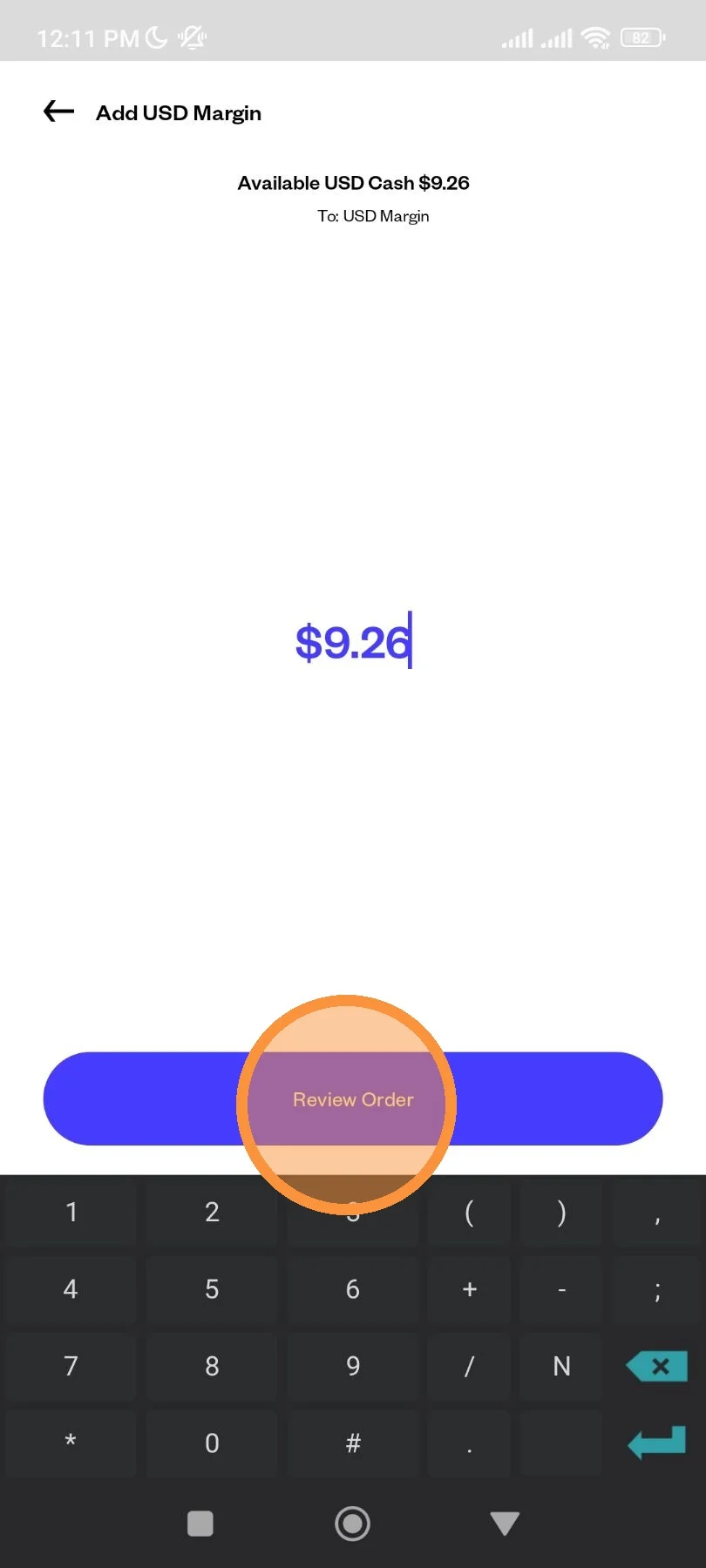
Enter the amount of balance that you want to move, then click "Review Order".
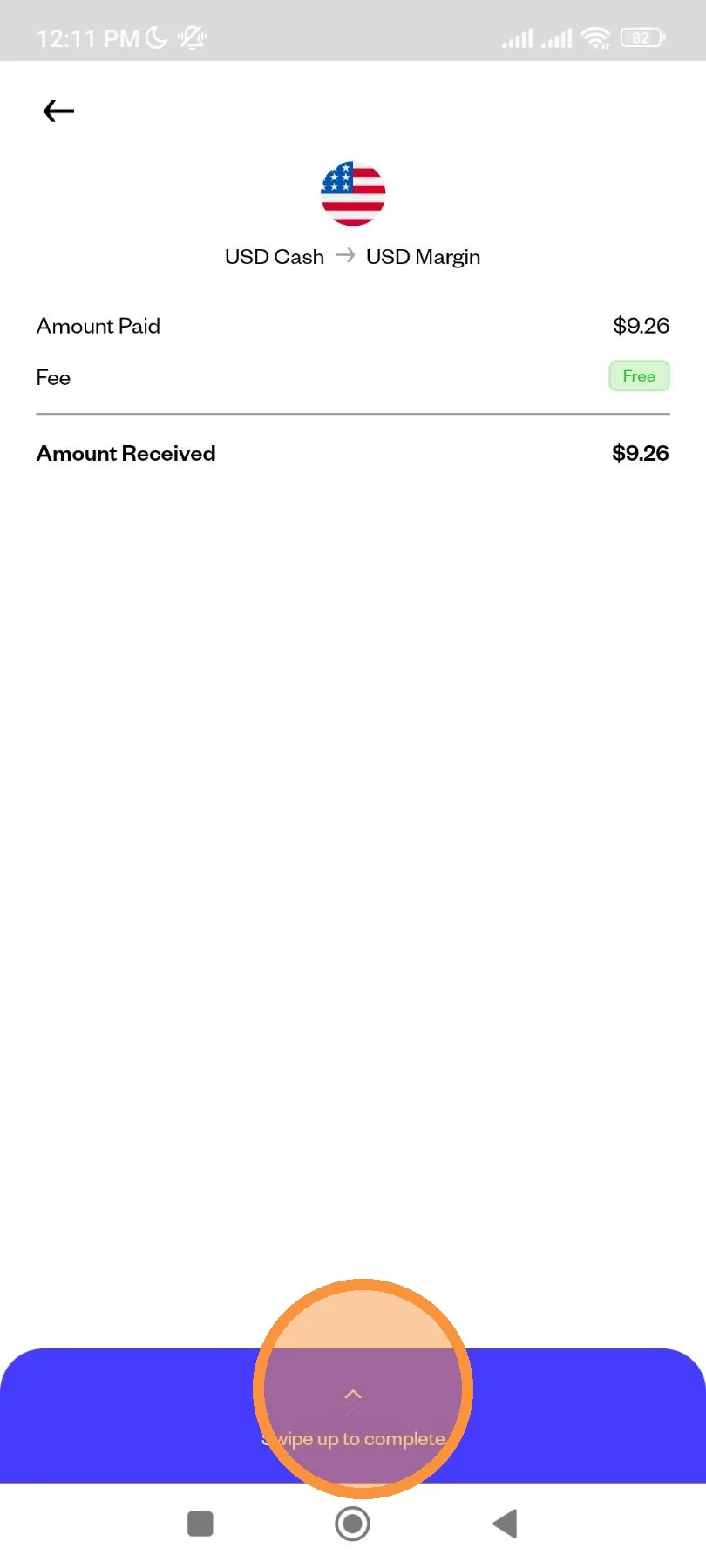
Review the detail of your transaction, then swipe up to complete.
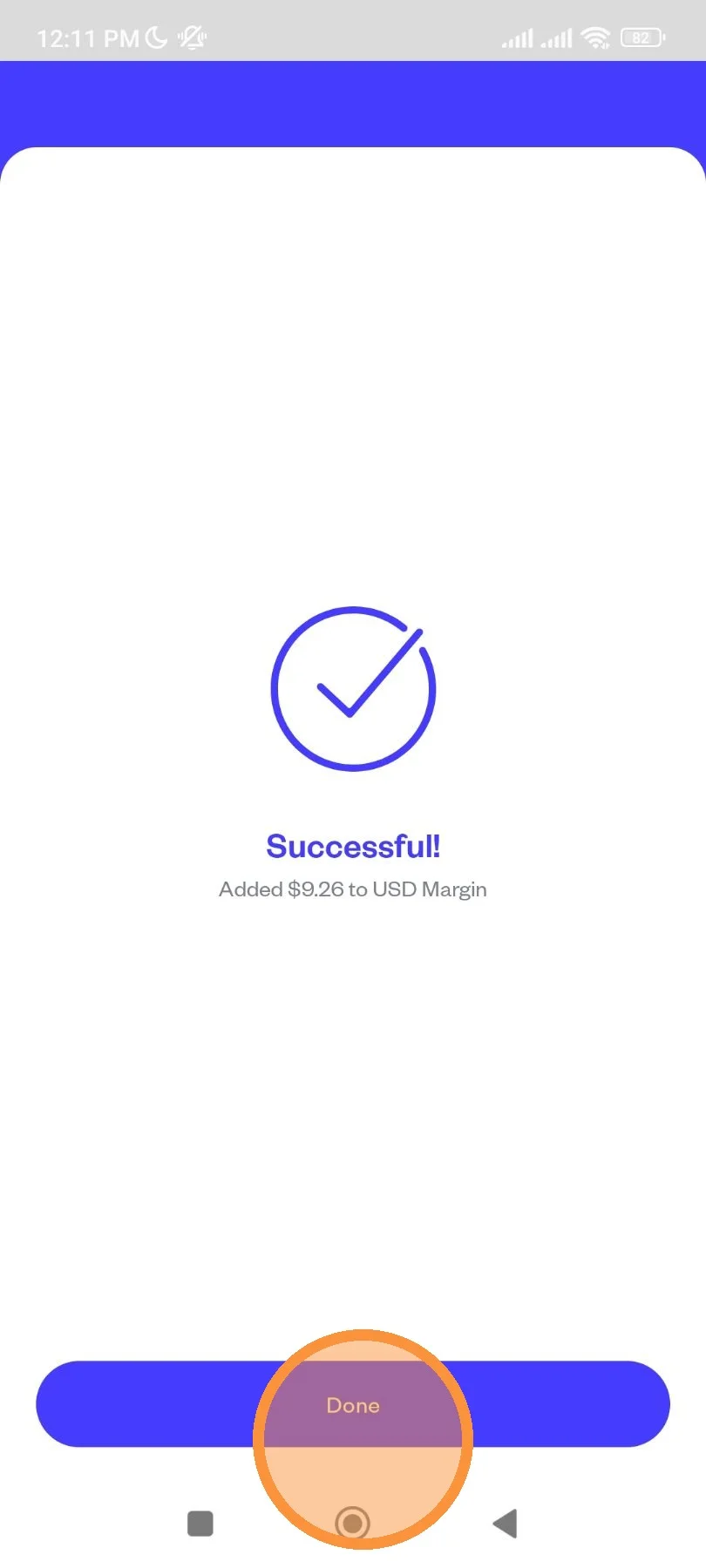
After a few seconds, your transaction has been placed. Click "Done" to finish.