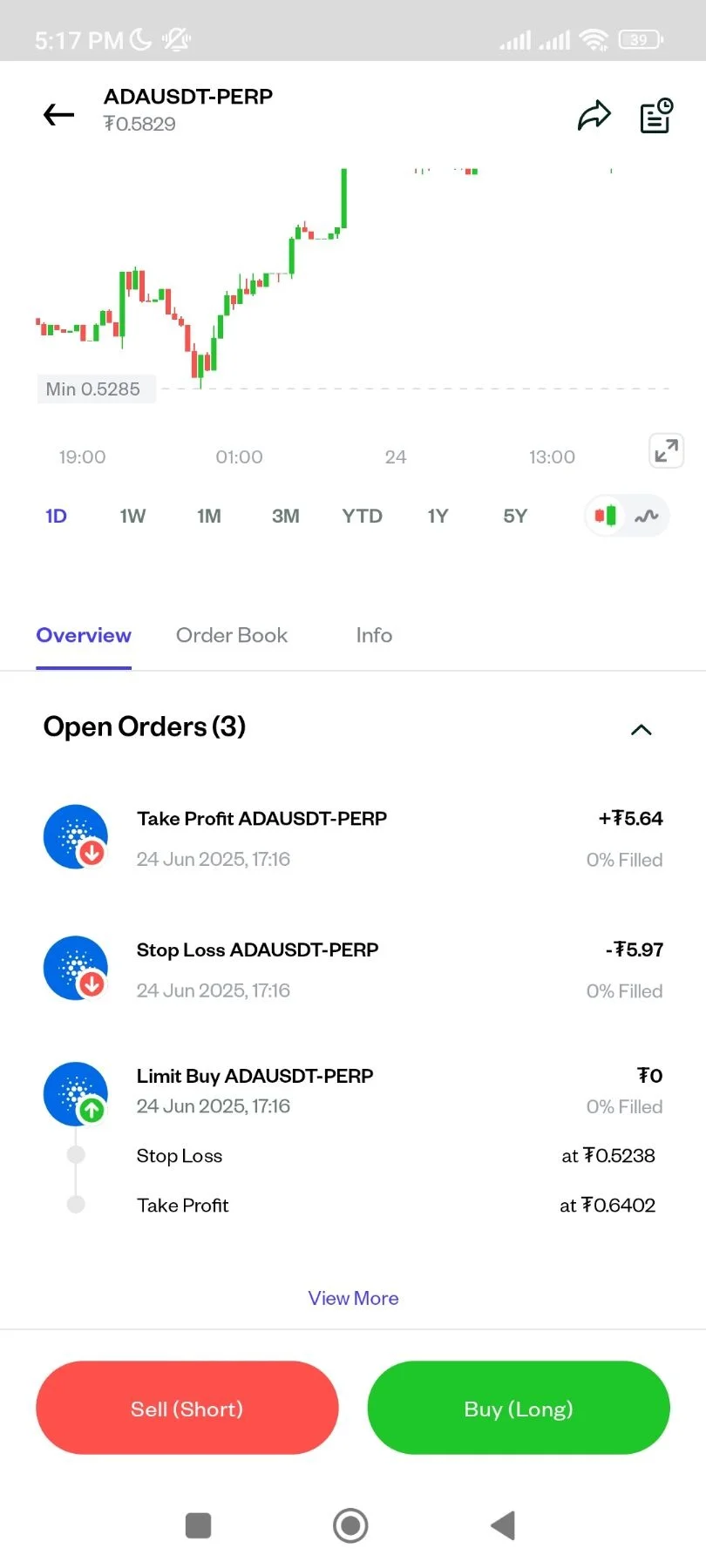
How to Buy/Open Long Position for Crypto Futures
16 Steps
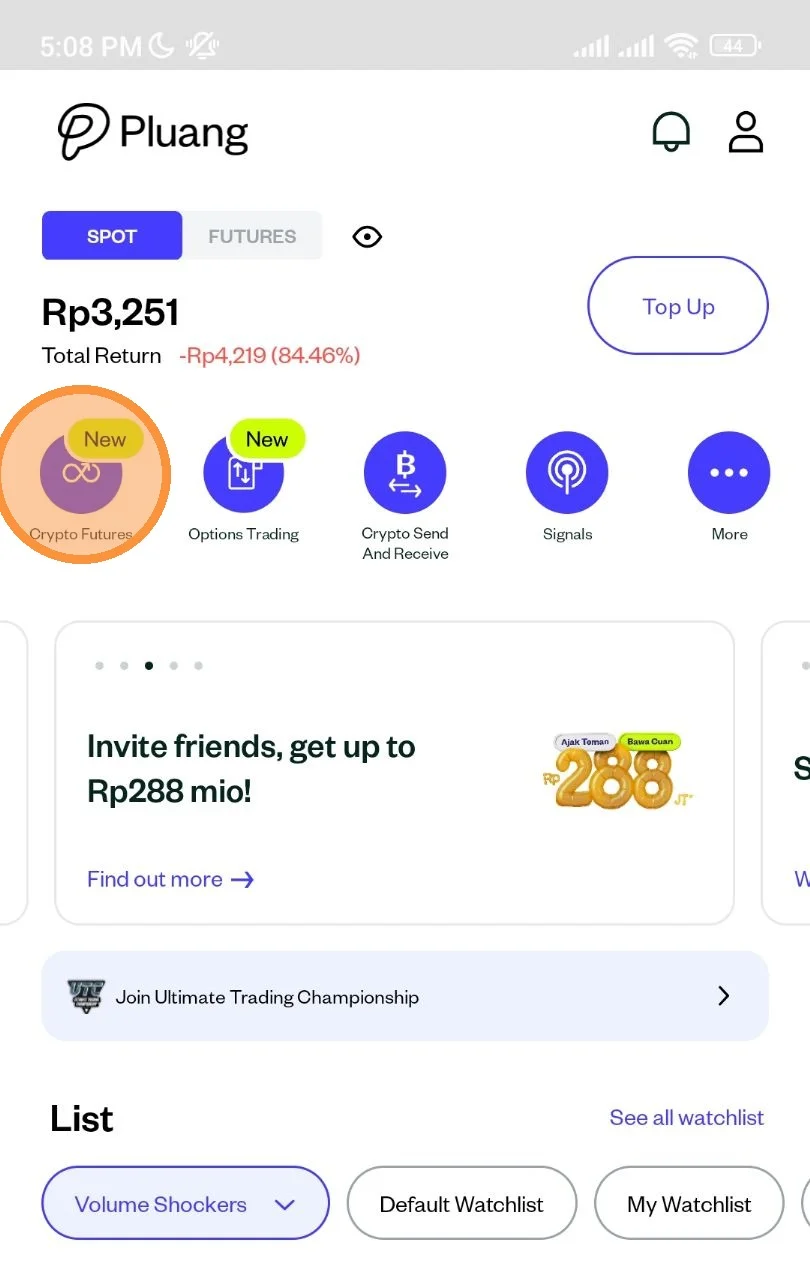
Open the Pluang App and login, Navigate to "Crypto Futures" by tapping here on the quick icons
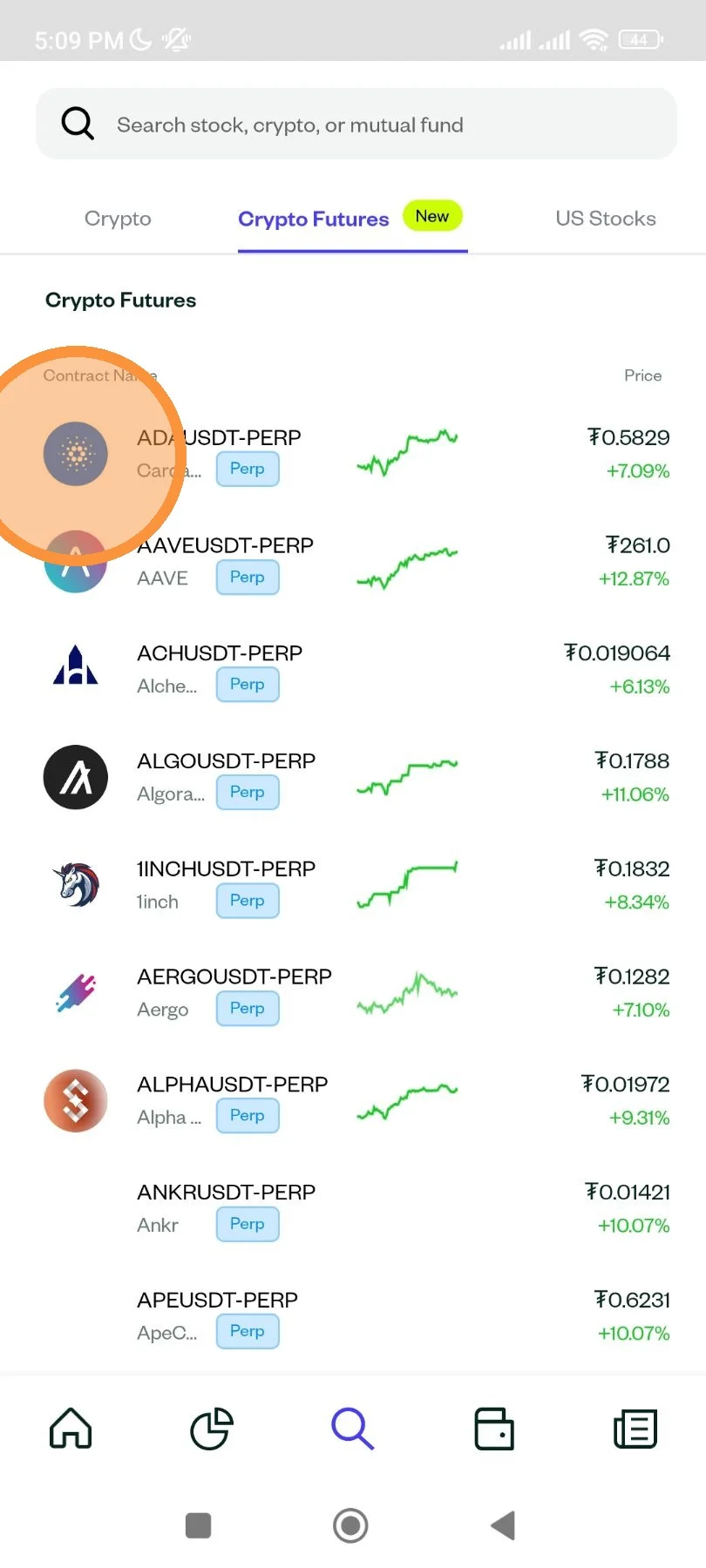
Select the crypto perpetual asset.
Tap Buy (Long)
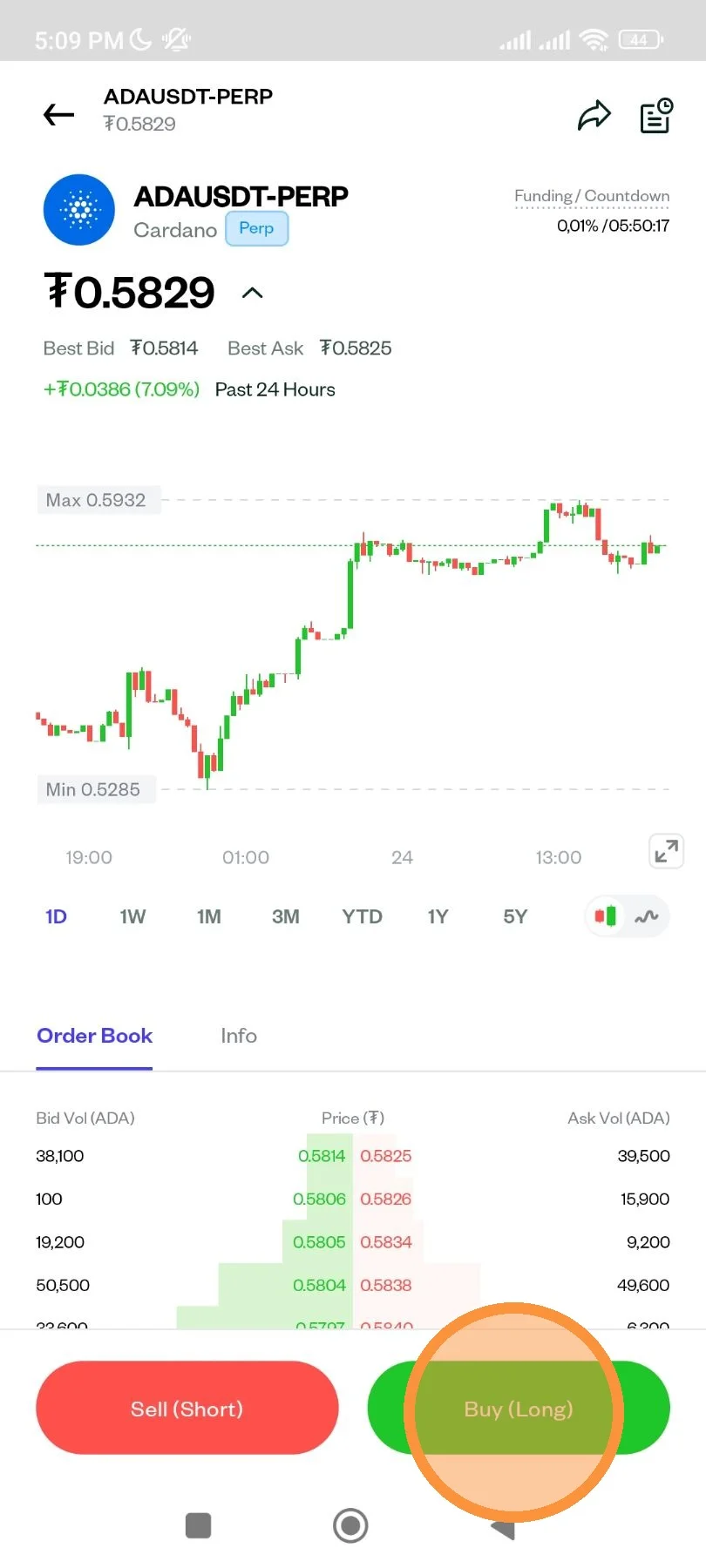
Open Order Book instruction.
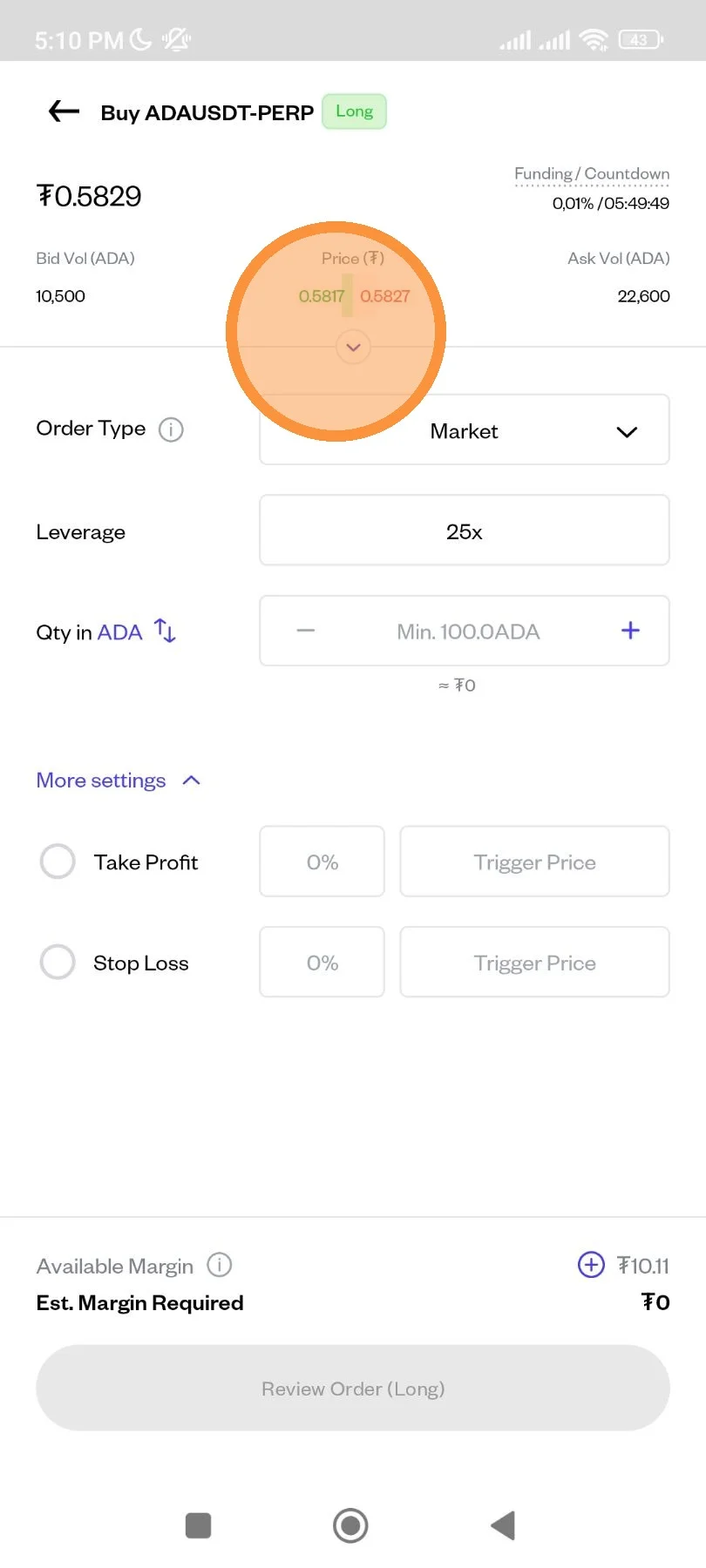
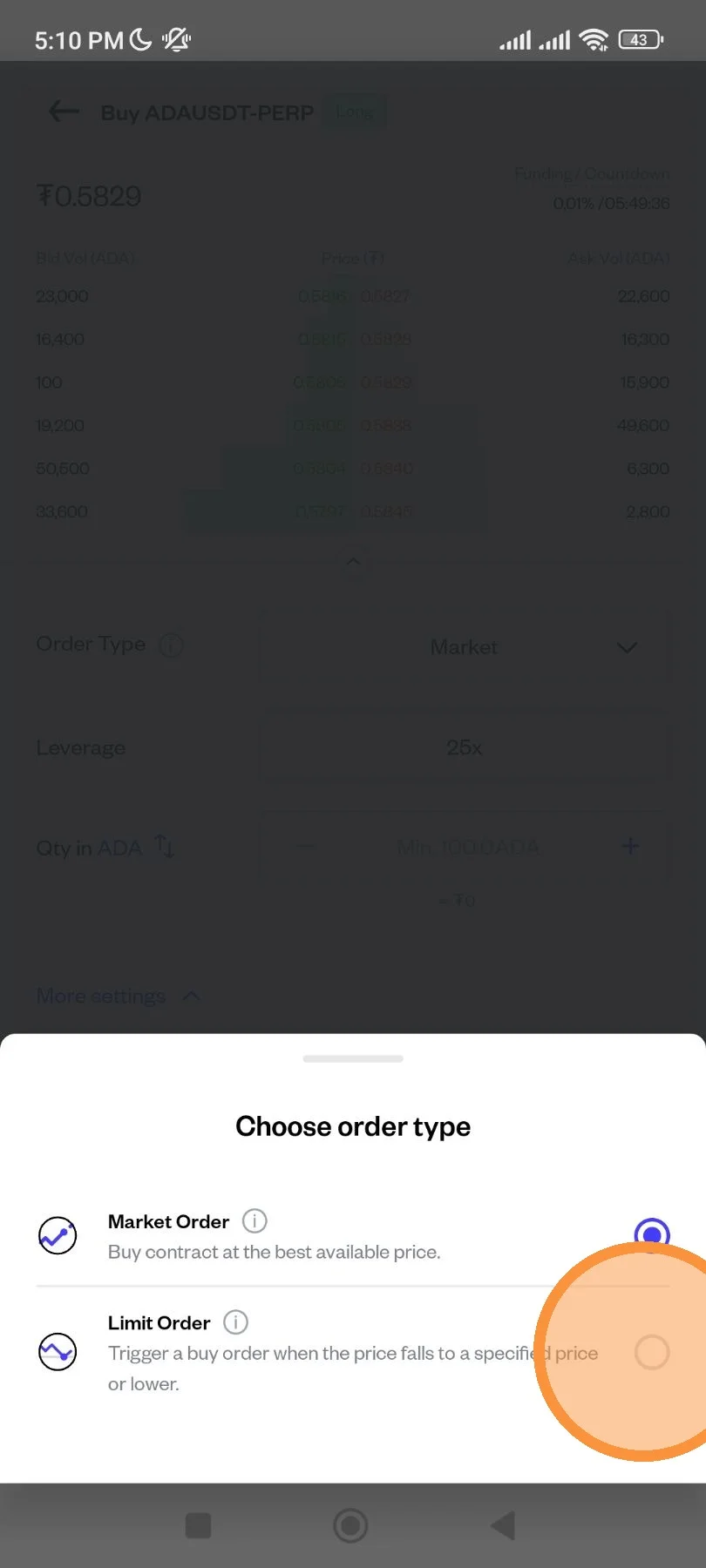
Tap here to select between "Market" or "Limit" Order
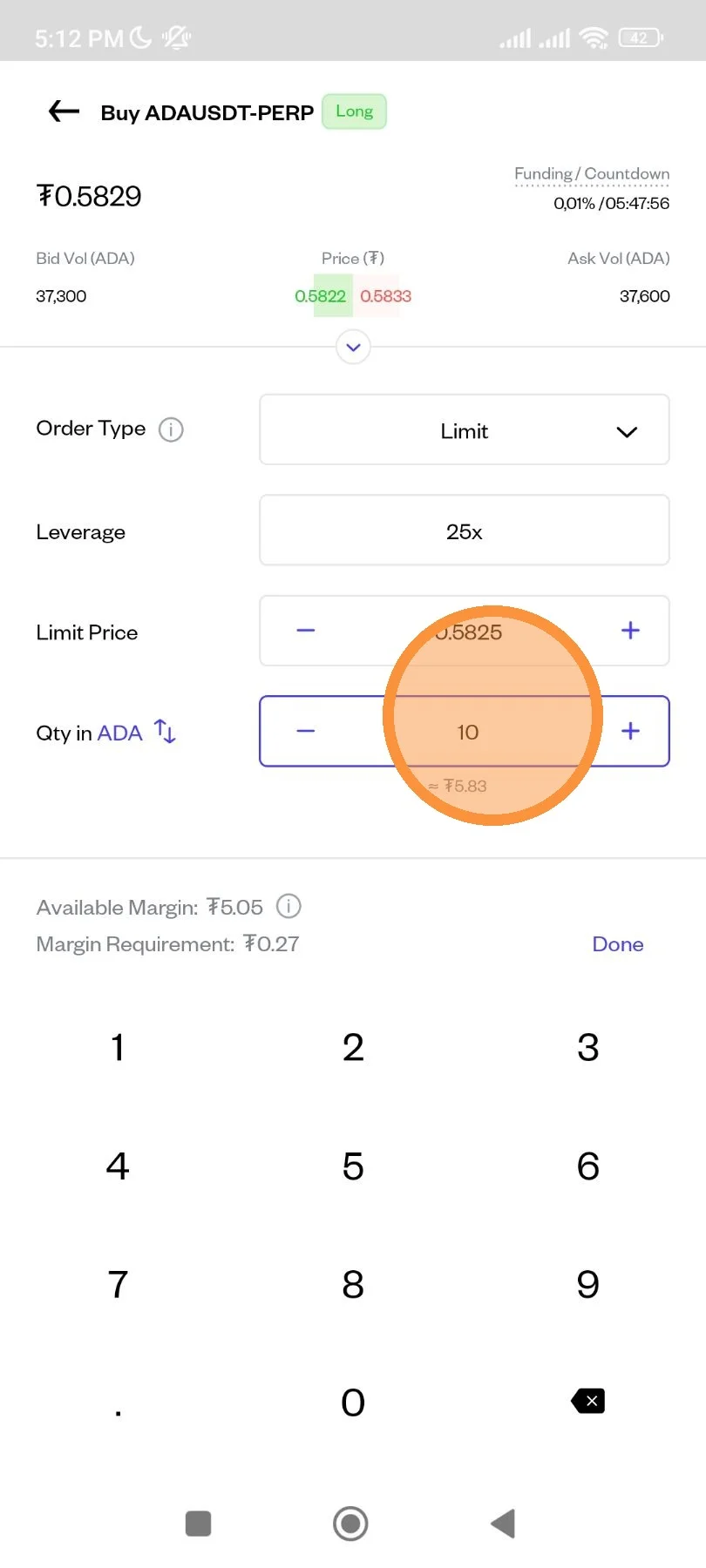
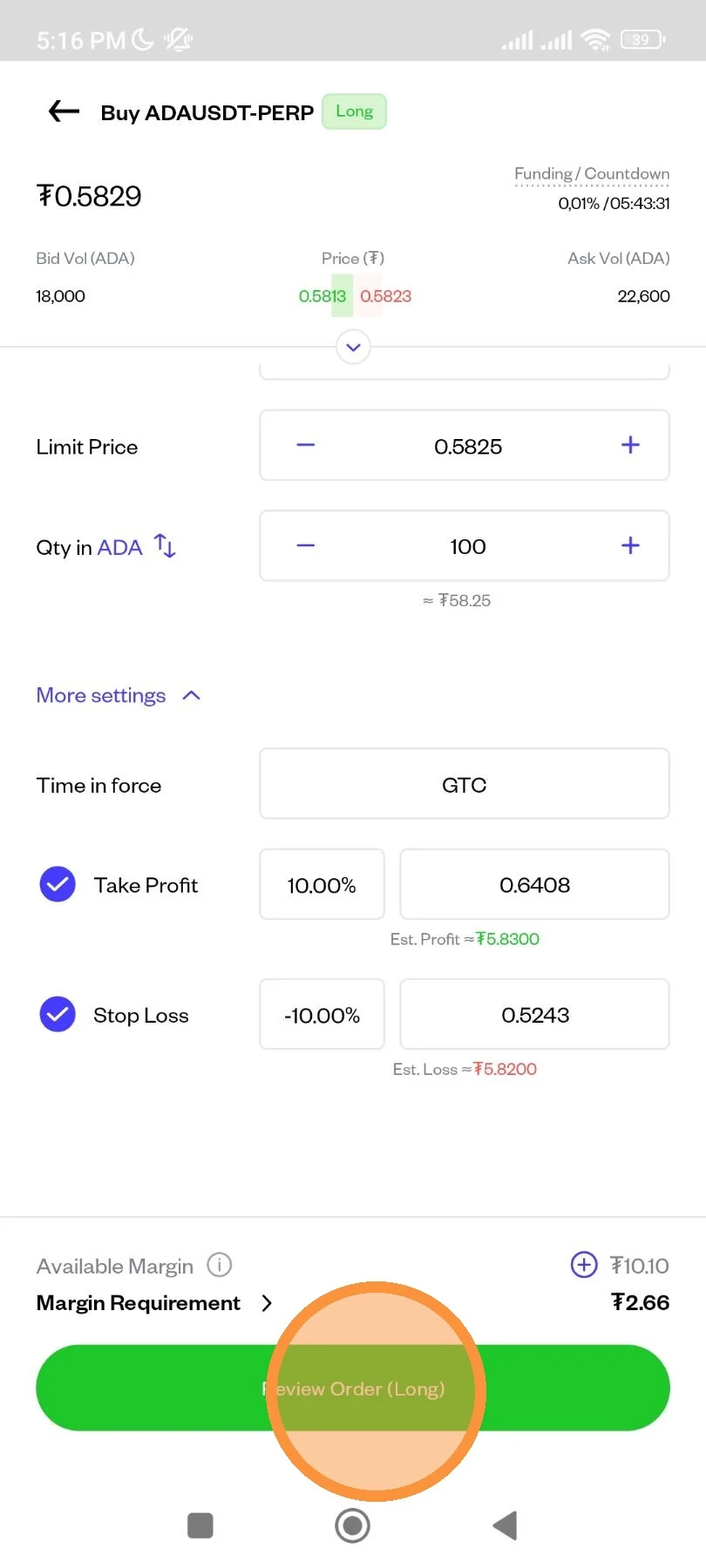
Input the Limit Price and the Qty (min qty is 100)
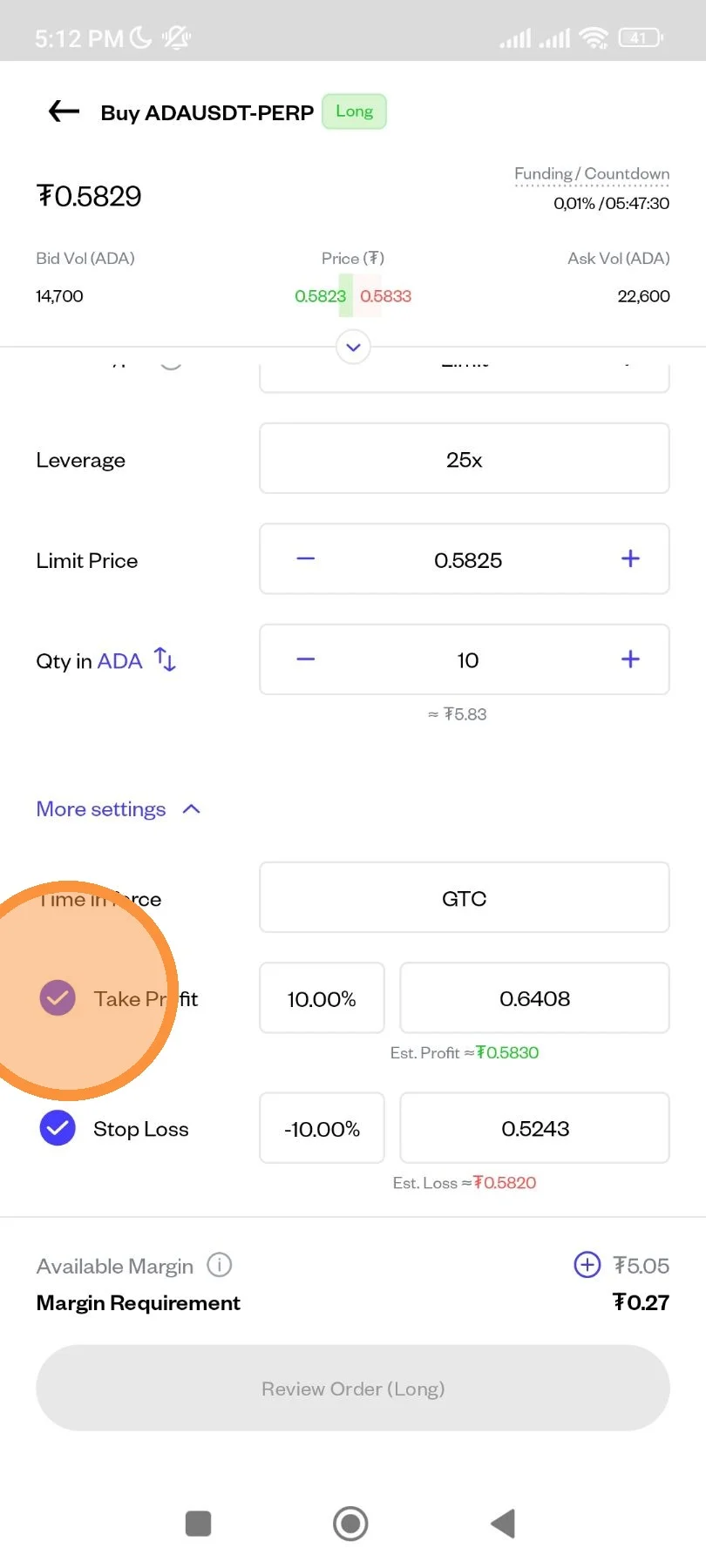
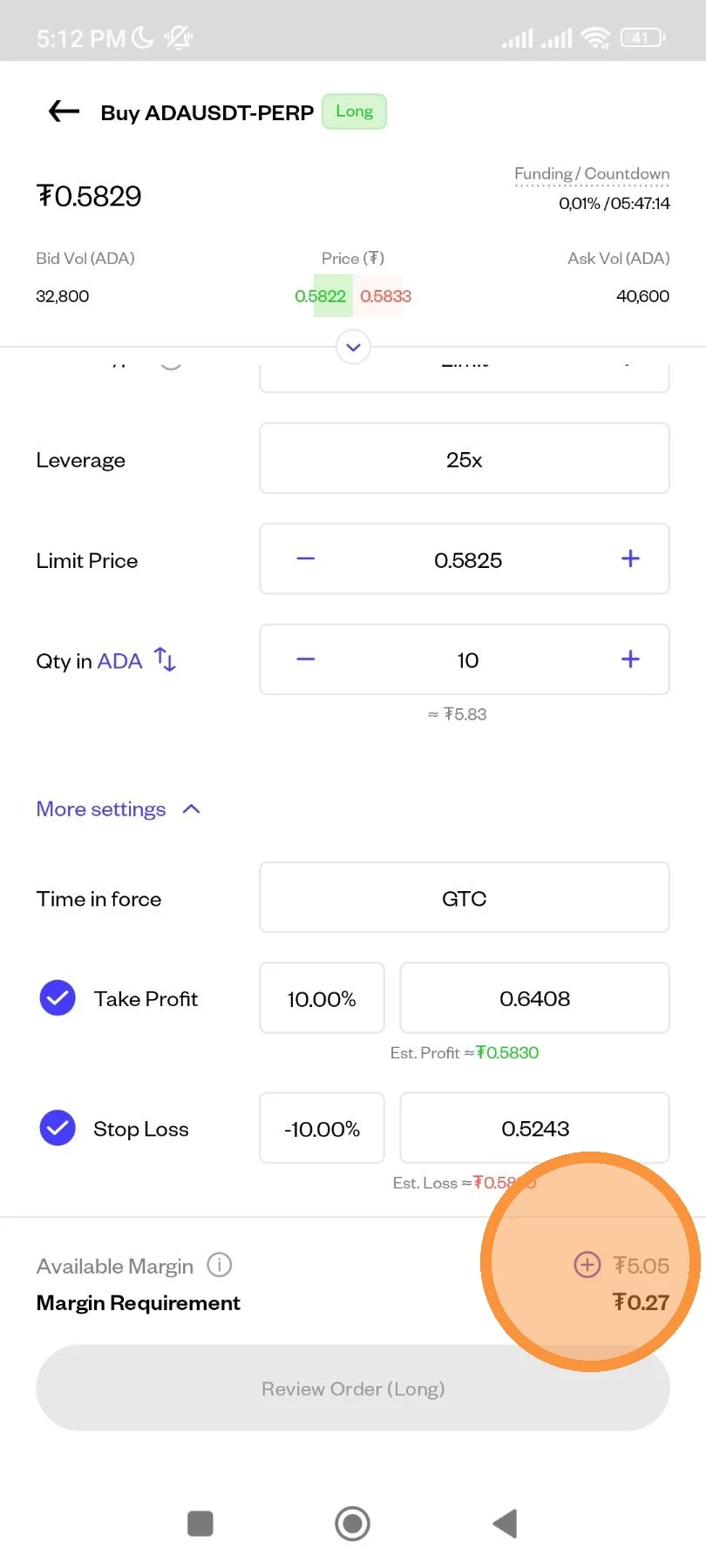
Fill all the necessary detail. You can also place Take Profit or Stop Loss individually, or you can also place them both to create OCO (One-Cancels-The-Other) Order.
Instant USDT conversion from spot to margin account.
You can fill in USDT Margin before placing an order by clicking the “+” symbol as shown below.
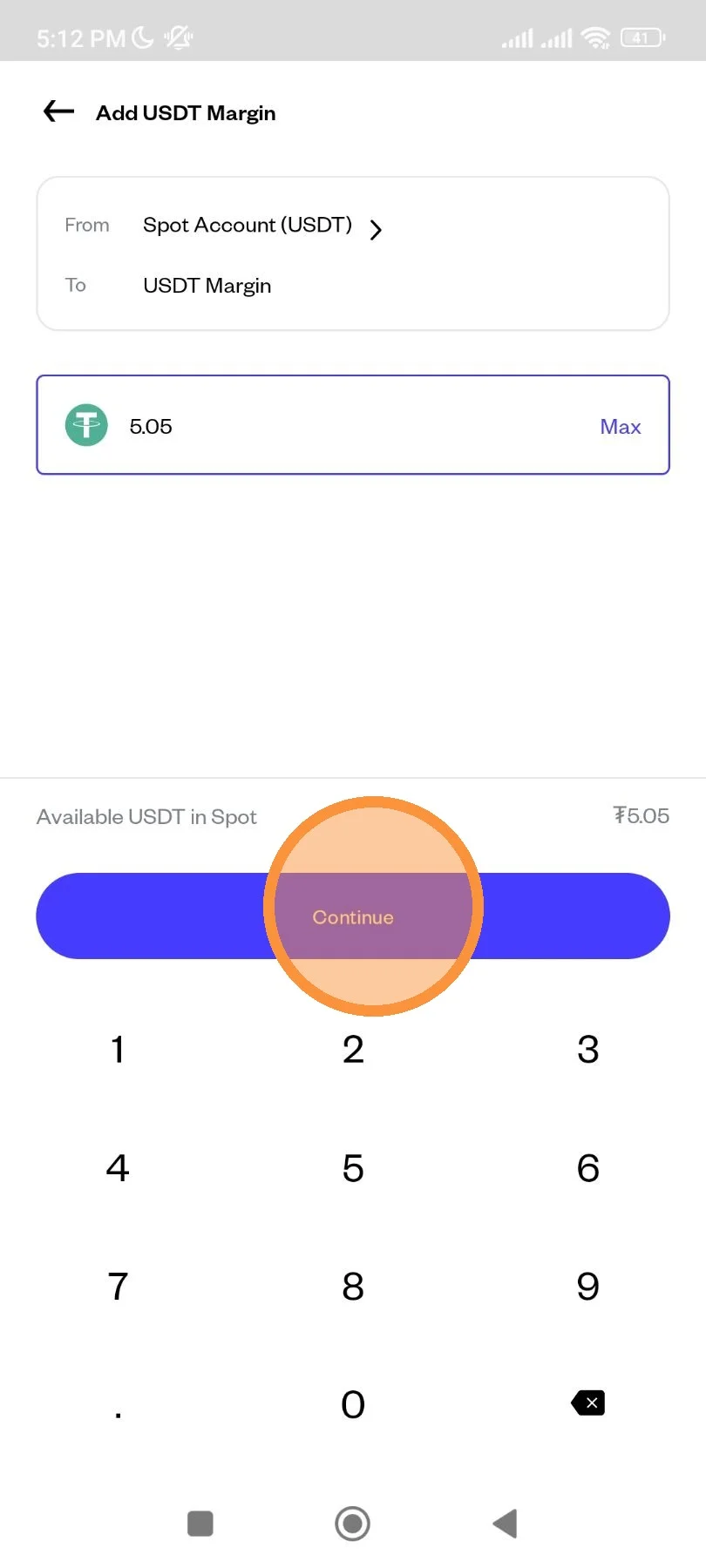
Make sure you have USDT balance from your Spot account. Then enter the amount you want to transfer to USDT Margin. You can click “Continue”.
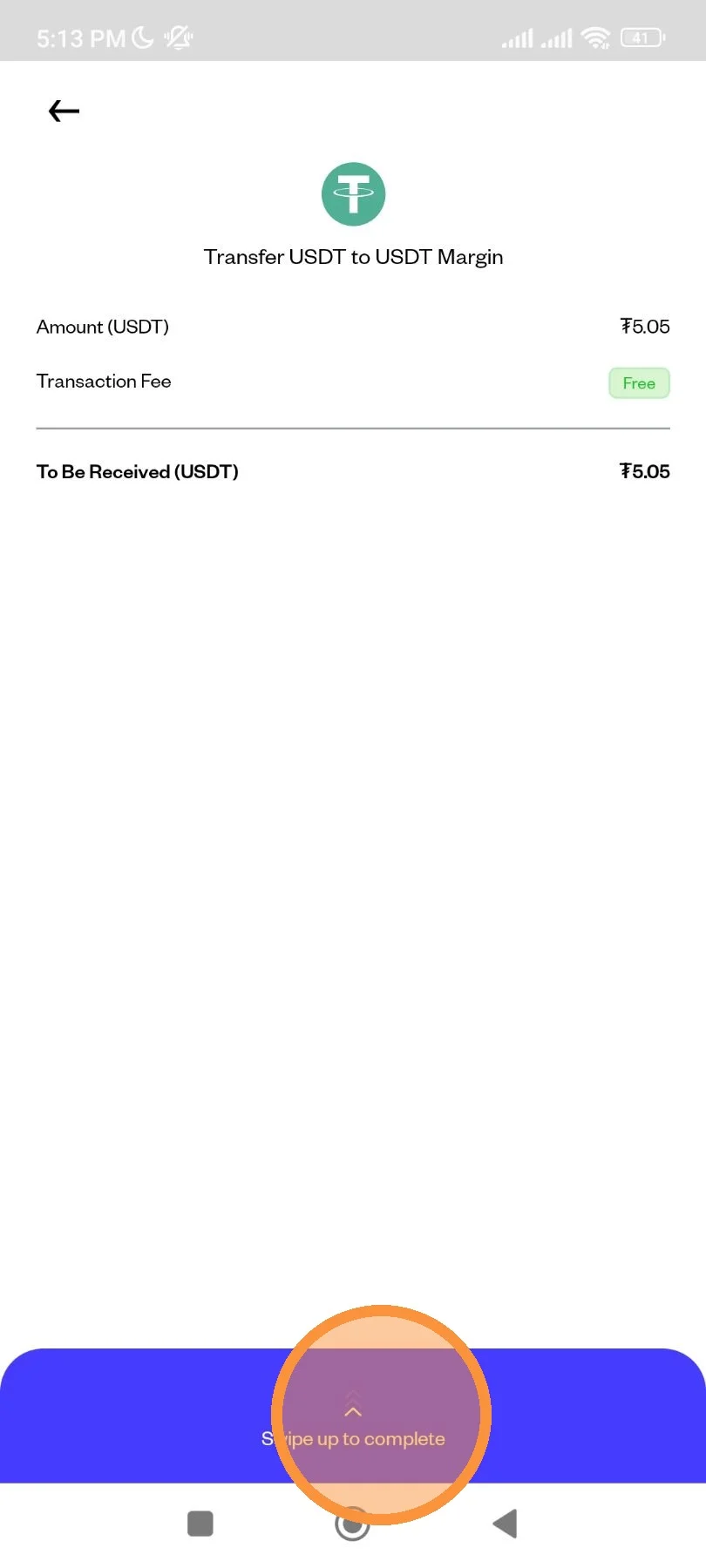
Double-check the details of the USDT Spot to USDT Margin transfer transaction. Then "Swipe up to complete" the transaction.
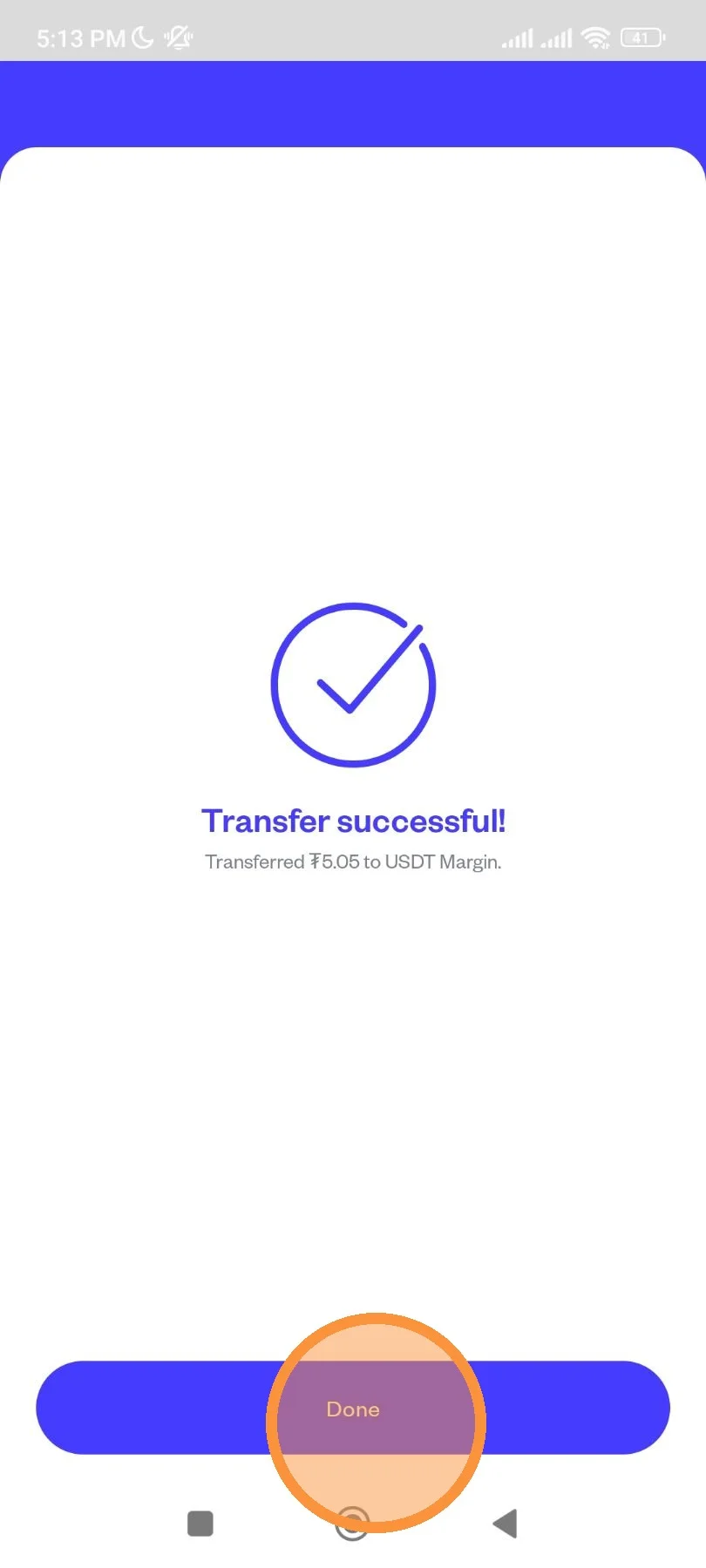
The process of transferring USDT Spot to USDT Margin is in progress.

You have successfully added your USDT Margin balance to trade on Crypto Futures.
Tap here to "Review Order" (Long).
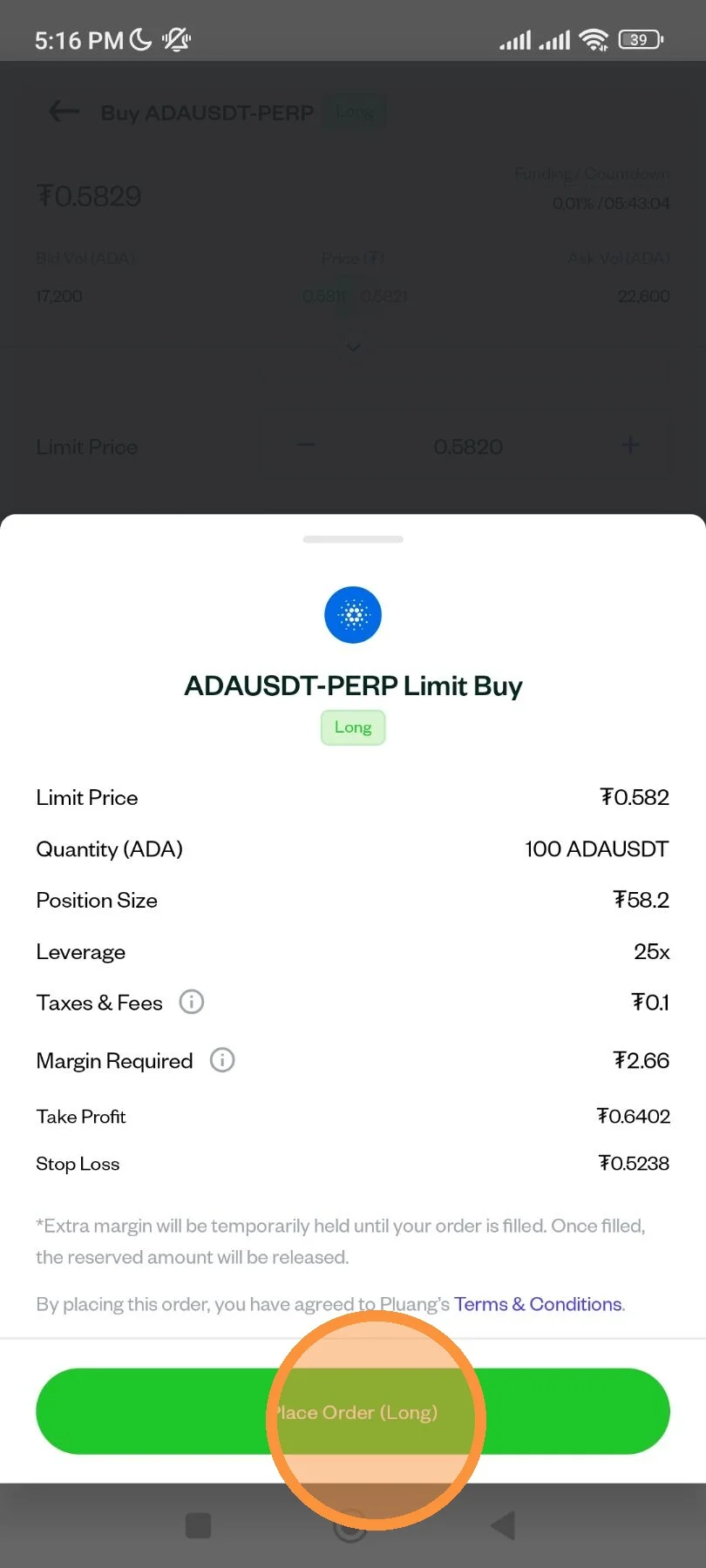
After review, tap here to Place your order.
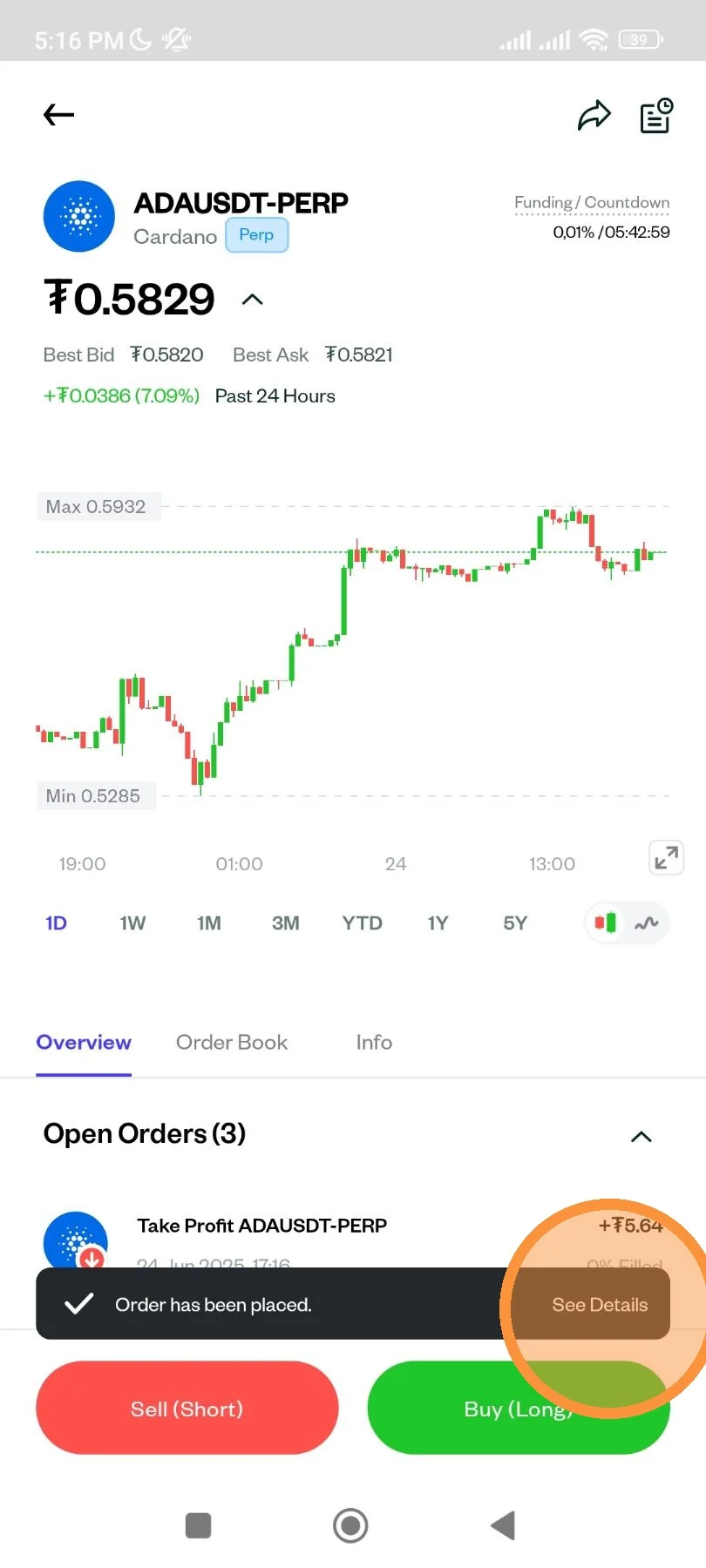
Your order has been placed.
Check the status of the order on the Transaction History page.
You will see the transactions that you have successfully completed previously.