How to Complete Indonesian Asset Verification on Pluang
This document provides a step-by-step guide on completing Indonesian Asset Verification on the Pluang app, enabling users to invest in Indonesian stocks.
15 Steps
Q: How do I complete Indonesian Asset Verification on Pluang?
A: You can complete Indonesian Asset Verification on Pluang in 5–10 minutes through the Indonesian Stocks menu in the app. Once the verification and RDN opening are completed and approved, you can start investing in Indonesian stocks on Pluang.
Before you start, make sure:
- You have an active bank account under your own name (for verification purposes)
Steps:
- Open the Indonesian Stocks menu
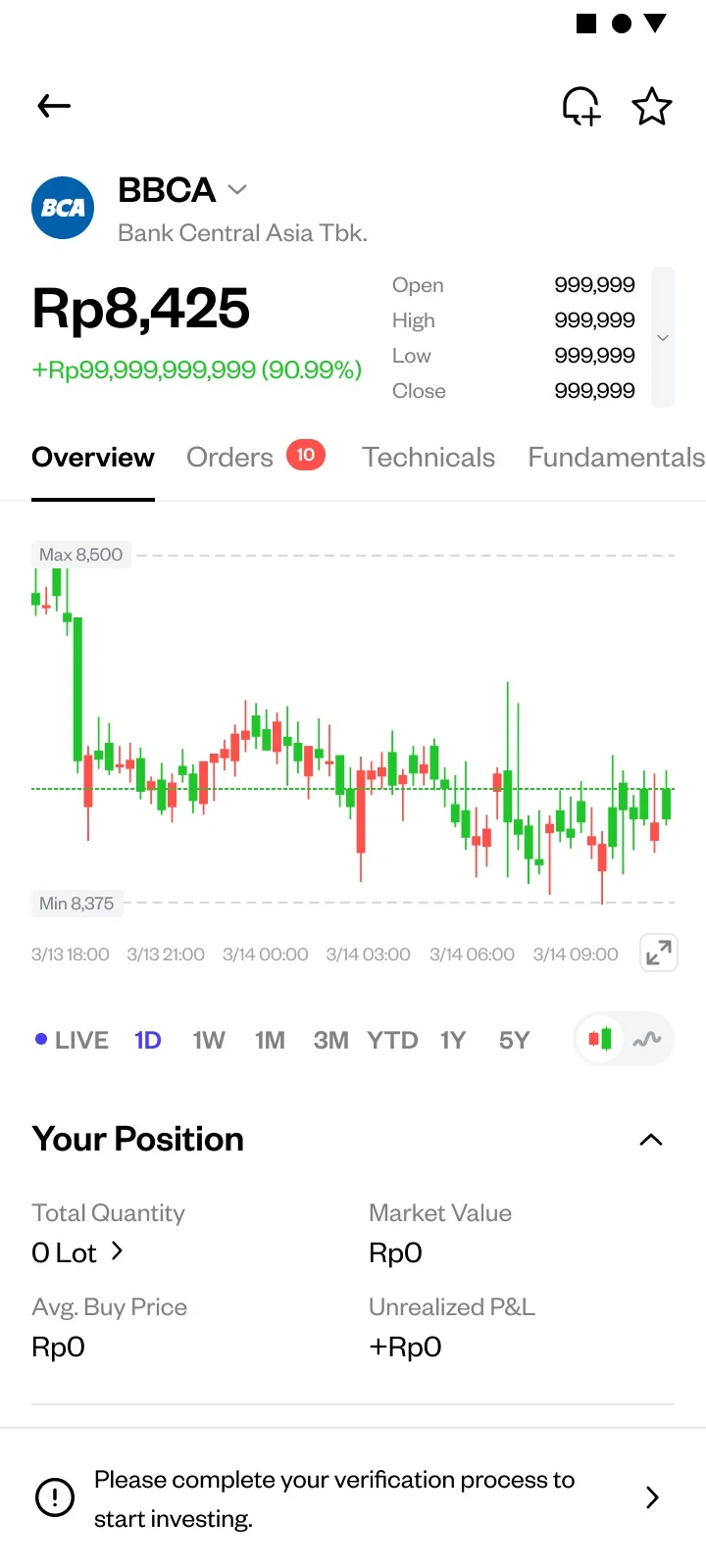
- From the Pluang app homepage, tap the Explore Page, then tap ID & Stocks to enter the IDX stock list page. Tap one of the Indonesian stocks. If your basic verification has been approved, you will see the option to continue Indonesian Asset Verification
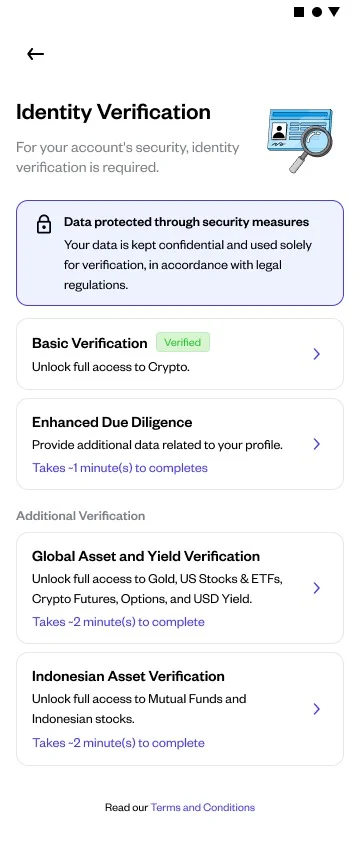
- You can also access the Indonesian Asset Verification process via the Profile page, then tap Indonesian Asset Verification
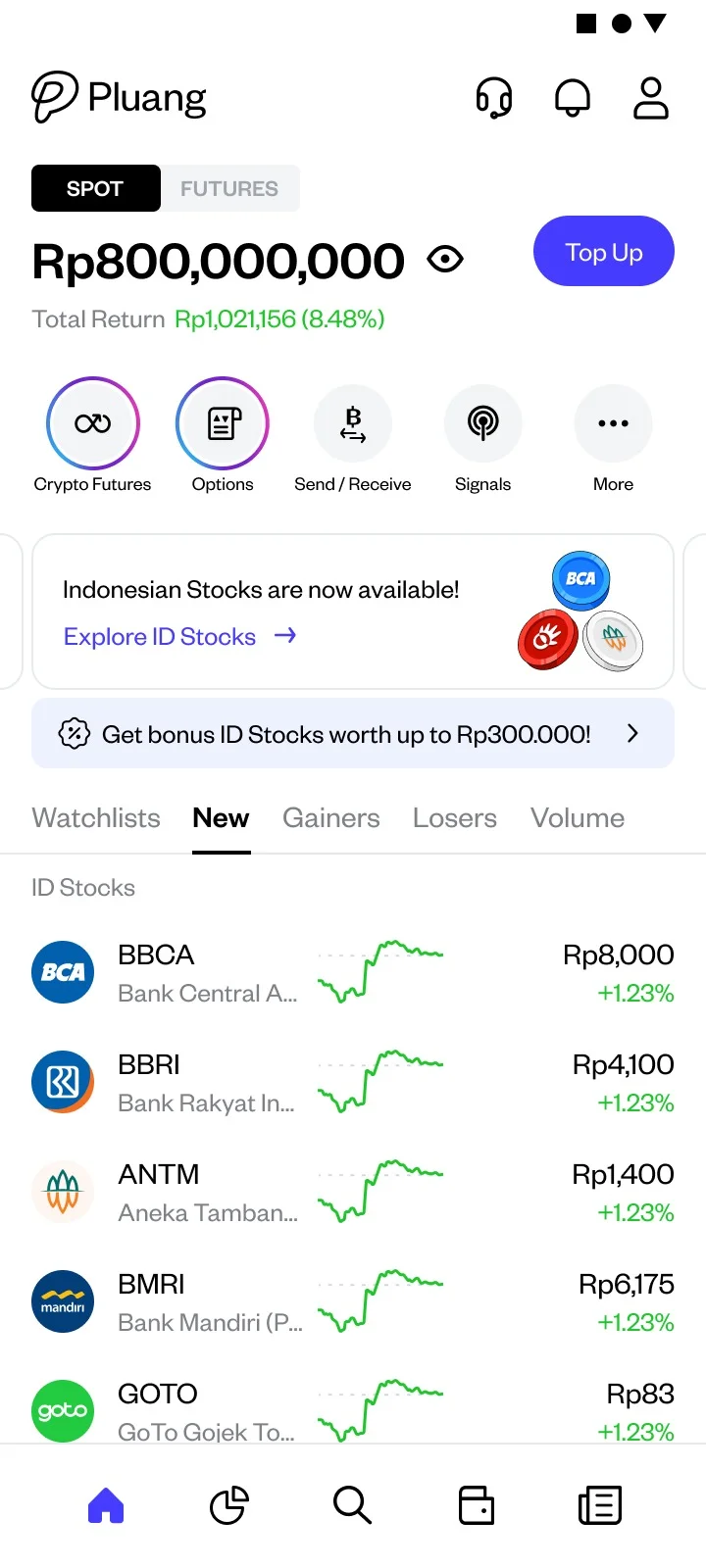
Tap Complete Verification to start the process
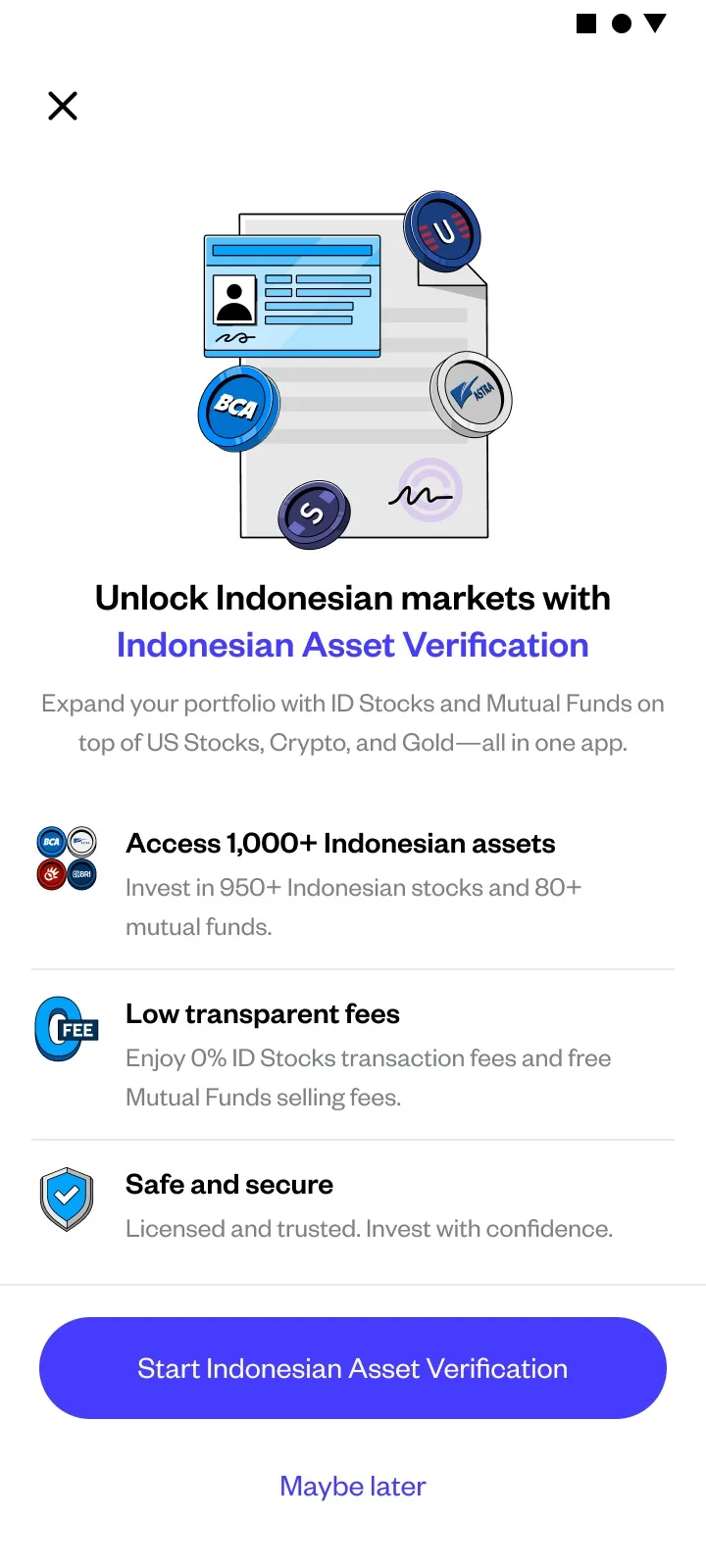
Tap Start Indonesian Asset Verification
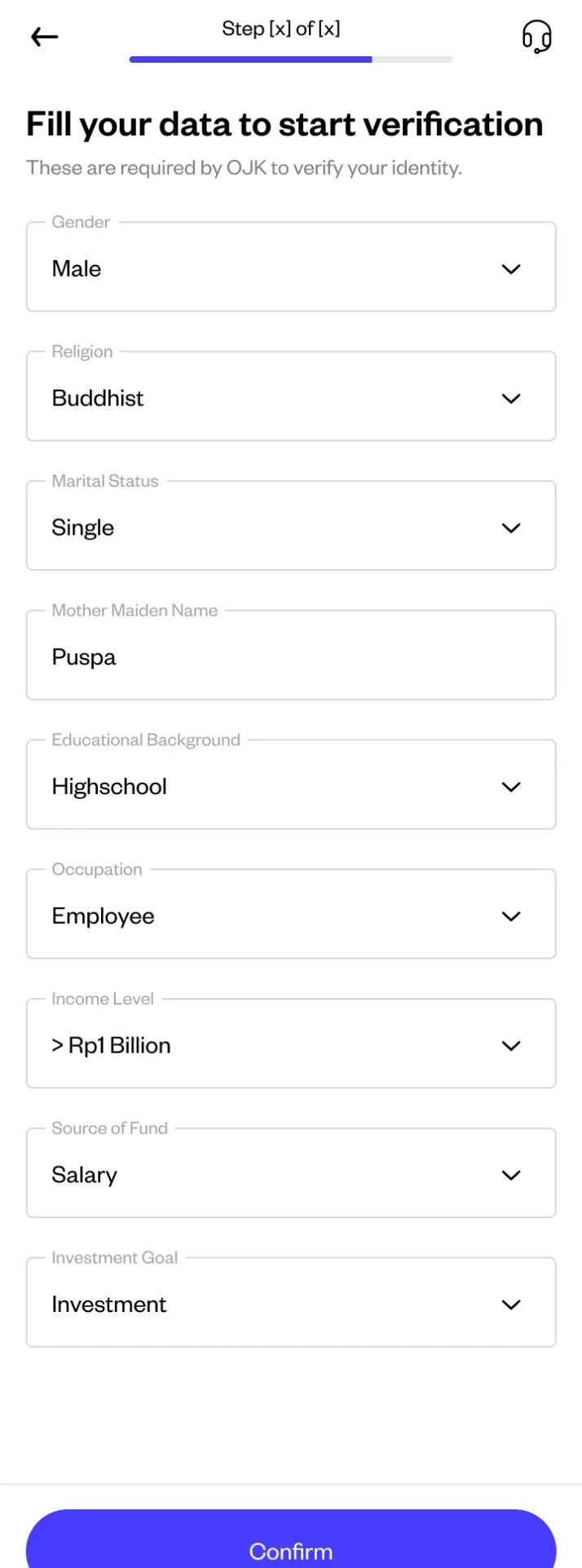
Enter your personal details
Fill in the personal data form: gender, religion, marital status, mother’s name, education background, occupation, income level, source of income, and investment objective. Make sure all data matches your ID
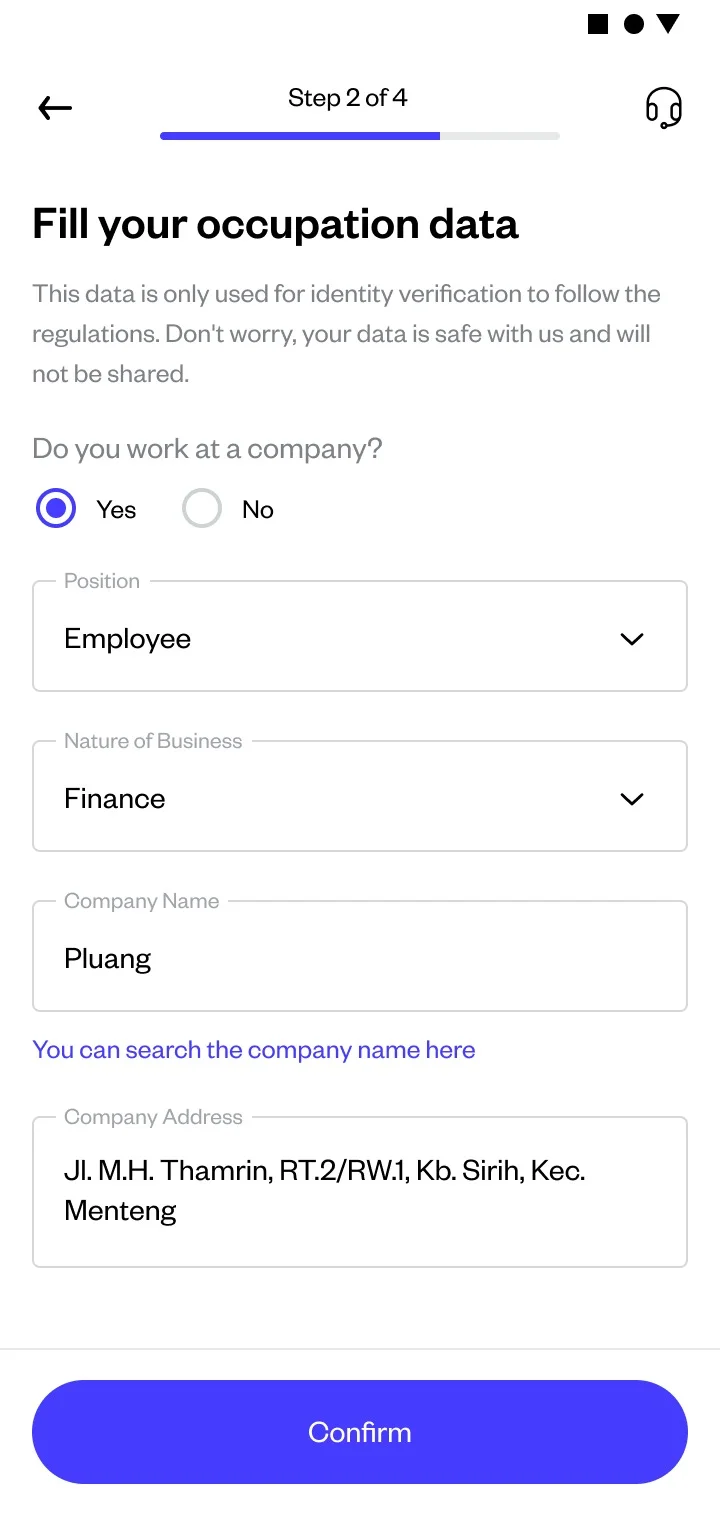
Enter your employment details
Fill in your job information: position, business line, company name, and company address
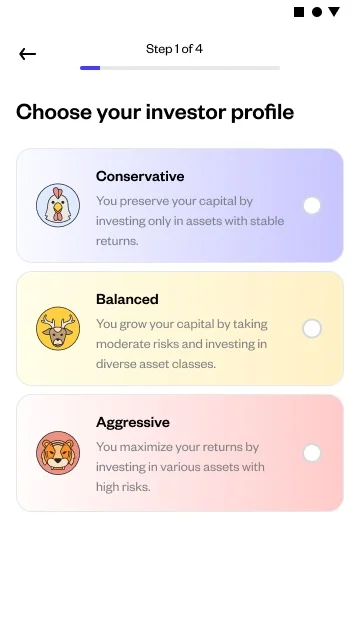
Enter your investment profile
Provide your investment risk profile
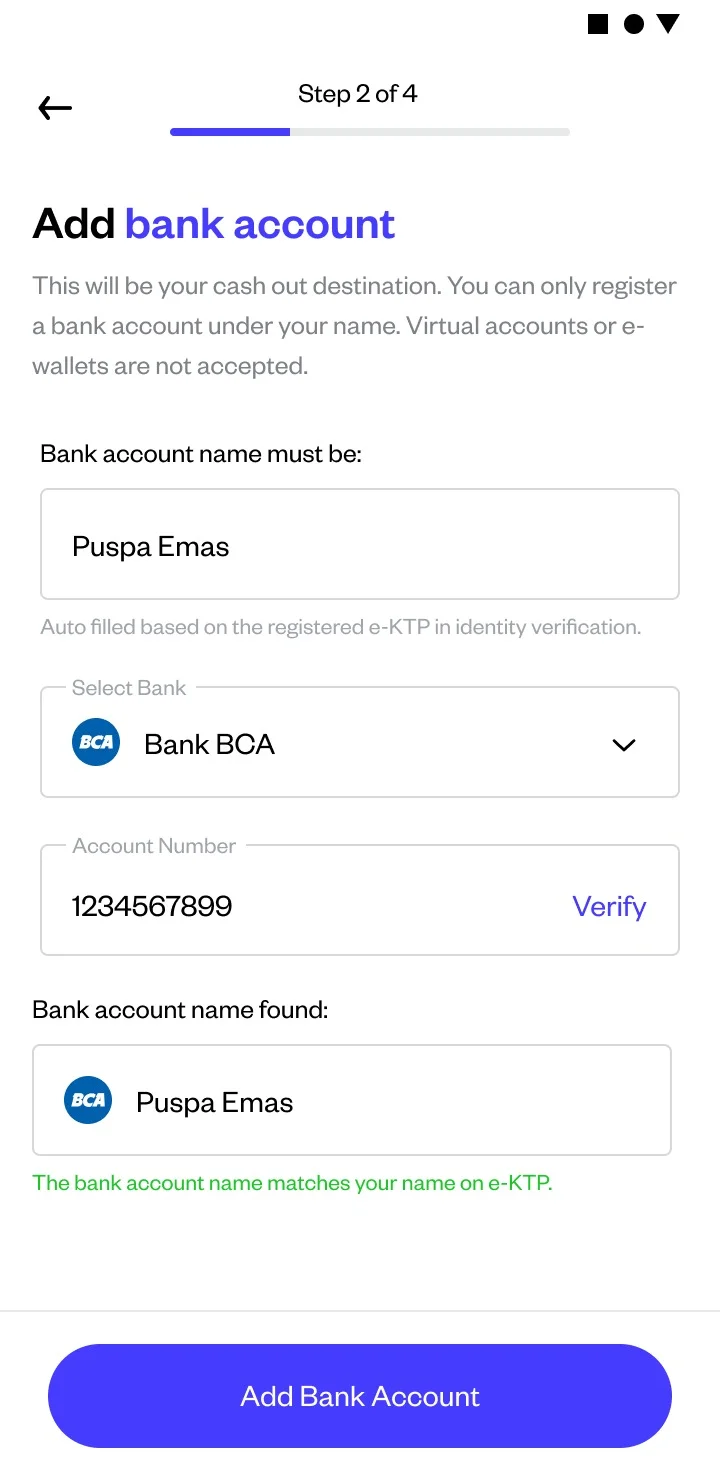
Enter your bank account details
Input an active bank account under your own name. This account will be used for RDN top-ups and withdrawals
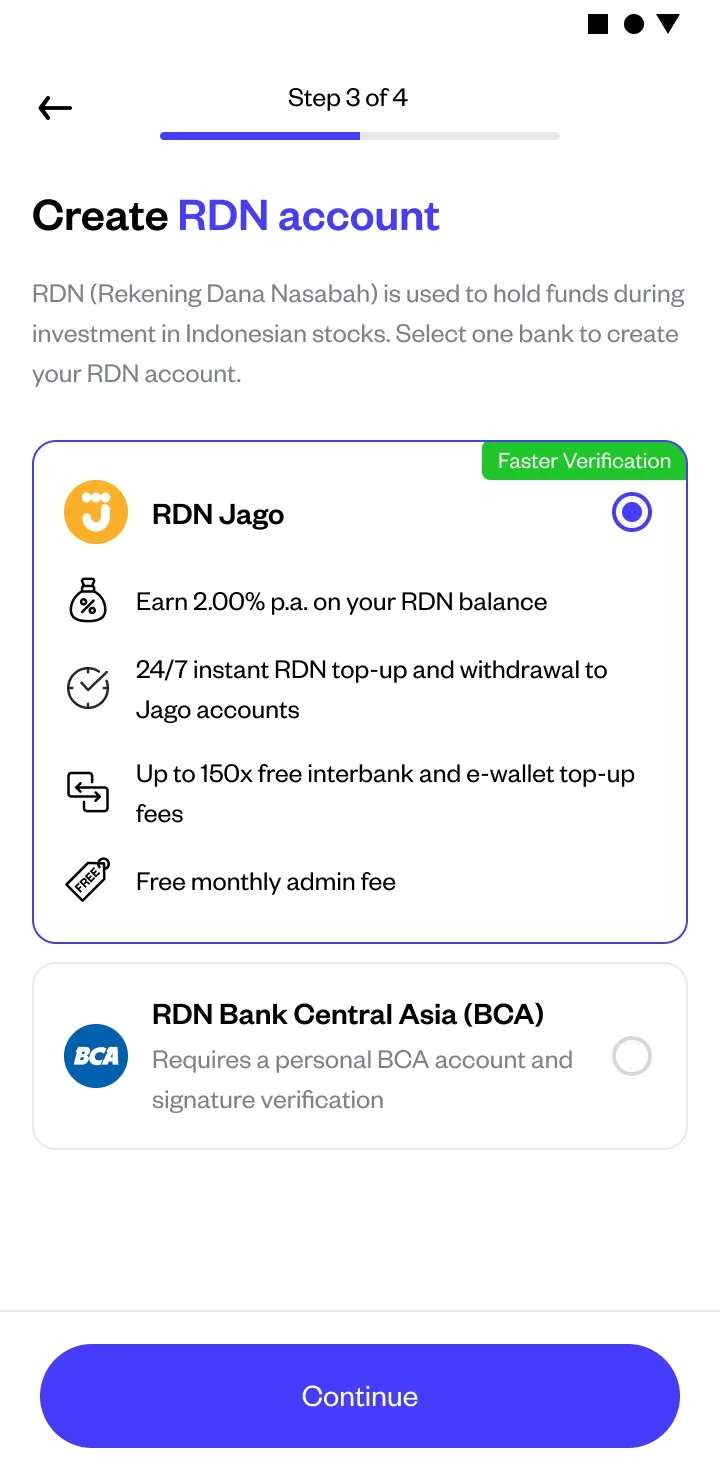
Open your RDN by selecting a partner bank
Choose between Bank Jago or Bank Central Asia (BCA) and complete the required data (see How to Open an RDN)
Review and confirm your data
Double-check all the information you entered. If everything is correct, tap Submit to send your verification application
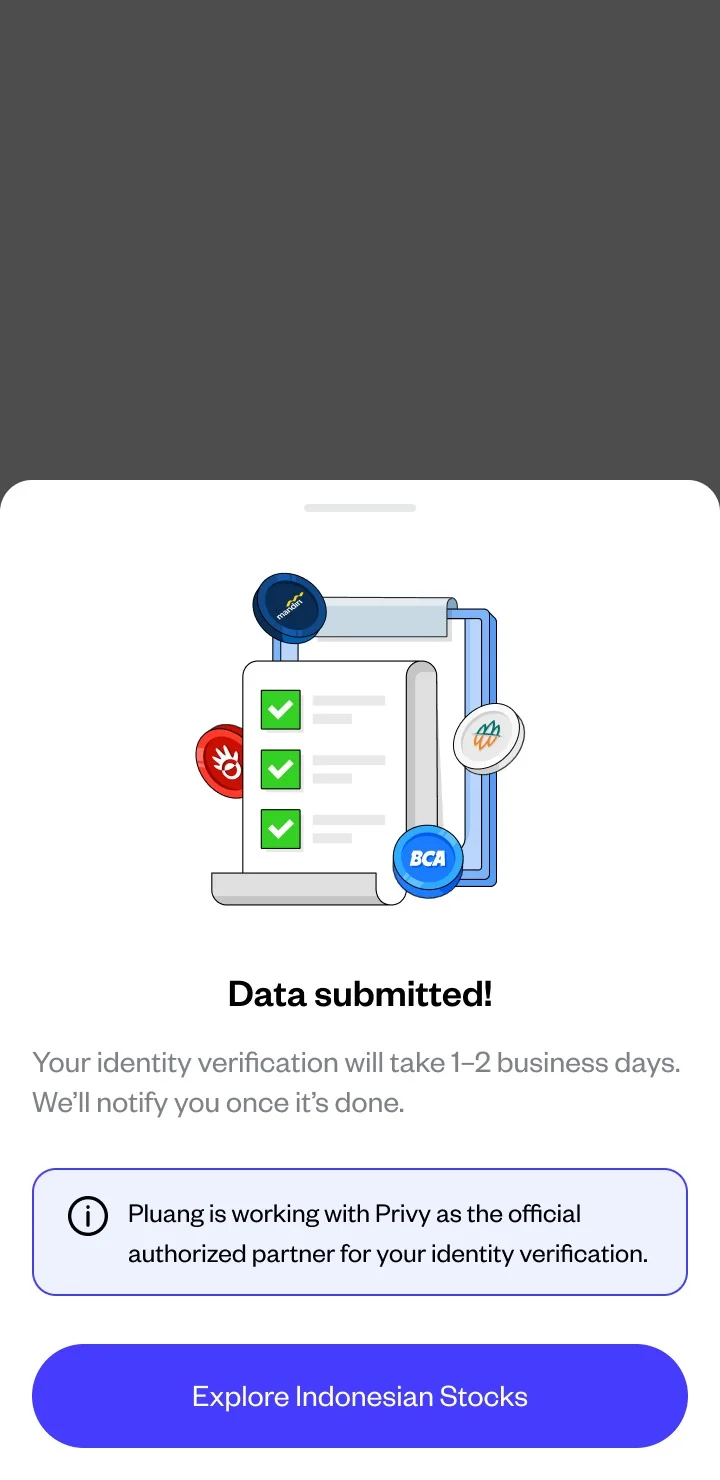
Success indicator:
You will see a confirmation screen that your verification application is under review. The process usually takes 1–2 business days. You will receive a notification via the app and email once your verification is approved.
Things to note:
- The information you enter must match your ID card exactly—spelling differences can slow down the process
- Asset Verification for Indonesia is separate from verification for other products on Pluang (such as crypto or U.S. stocks)—you need to complete it separately
- If your verification is rejected, you will receive a notification with the reason for the rejection and can resubmit
- Your signature must be EXACTLY THE SAME as the one on your ID card; do not use a shortened or varied signature
- Your trusted contact must match the information on your Family Card (KK) — full name and relationship must match
- Your ID card photo and selfie must not be blurry, dark, or cropped. The entire ID card must be visible, with no reflections or glare
- Your employment information must be complete and consistent
- Use the latest version of the Pluang app
Related Mini Q&A:
Q: How long does the Indonesian Asset Verification review take?
A: The review process takes 1–2 business days.
Q: Is NPWP required for Indonesian Asset Verification?
A: No. If you have already completed basic verification on Pluang, you do not need to submit NPWP again for Indonesian Asset Verification.
Q: What happens if my verification is rejected?
A: You will receive a notification with the reason for rejection and can resubmit with corrected data or documents.
Q: Is Indonesian Asset Verification the same as verification for other products on Pluang?
A: No. Verification for Indonesian stocks is a separate process required specifically to open a stock account and RDN on Pluang.
Q: Do I need to verify if I already have a Pluang account?
A: Yes. If you have not completed Indonesian Asset Verification before, you must complete it even if you already have an active Pluang account.