How to Open an RDN (Customer Fund Account) on Pluang
This document provides a step-by-step guide on how to open a Customer Fund Account (RDN) on Pluang, including prerequisites, steps, and related FAQs.
18 Steps
Q: How do I open an RDN on Pluang?
A: You can apply to open an RDN (Customer Fund Account) on Pluang in 3–5 minutes as part of your Indonesian Asset Verification process. The RDN is opened automatically as part of this flow — you do not need to register separately with a bank.
Before you start, make sure:
- Your basic verification has been completed and approved
- You have a BCA bank account number if you choose a BCA RDN
Steps:
- From the Pluang app homepage, tap the Explore Page, then tap ID & Stocks on the Explore Page. Tap one of the Indonesian stocks. If your basic verification has been approved, you will see the option to continue with Indonesian Asset Verification.
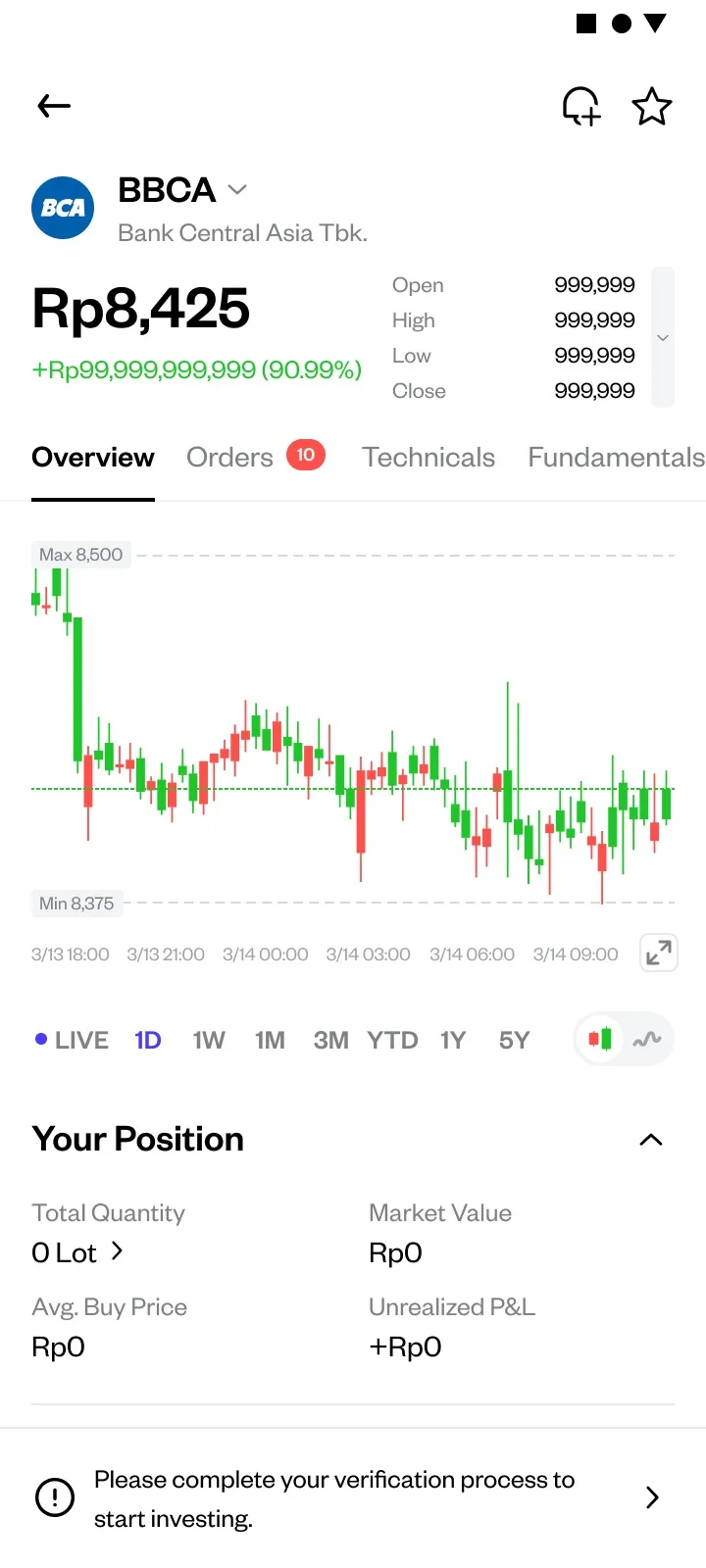
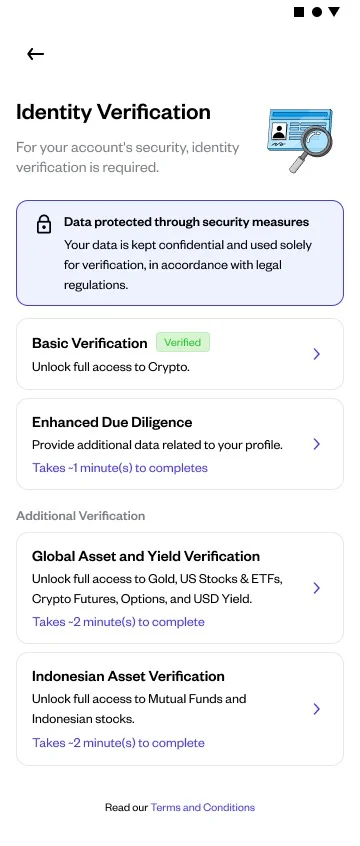
Tap Start Indonesian Asset Verification to begin the RDN opening process.
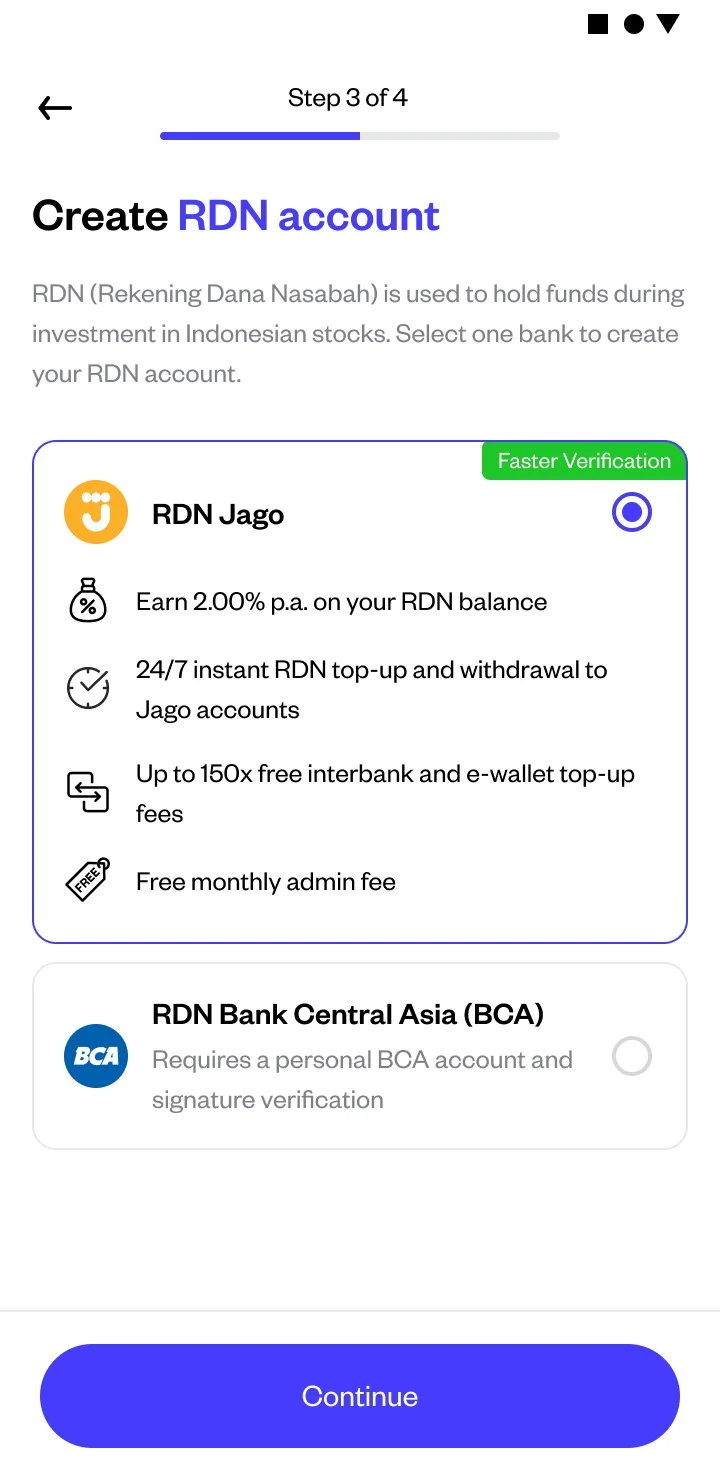
After filling in your profile details, choose the bank for your RDN activation.
- Select either Bank Jago RDN or Bank Central Asia (BCA) RDN.
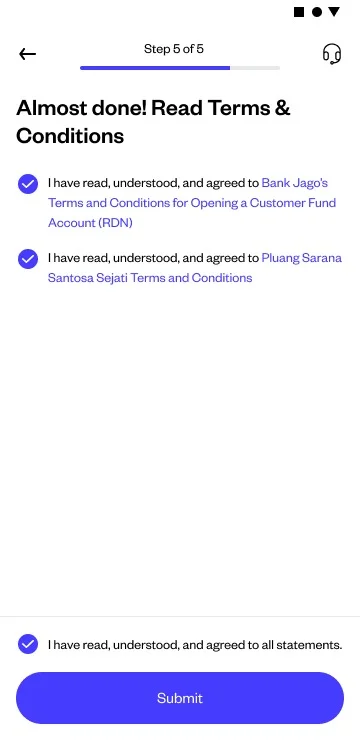
For Jago RDN:
- If you already have a Jago account: Verify your Jago account phone number and agree to the RDN terms and conditions
- If you do not have a Jago account: You only need to agree to the RDN terms and conditions
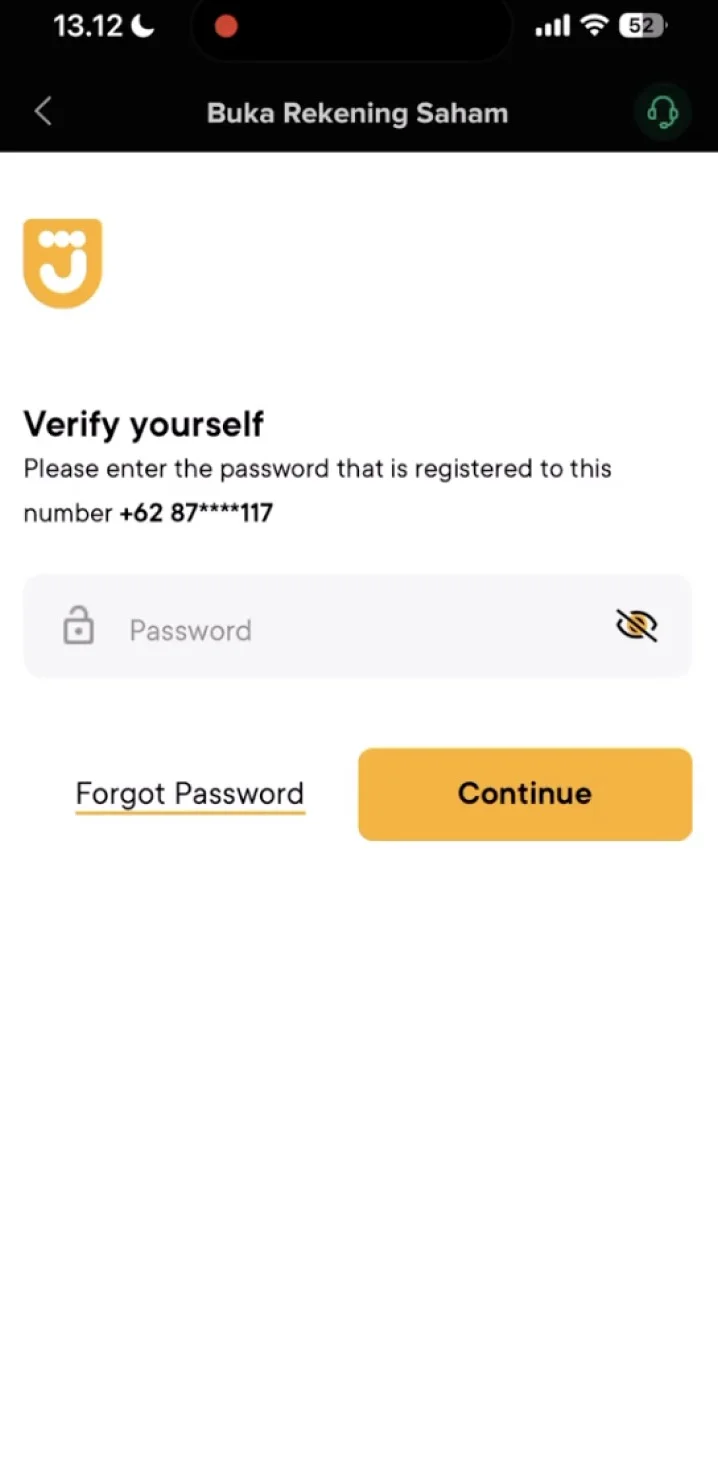
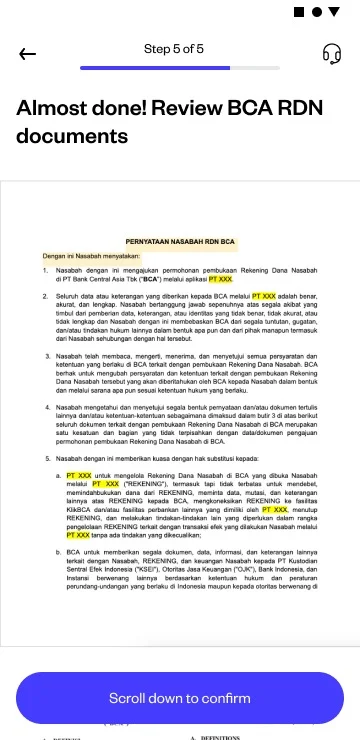
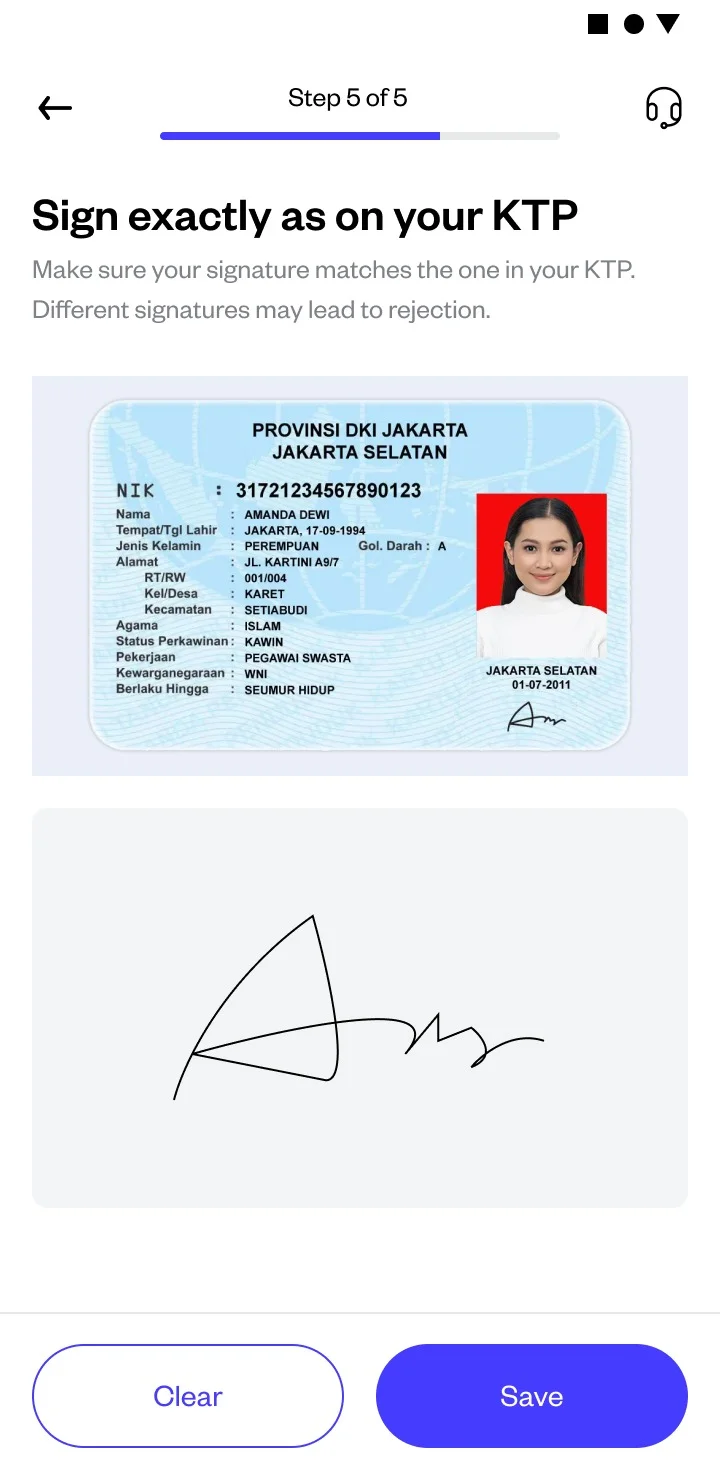
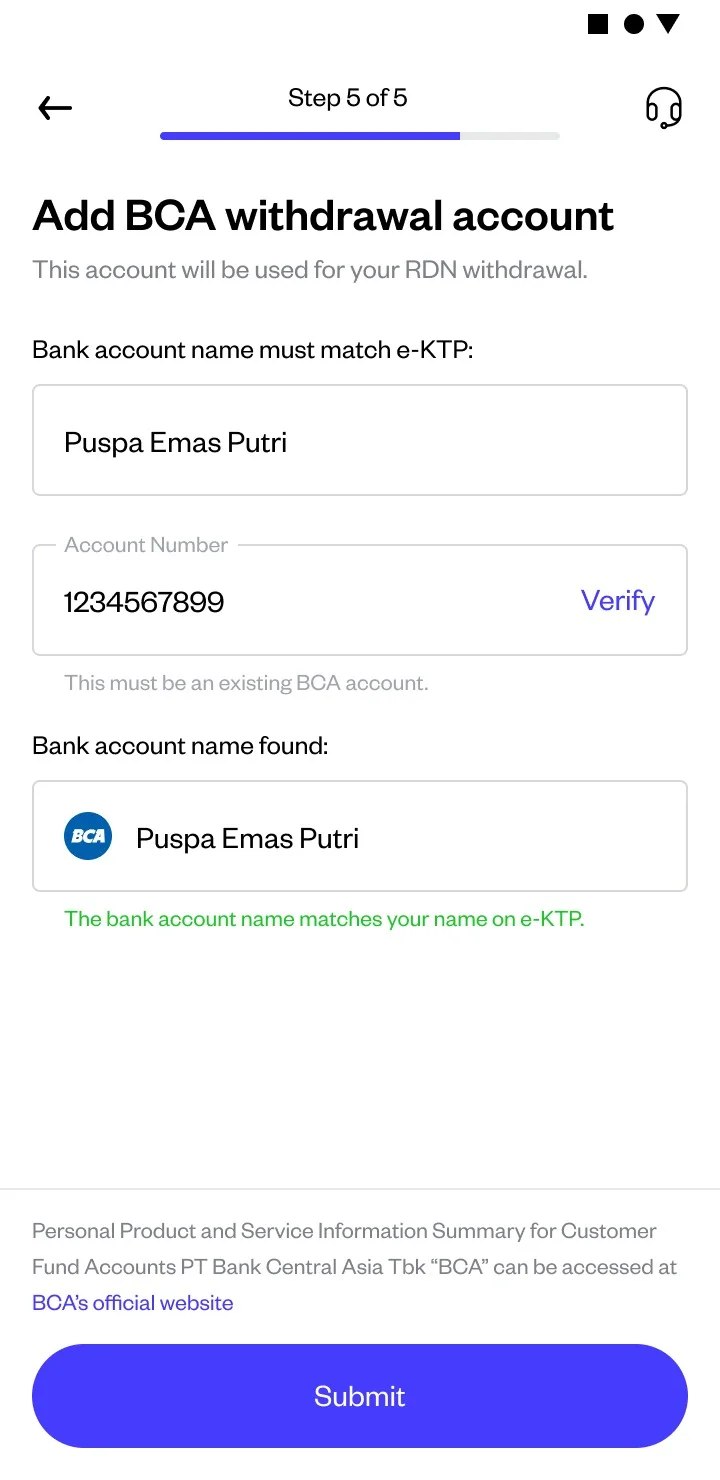
For BCA RDN:
Enter your BCA account number under your name, complete signature verification according to your ID, and agree to the RDN terms and conditions
Wait for activation
The system will automatically process your RDN opening. This usually takes 1–2 business days
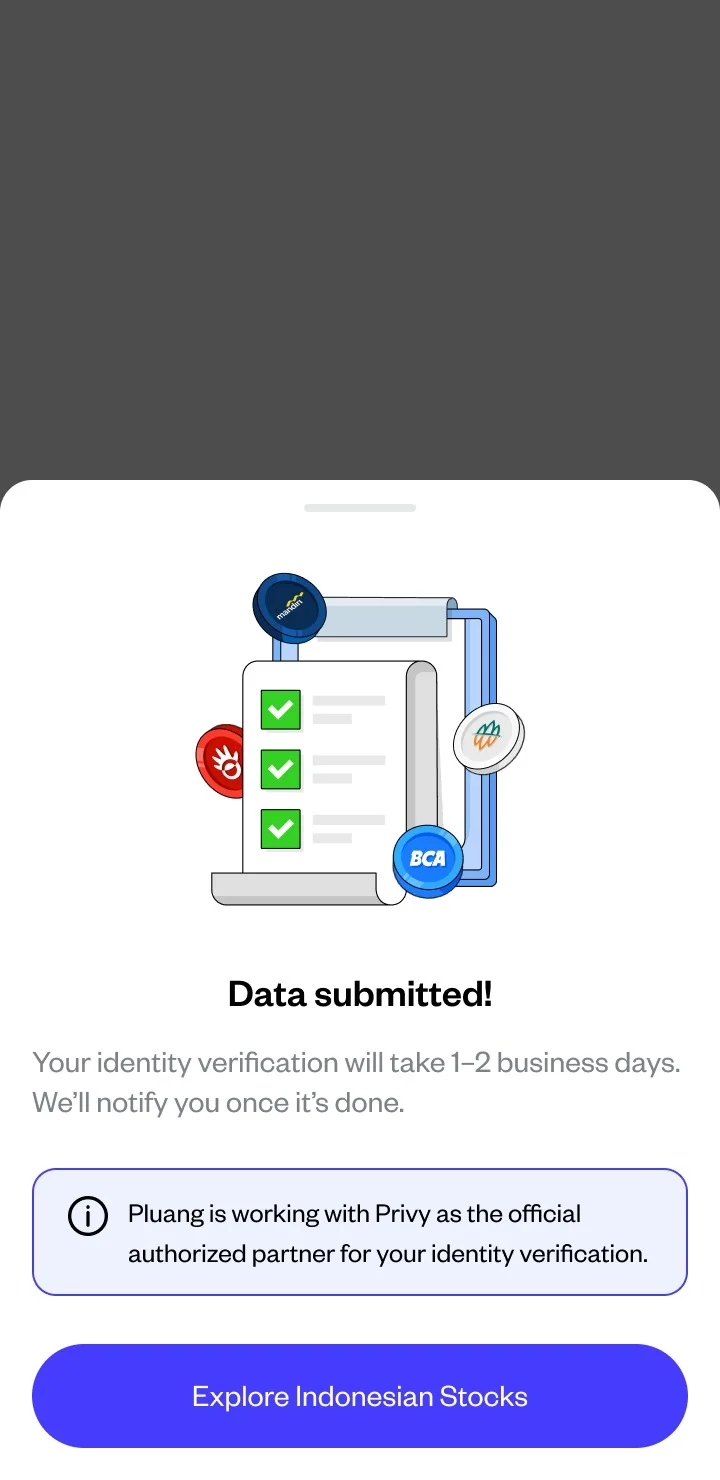
Success indicator:
You will see a confirmation screen that your RDN is active, along with your RDN number. Your initial RDN balance will be Rp0 — you can top up immediately to start investing in stocks.
Things to note:
- An RDN can only be opened after your basic verification is approved — make sure you complete this step first
- RDN balances are protected by the Indonesia Deposit Insurance Corporation (LPS) up to Rp2 billion per customer per bank
- Each Pluang account can only have 1 RDN
Related Mini Q&A:
Q: How long does it take to open an RDN on Pluang?
A: After submitting your application, the RDN activation process takes 1–2 business days.
Q: Is there a fee to open an RDN on Pluang?
A: There is no fee to open an RDN on Pluang.
Q: Which partner banks are available for Pluang RDN?
A: You can choose between Bank Jago or Bank Central Asia (BCA) as your RDN provider.
Q: Will my RDN be automatically opened after Indonesian Asset Verification?
A: Yes. Once your Indonesian Asset Verification and RDN application are approved, your RDN will be automatically opened and you can start investing in Indonesian stocks on Pluang.
Q: What should I do after my RDN is active?
A: Top up your RDN to start buying stocks. You can top up via the Balance (wallet icon) menu on the Pluang app homepage.