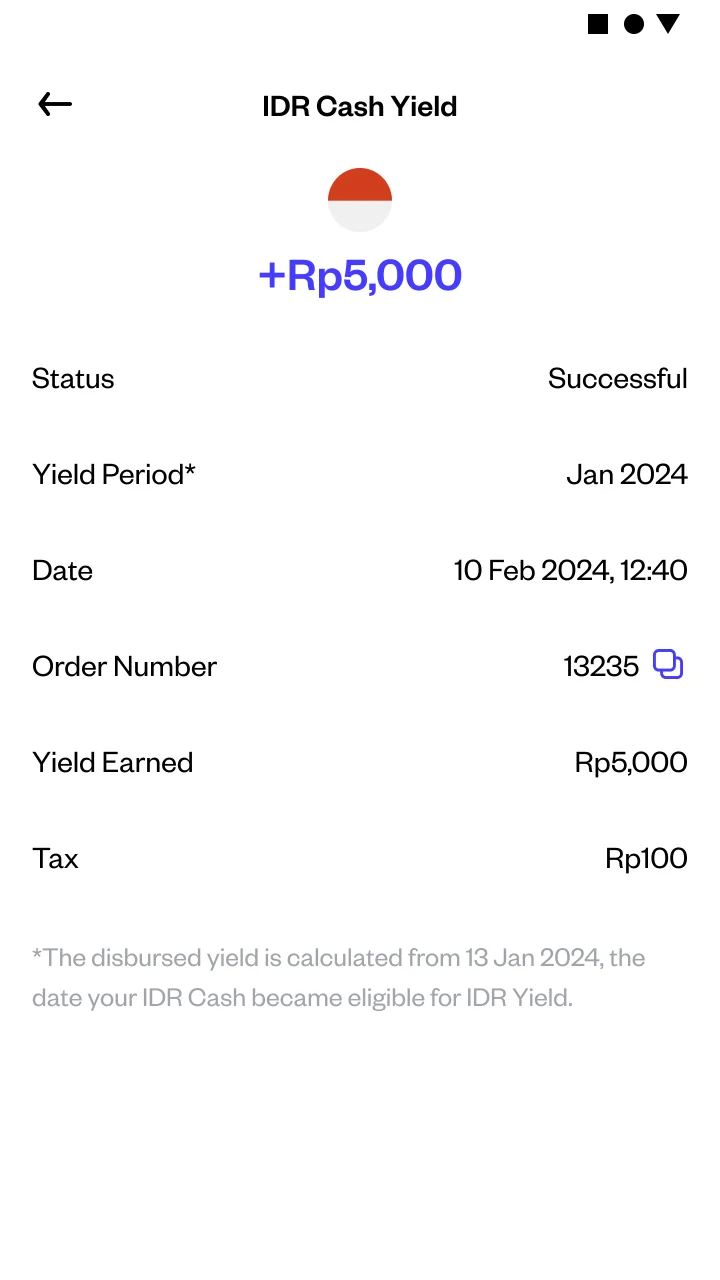
How do I check my IDR Yield on Pluang?
You can check your IDR Yield in under a minute in the Pluang app. Open Wallet → IDR Cash to see the yield building up this month and the total you have received, then open your transaction history to see each monthly payment, listed as IDR Cash Yield.
4 Steps
Open the Wallet tab. In the Pluang app, go to Home → Wallet.
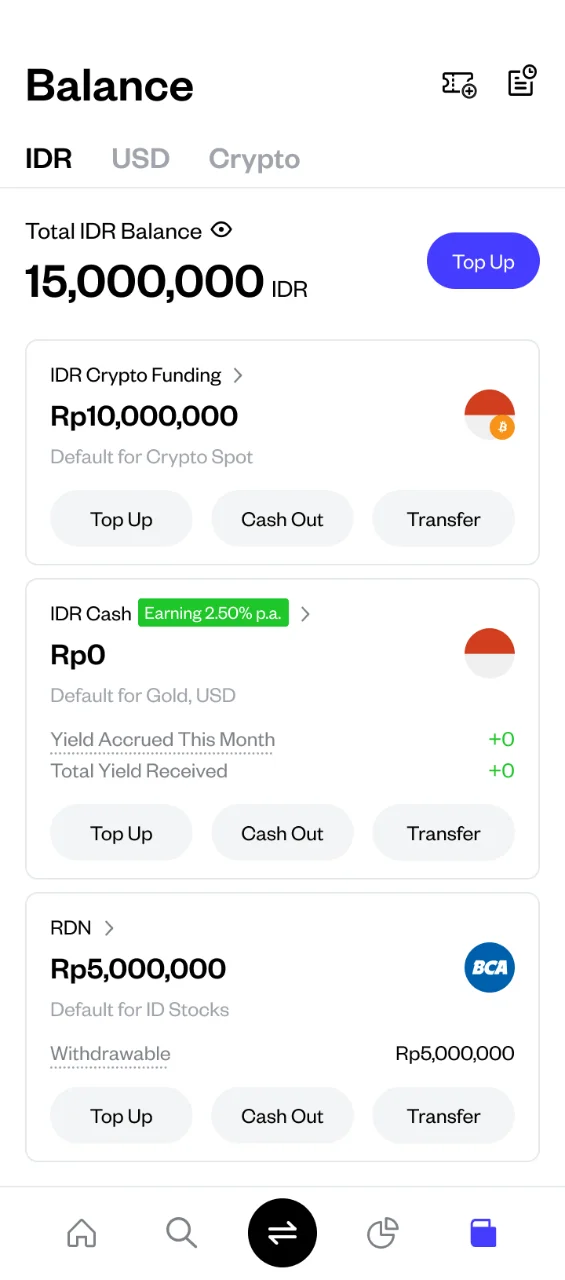
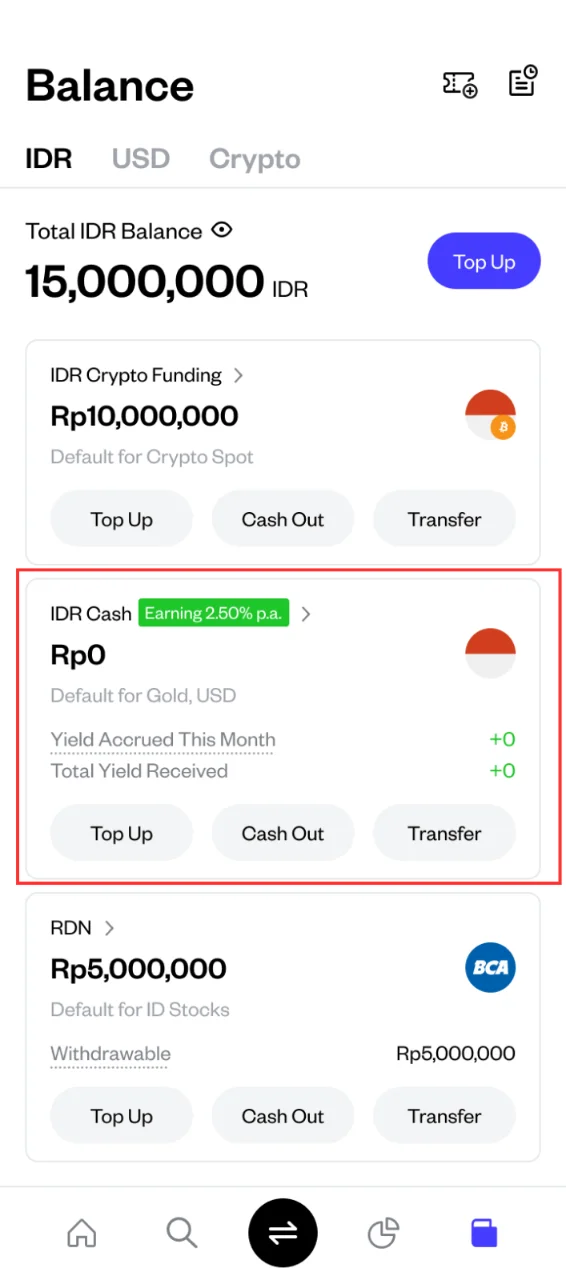
Select IDR Cash. Tap your IDR Cash balance to open its page.
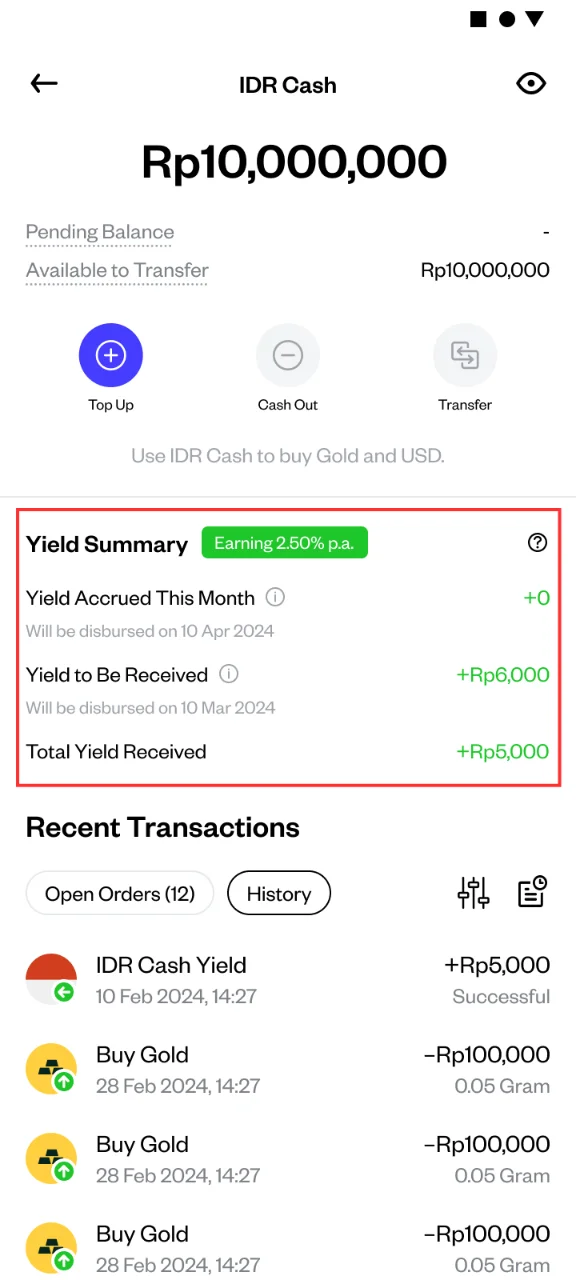
Review your yield figures. The IDR Cash page shows the yield accrued so far this month and the total yield you have received. Between the 1st and the 9th of the month, it also shows the previous month's yield that is still to be paid.
Open your transaction history. Each payment appears as IDR Cash Yield, with the date it was credited and the amount. Open an entry to see the month the yield was earned for, or filter by the Yield transaction type to see only yield payments.