How do I stake crypto on Pluang?
You can stake supported cryptocurrencies on Pluang in a few minutes via the Staking section in the app. Select a coin, enter the amount you want to stake, review the staking details, and confirm. Your coins will start earning rewards once the bonding period ends.
Before you start, make sure:
- Your Pluang crypto verification is complete
- You hold at least the minimum staking amount for the coin you want to stake
8 Steps
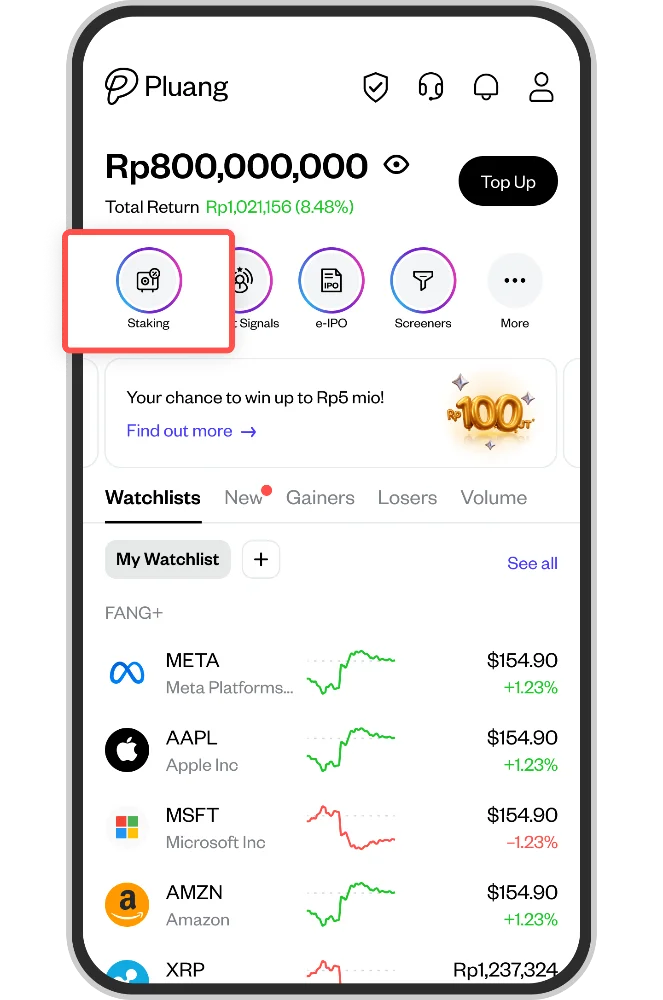
From the Pluang home screen, tap the Staking icon to go to the Staking main page.
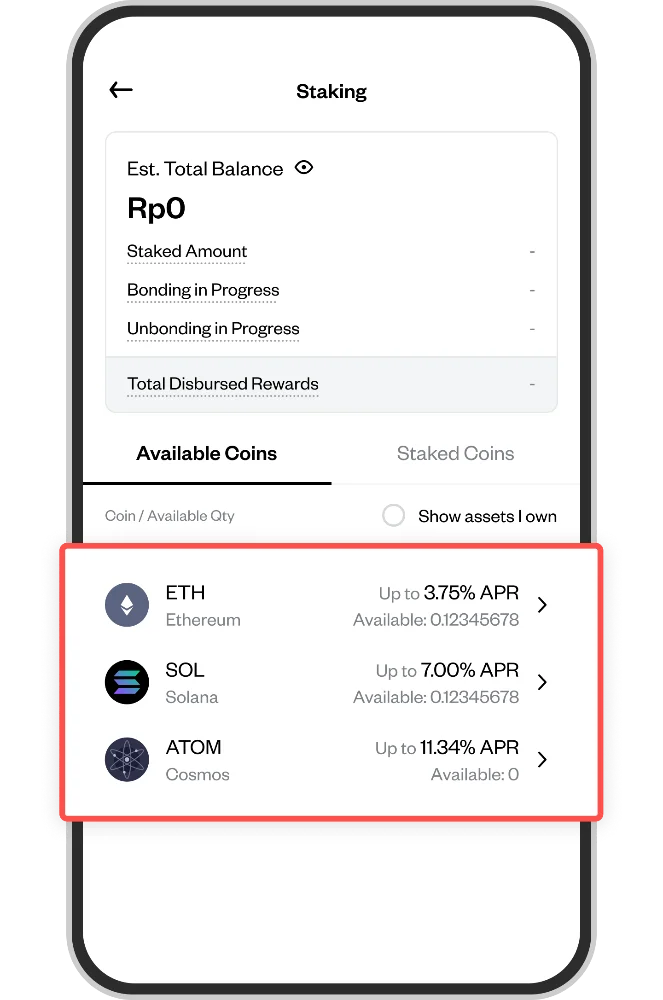
On the Staking main page, you'll see a list of supported coins (ETH, SOL, ATOM) with their estimated APR. Tap the coin you want to stake.
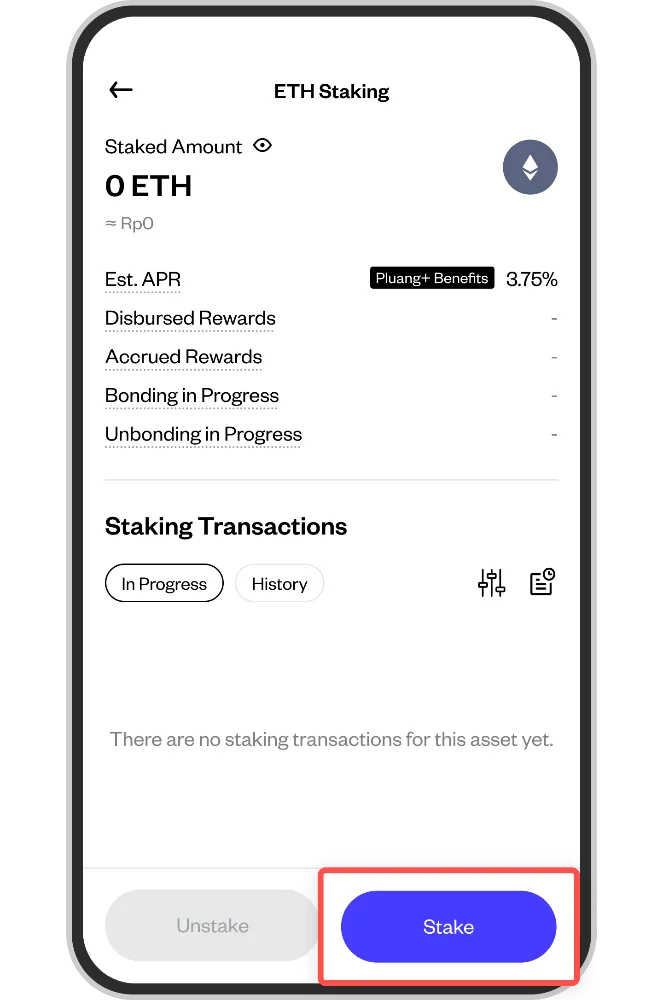
Click Stake
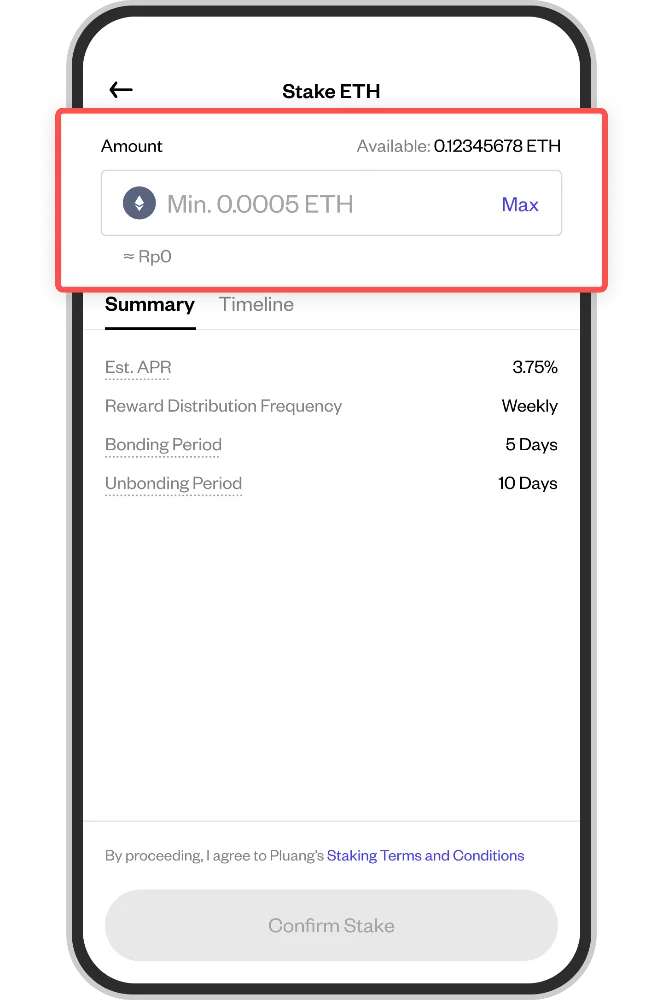
On the Stake screen, enter the amount of the cryptocurrency you want to stake. Tap Max to use your full available balance. The Rp equivalent is shown below the amount field.
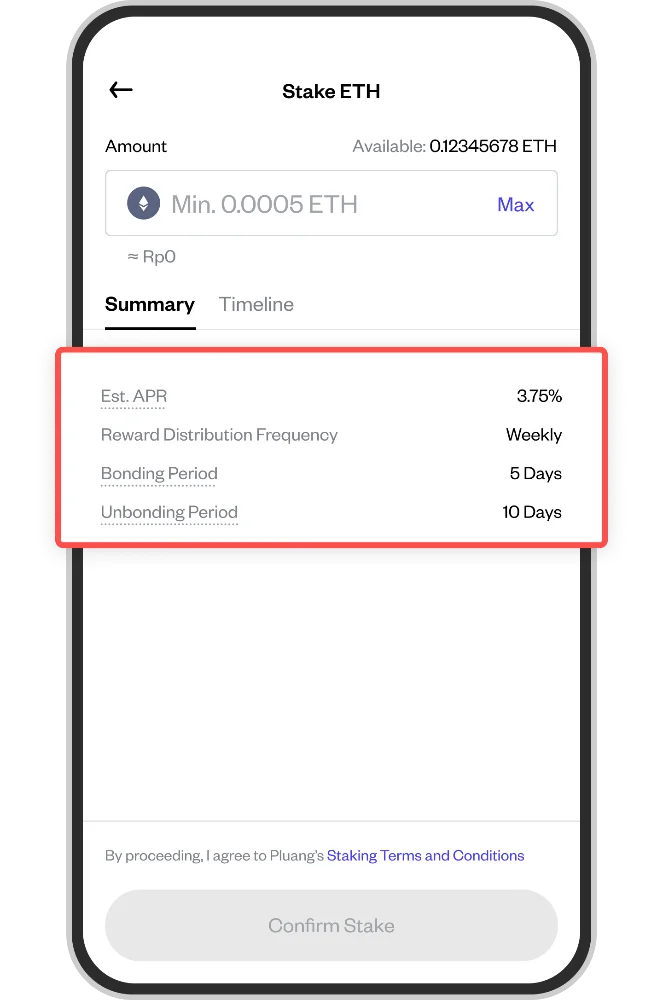
On the Summary tab, review the staking details including the estimated APR, reward distribution frequency (weekly), bonding period, and unbonding period. Tap the Timeline tab to see the expected staking schedule.
Tick the Staking Terms and Conditions checkbox at the bottom of the screen.
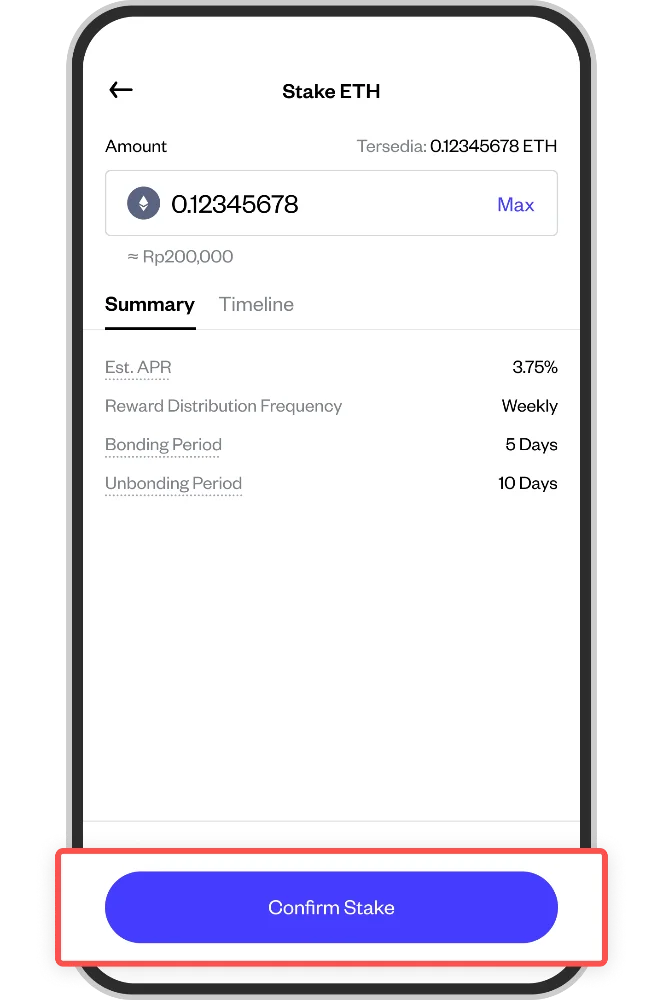
Tap the Confirm Stake button to submit your request.
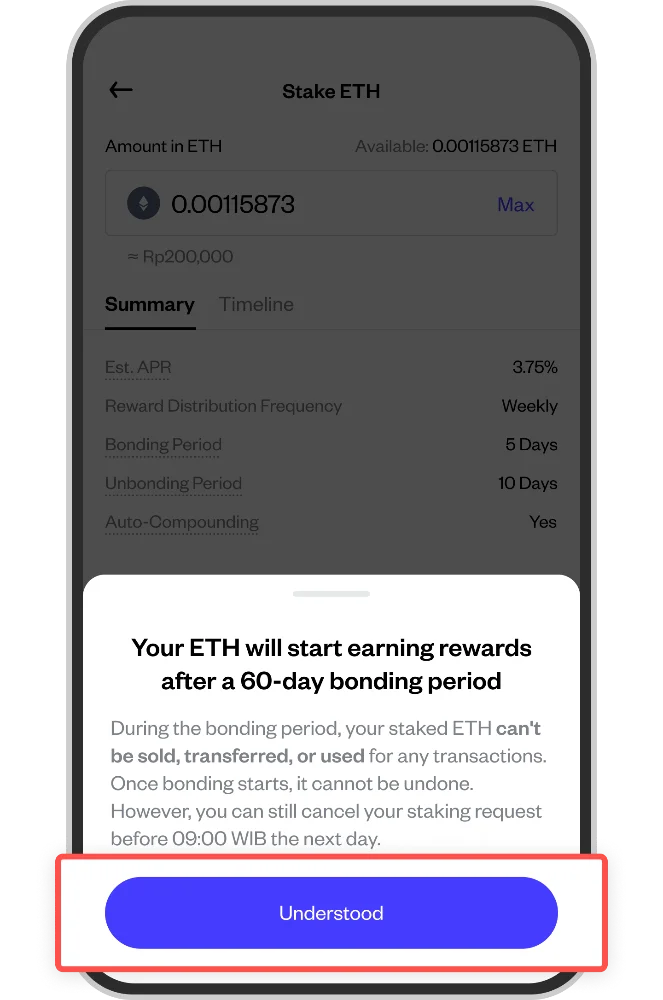
A confirmation modal will appear explaining that your coins will start earning rewards after the bonding period. During this time, your staked coins cannot be sold, transferred, or used. Tap Understood to confirm.