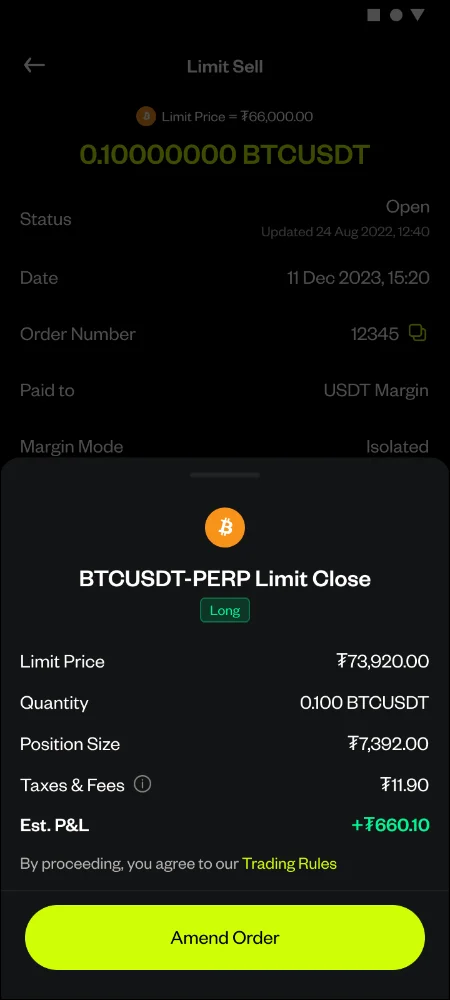
How do I amend my TP/SL on an existing Crypto Futures position?
Open the Transaction History detail page of your existing TP or SL order and tap Amend — the Advanced TP/SL sheet opens pre-populated with your current values, letting you adjust the Trigger Price, Limit Price, or Limit Order toggle for either leg.
Before you start, make sure:
- You already have an active TP or SL order on an open position
5 Steps
Open Transaction History and Select the TP or SL order you want to change
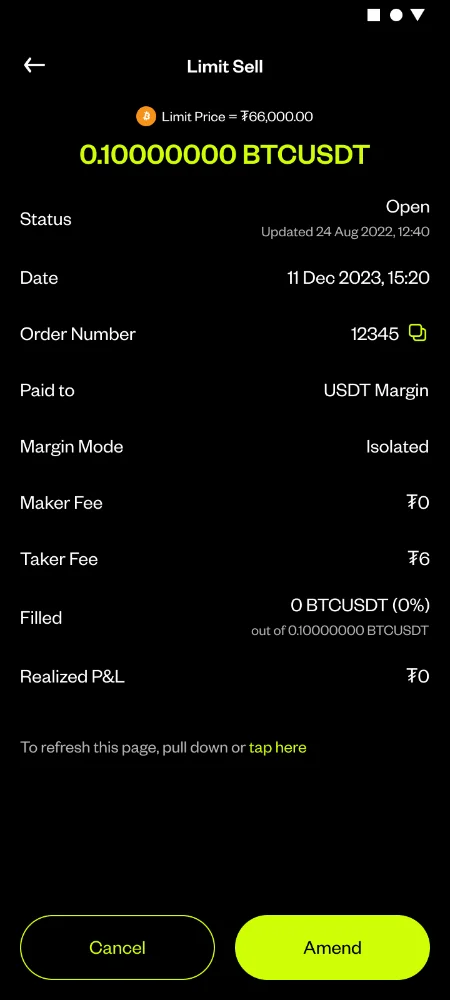
Tap Amend on the order detail page
Review the pre-populated Advanced TP/SL sheet — Quantity is shown but not editable, as it's locked to your position size
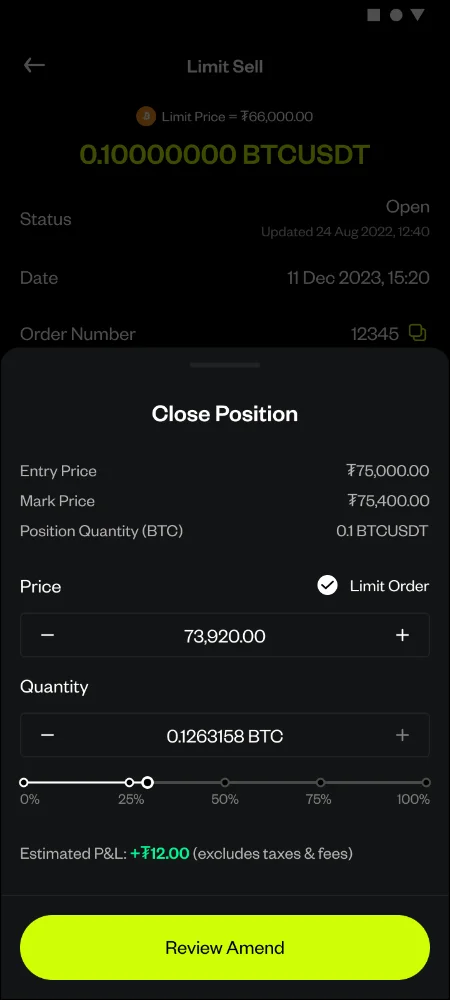
Enter your updated Trigger Price and/or Limit Price, or Confirm the Limit Order toggle on or off for either leg
Confirm Save. Your existing TP/SL order is canceled and a new one is created with the updated values