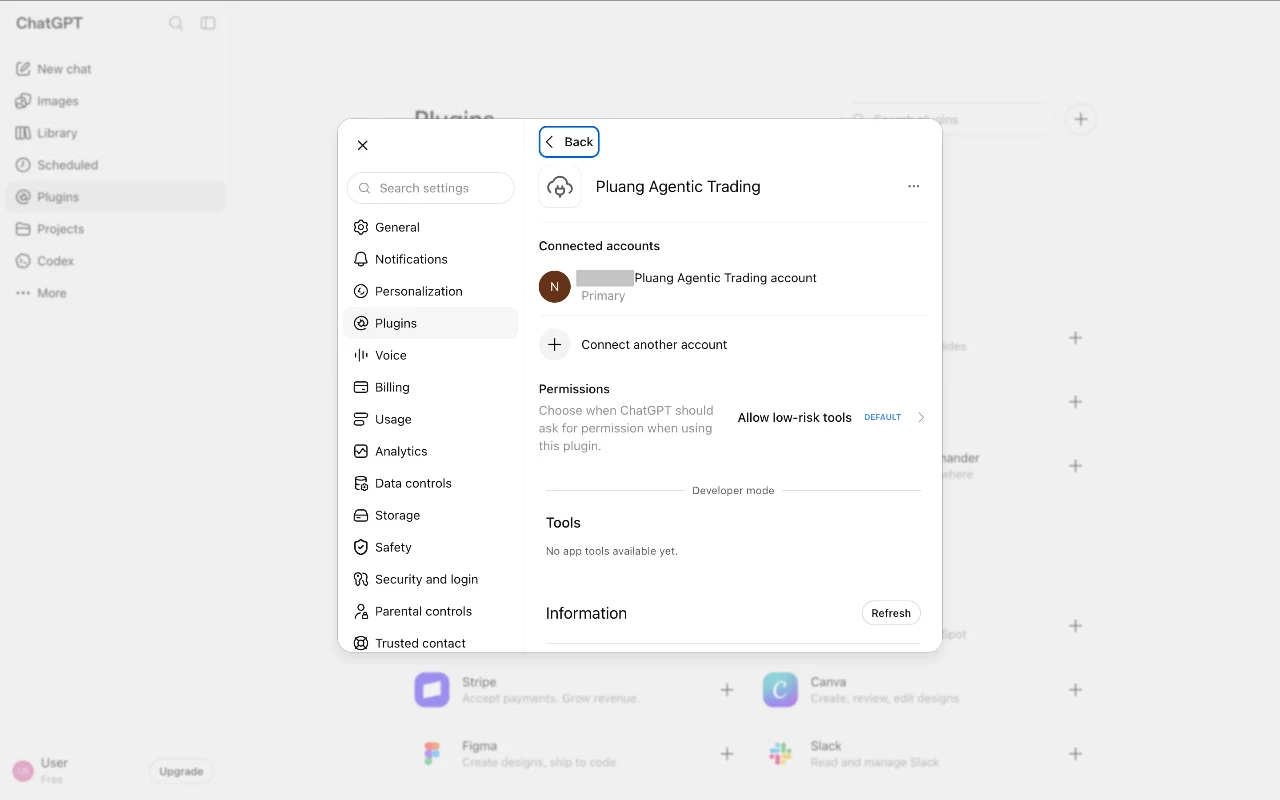
How do I connect Pluang Agentic Trading to ChatGPT?
10 Steps
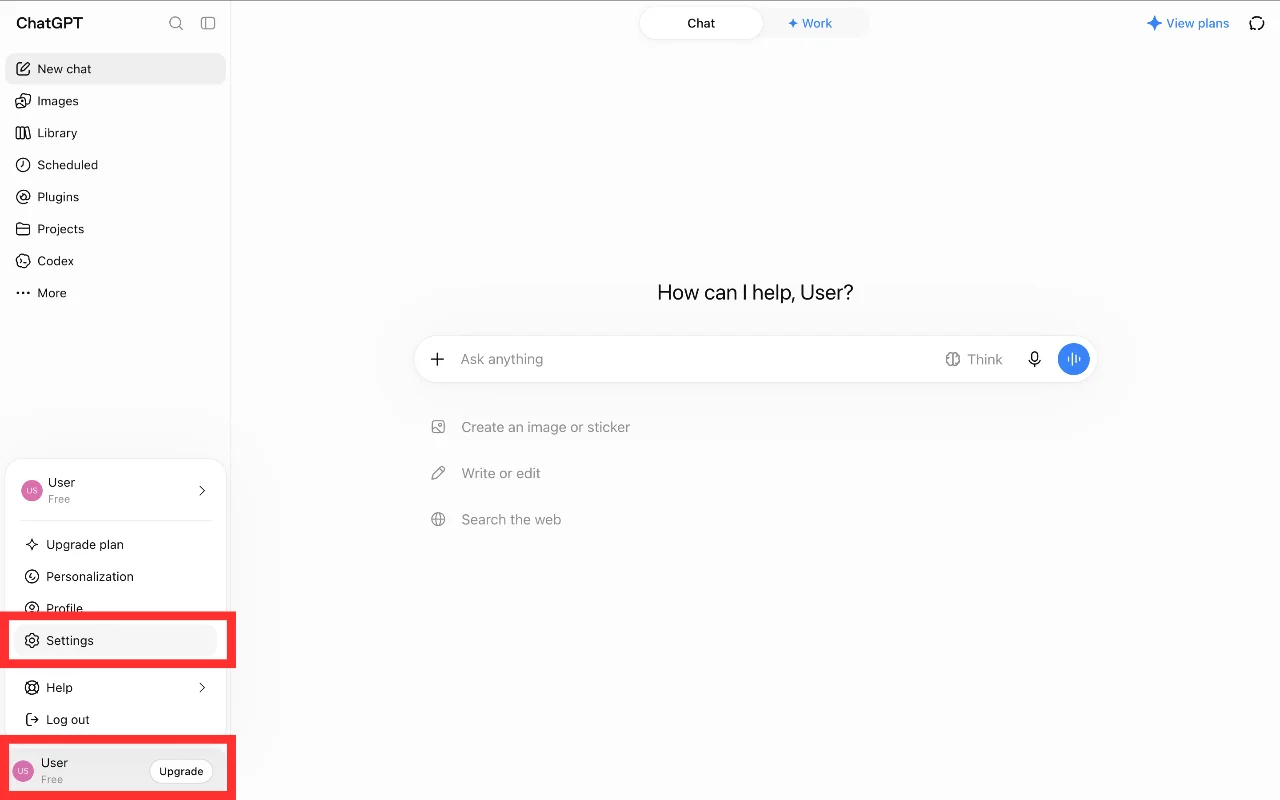
On the ChatGPT web page or desktop app, click the User tab at the bottom left, then click Settings.
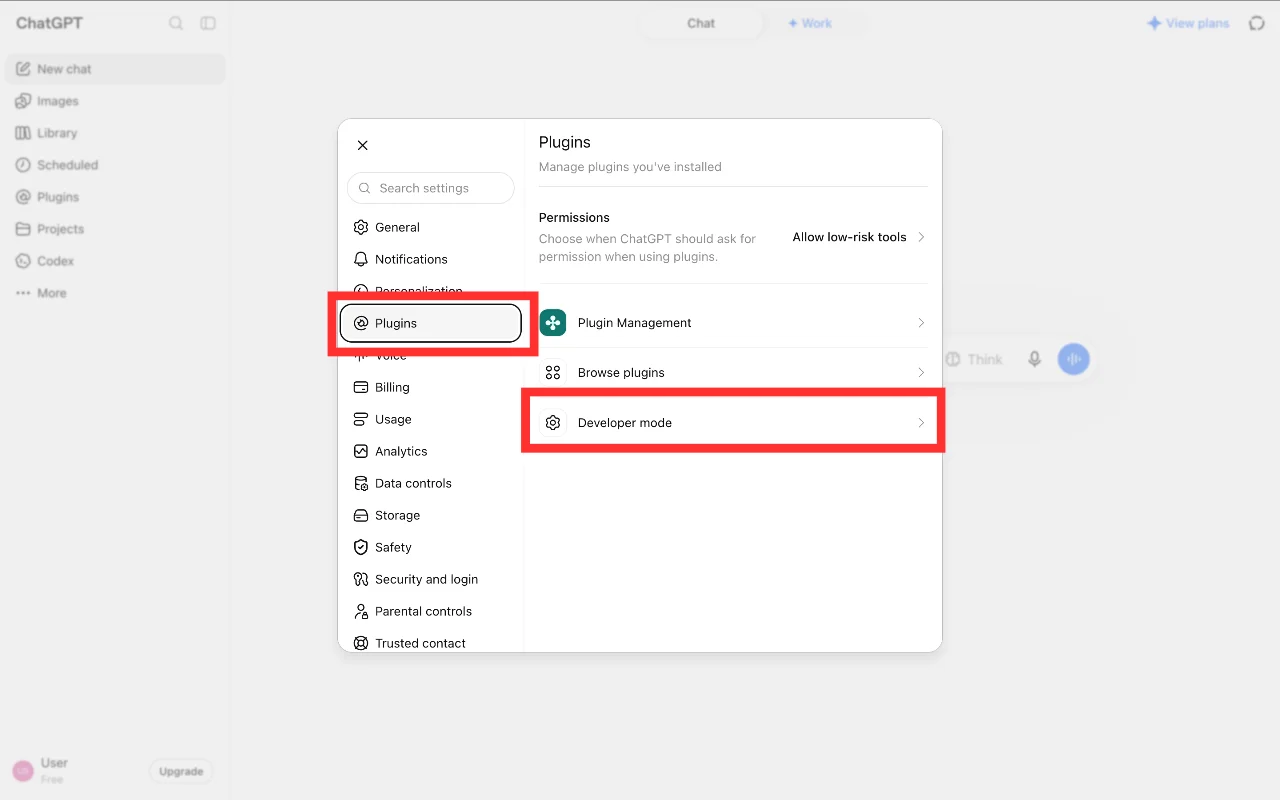
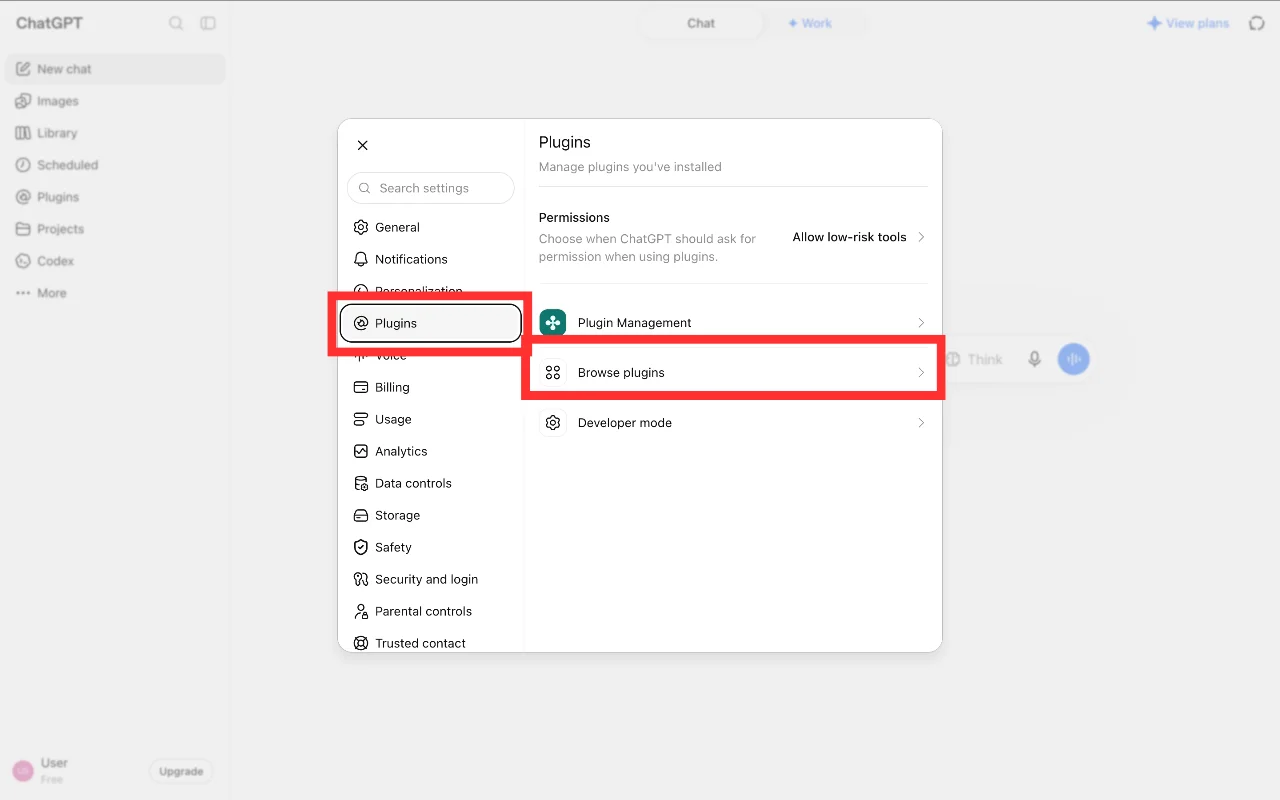
Click the Plugins tab and select Developer Mode.
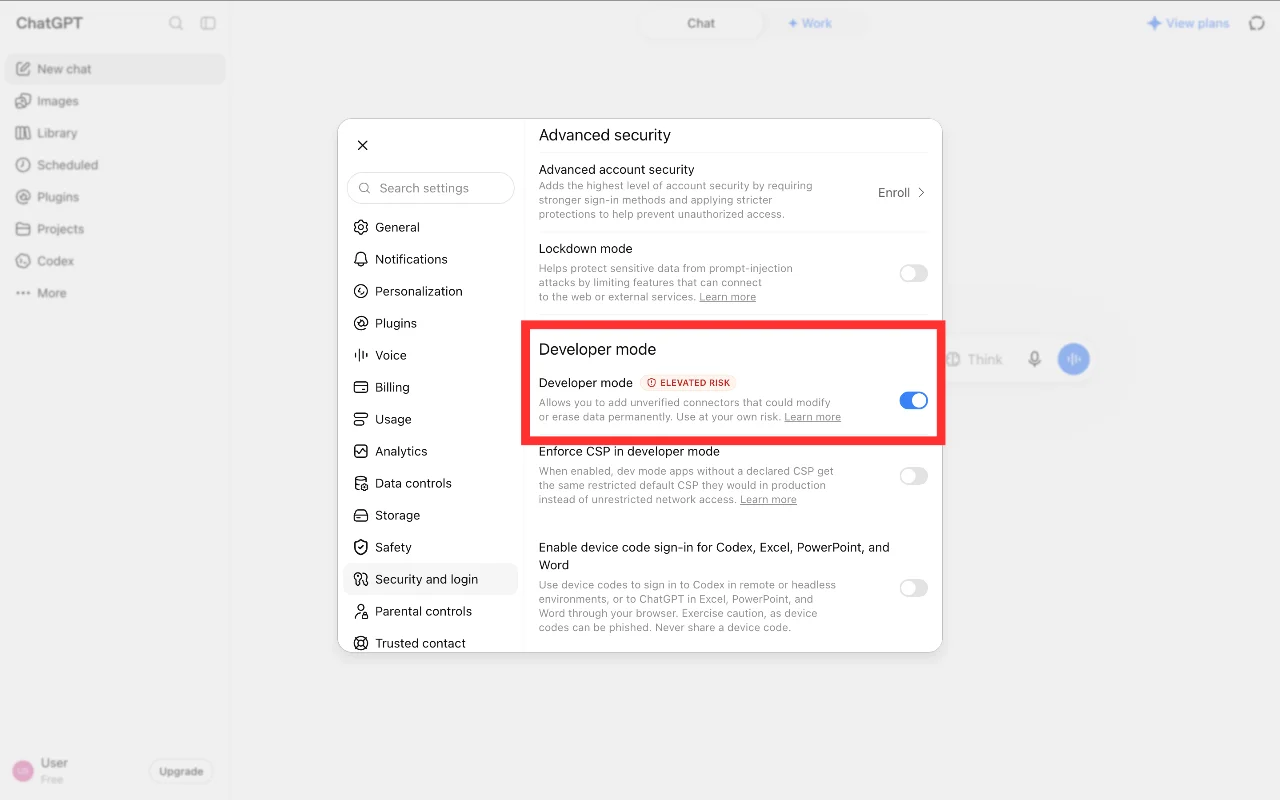
In the Developer Mode section, switch on the Developer Mode toggle.
Go back to the Plugins tab and select Browse Plugins.
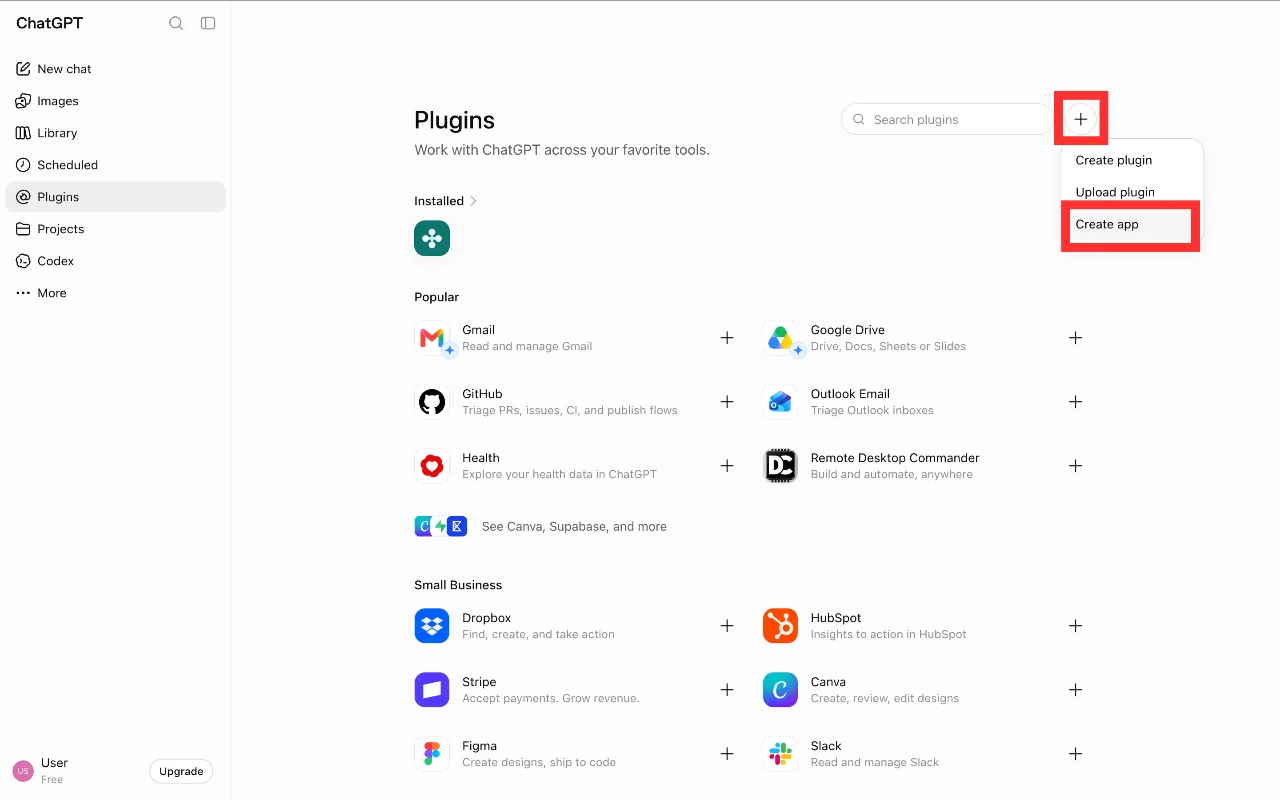
The Plugins page opens. At the top right, click the "+" icon, then click Create App.
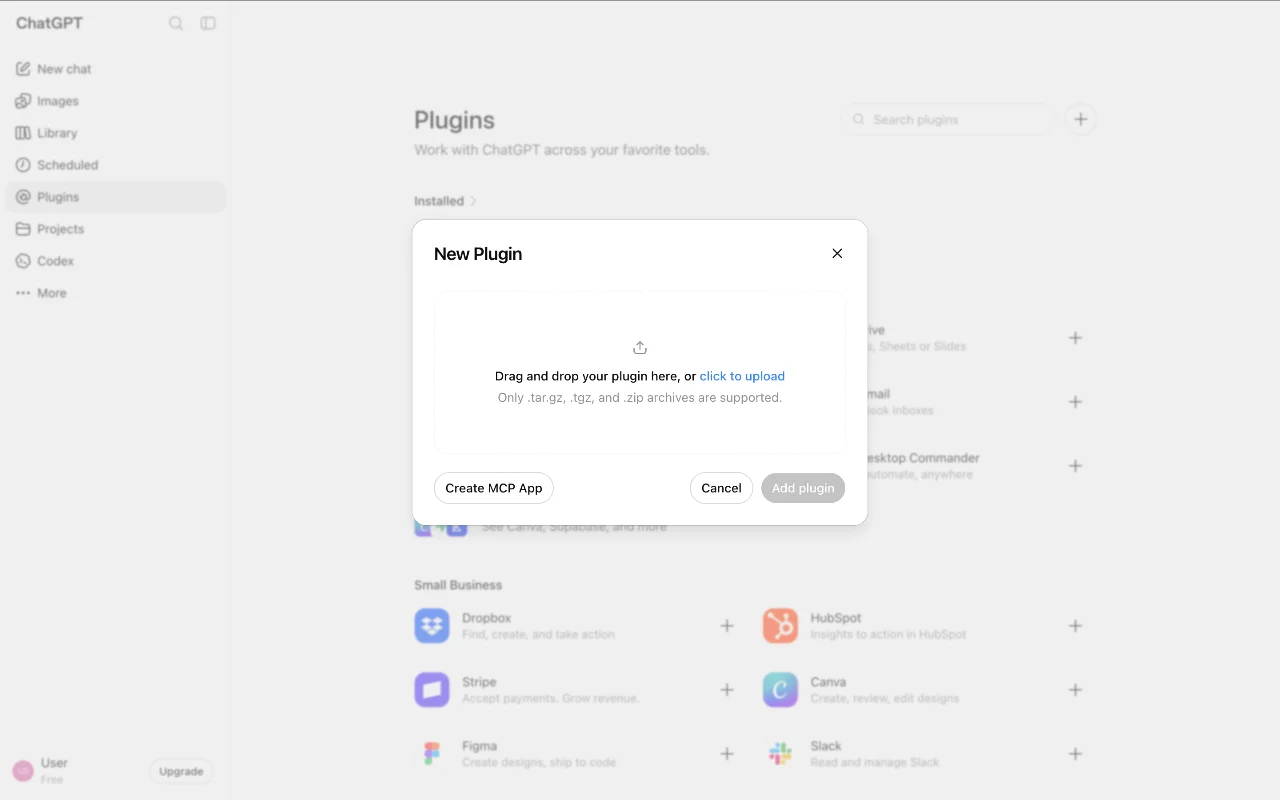
Click Create MCP App.
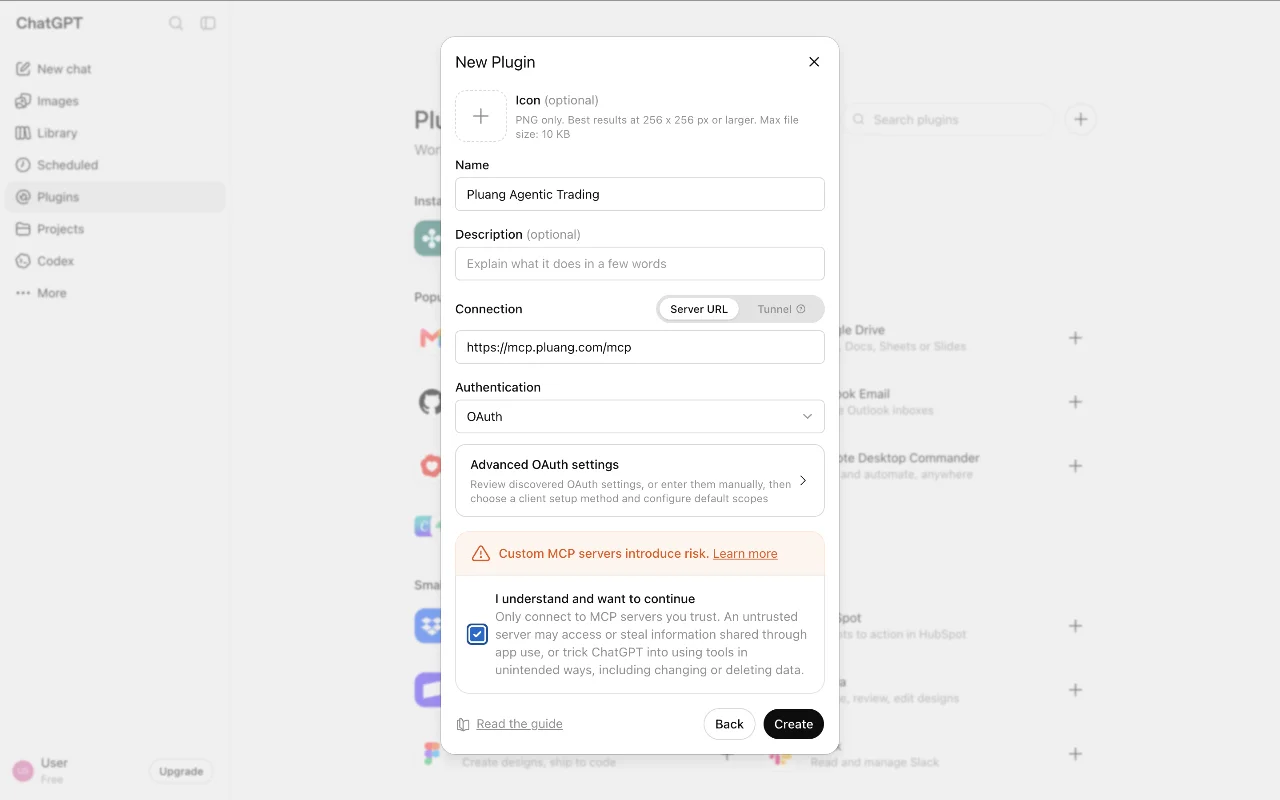
Enter the connector name and Pluang's MCP server URL, then check the disclaimer box. In the Name field, enter "Pluang Agentic Trading". In the Remote MCP server URL field, enter exactly: https://mcp.pluang.com/mcp
Click Create.
Click Sign in with Pluang Agentic Trading.
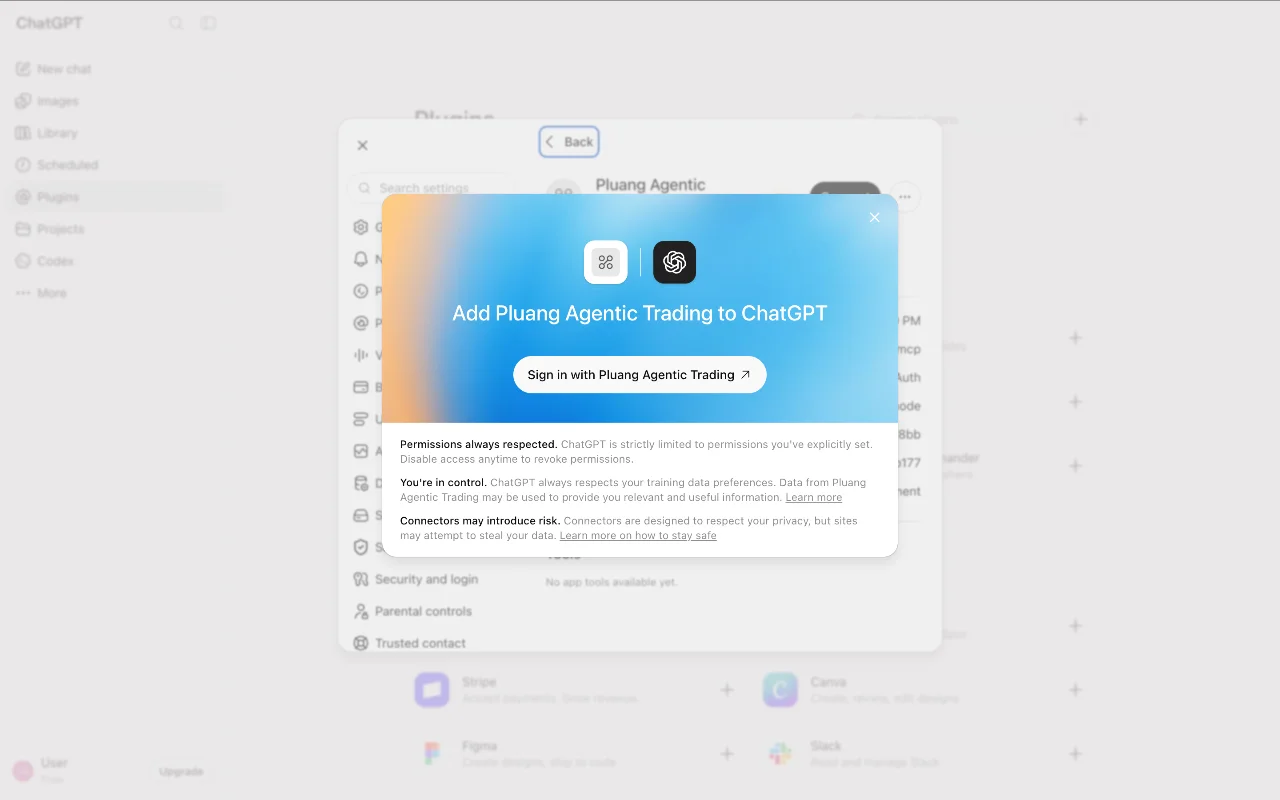
You'll be taken to the Pluang login page. Follow the login steps shown on the page.
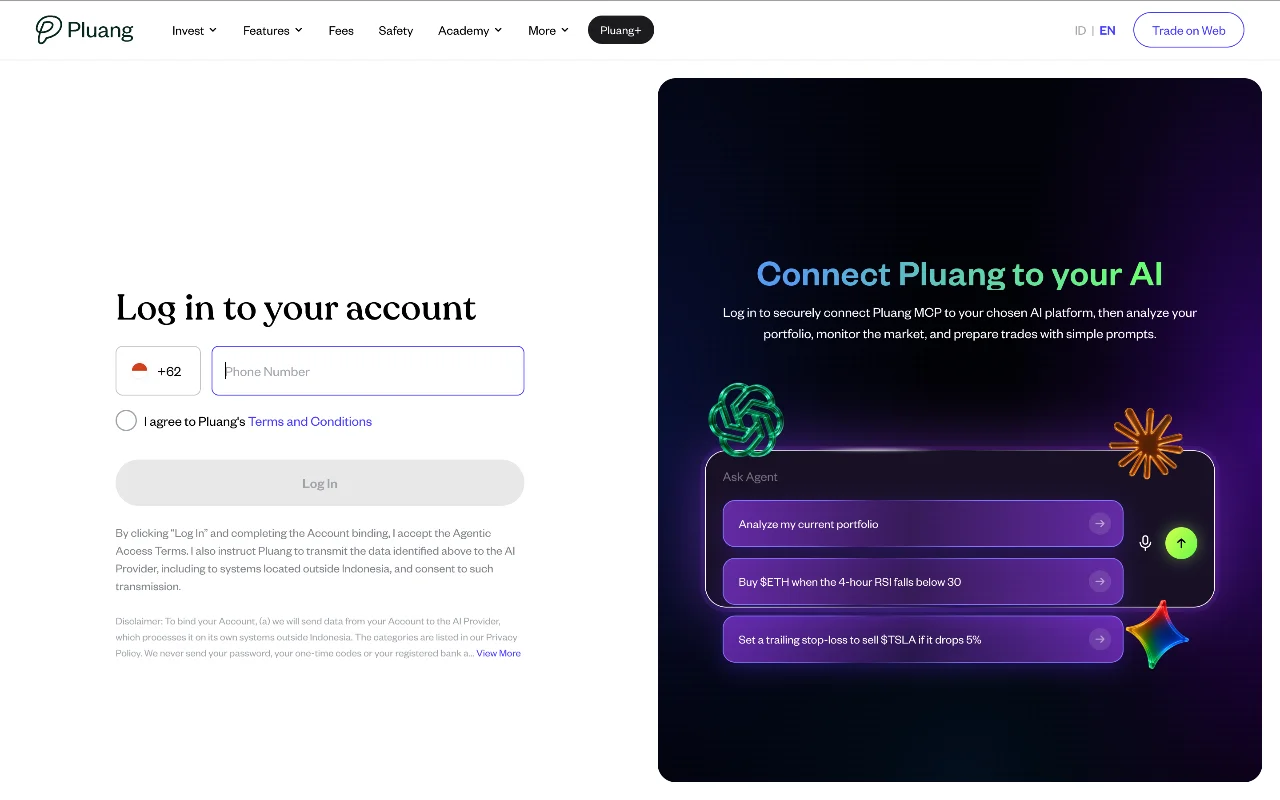
Wait until you're sent back to ChatGPT. When the connection works, you'll see a confirmation page.