Download Transaction History
Step by step to download transaction history report from your Pluang app.
5 Steps
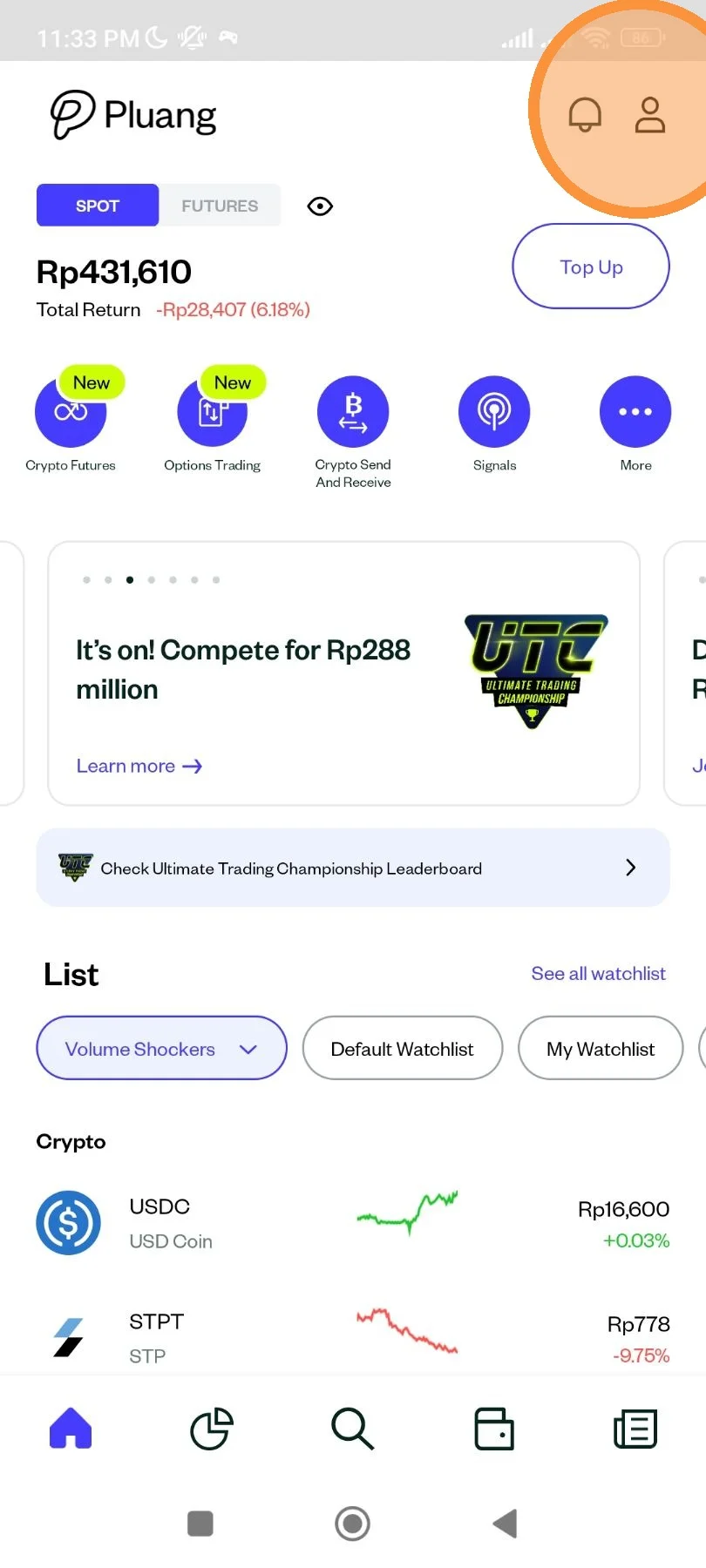
Open Pluang app. At homepage, tap "Account" icon.
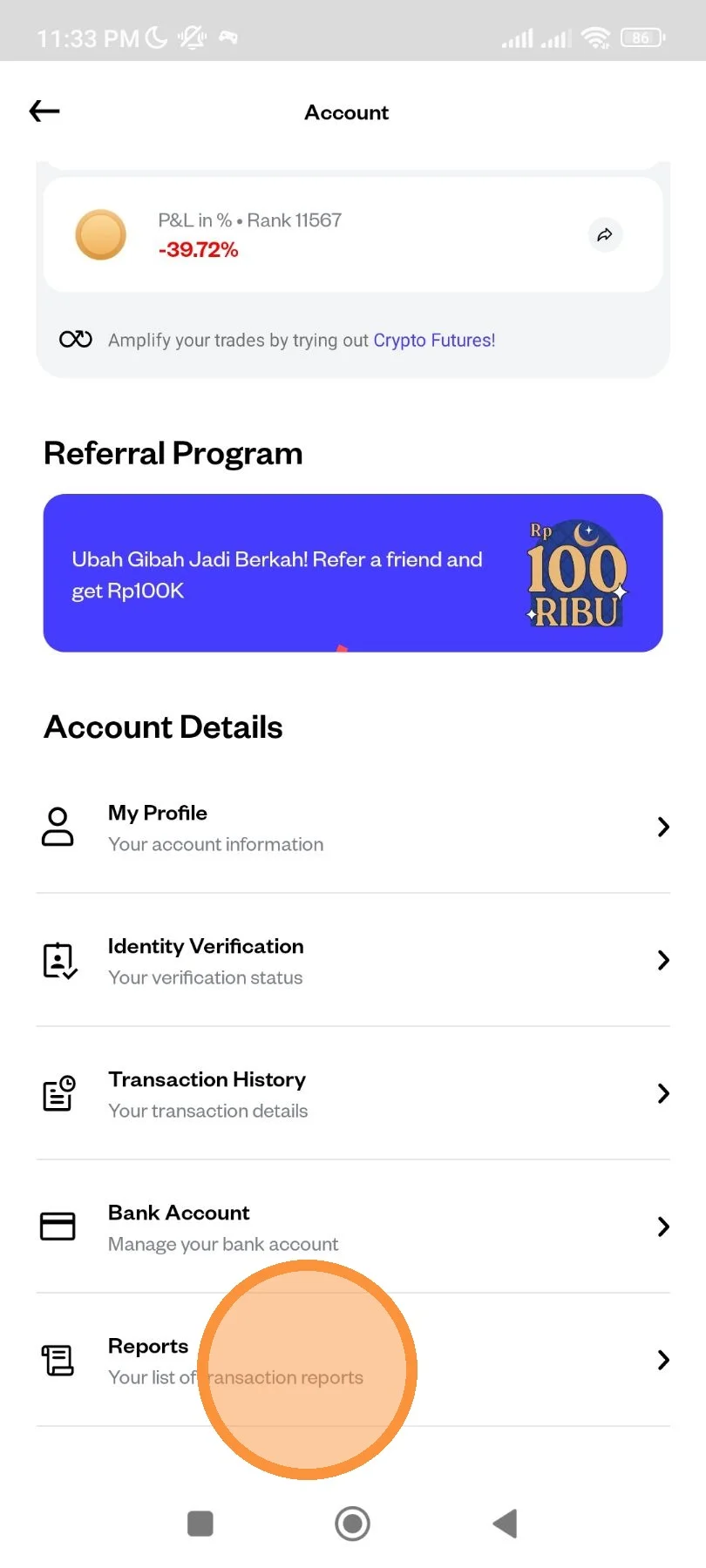
Scroll down until the menu list. Tap "Reports" menu.
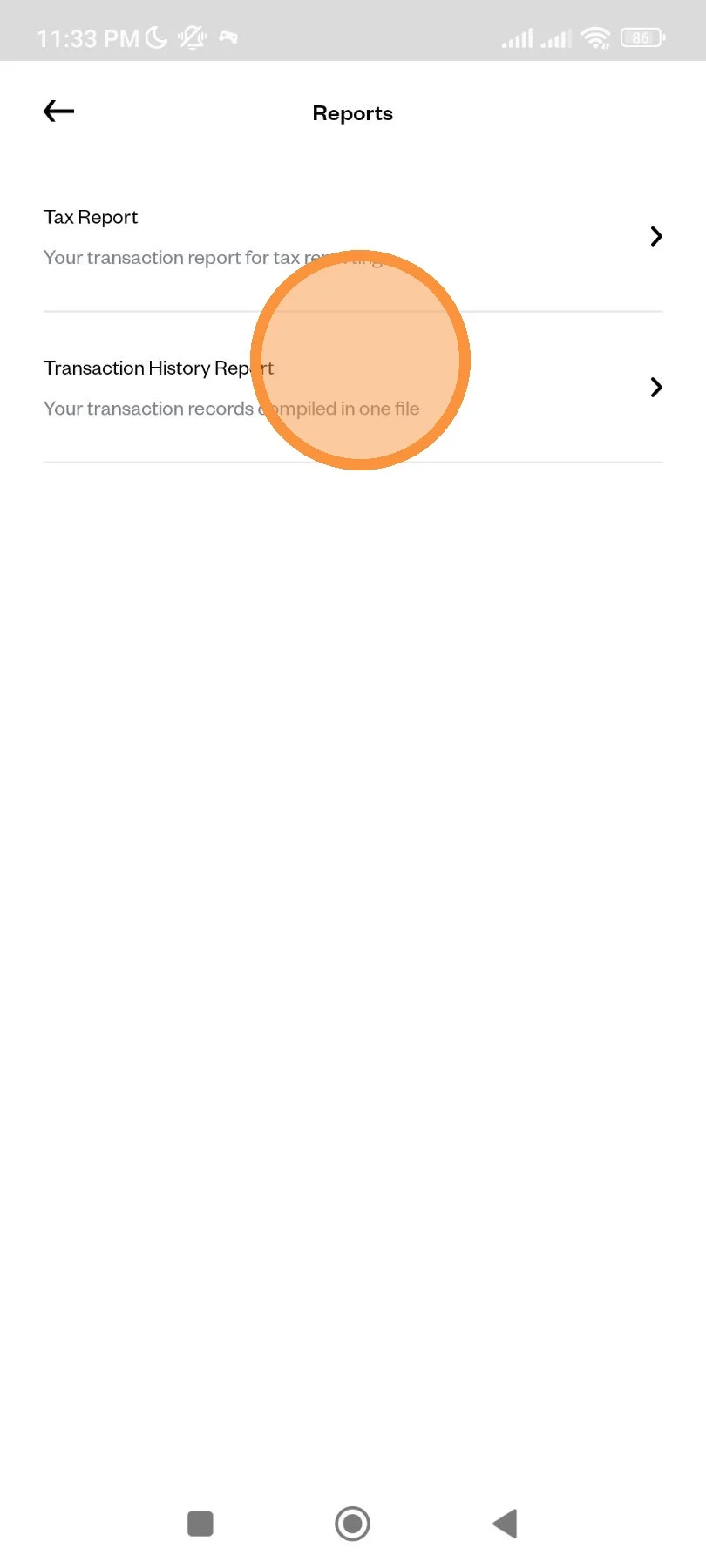
Tap "Transaction History Report".
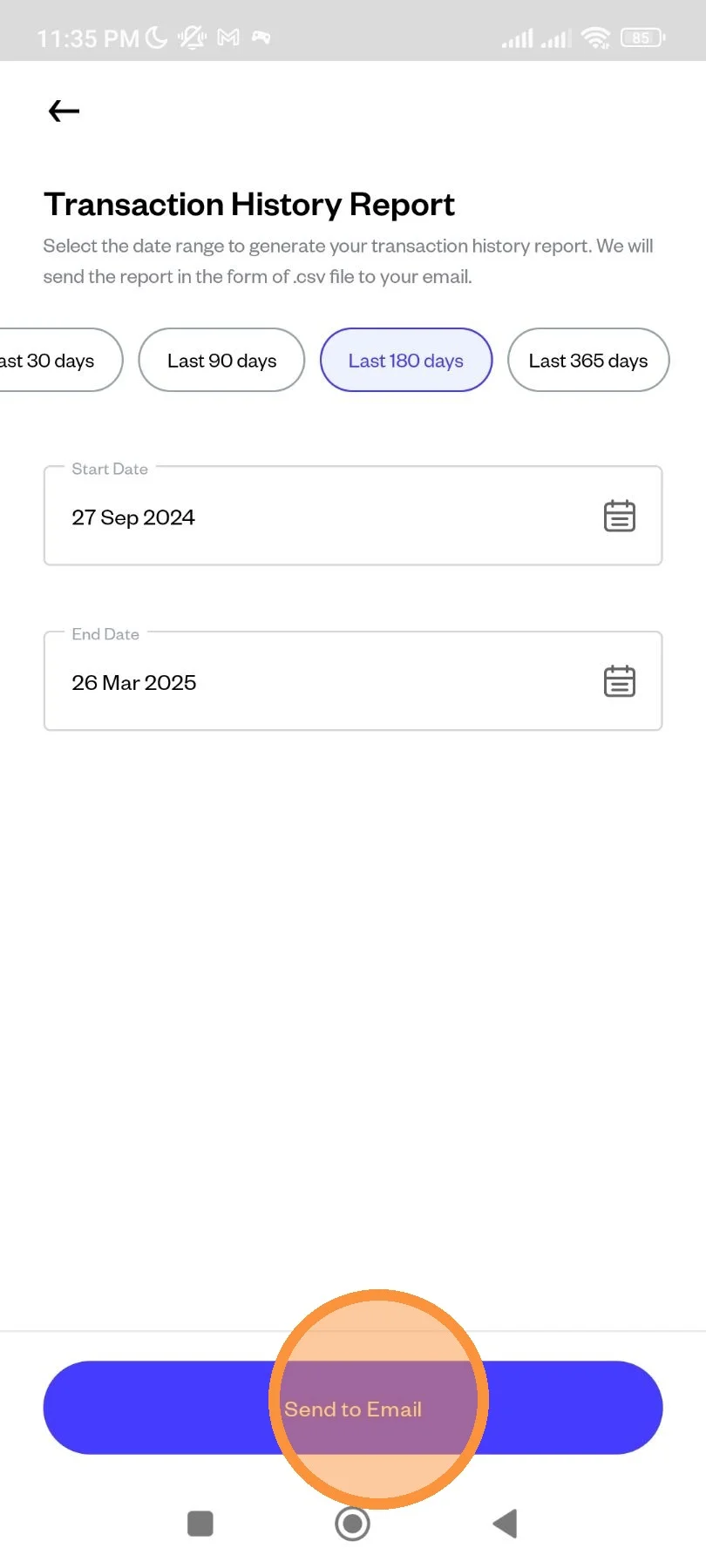
Pick the time period you want, or you can input manually. Then, tap "Send to Email".
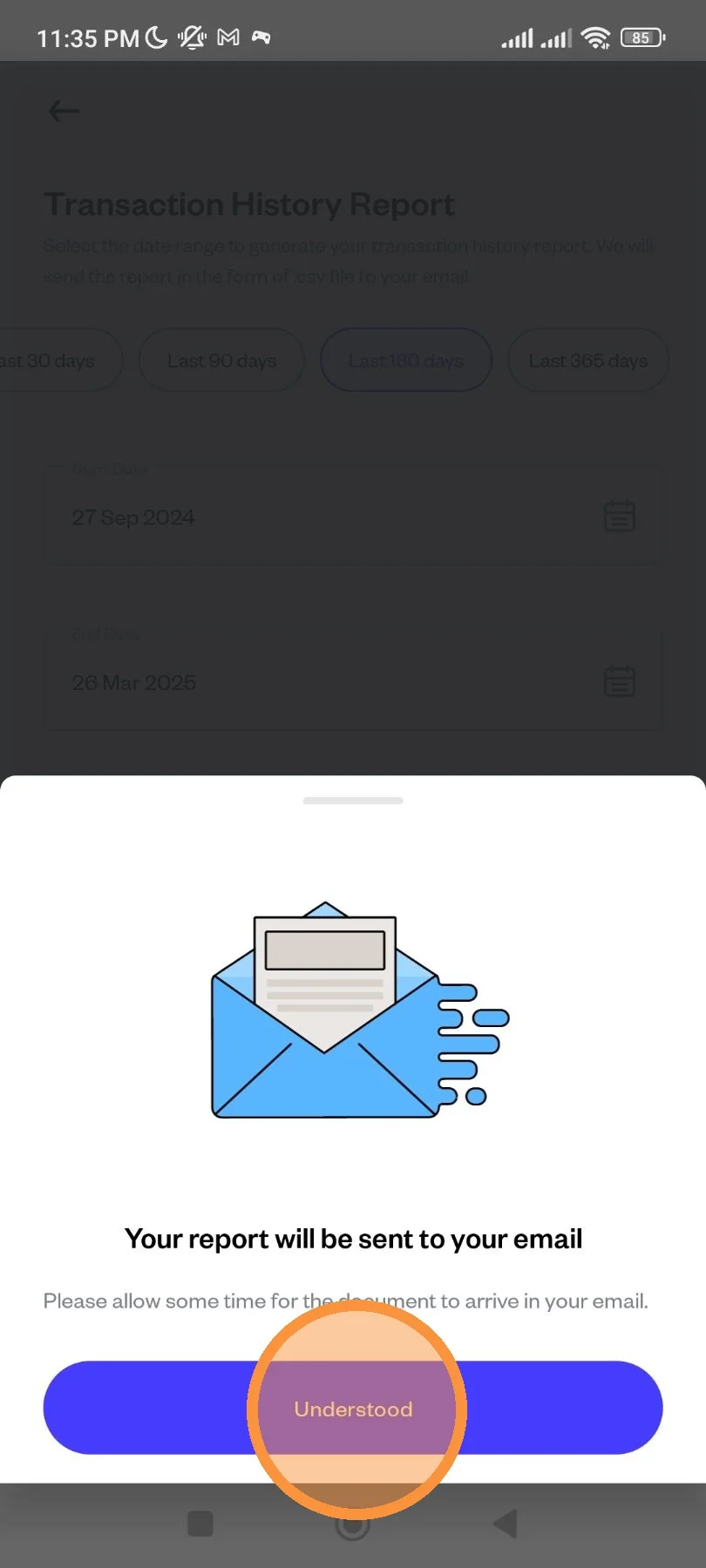
Your report is being sent to your registered email address. Tap "Understood" to exit the menu.