Top Up on Pluang App via BCA Direct
9 Steps
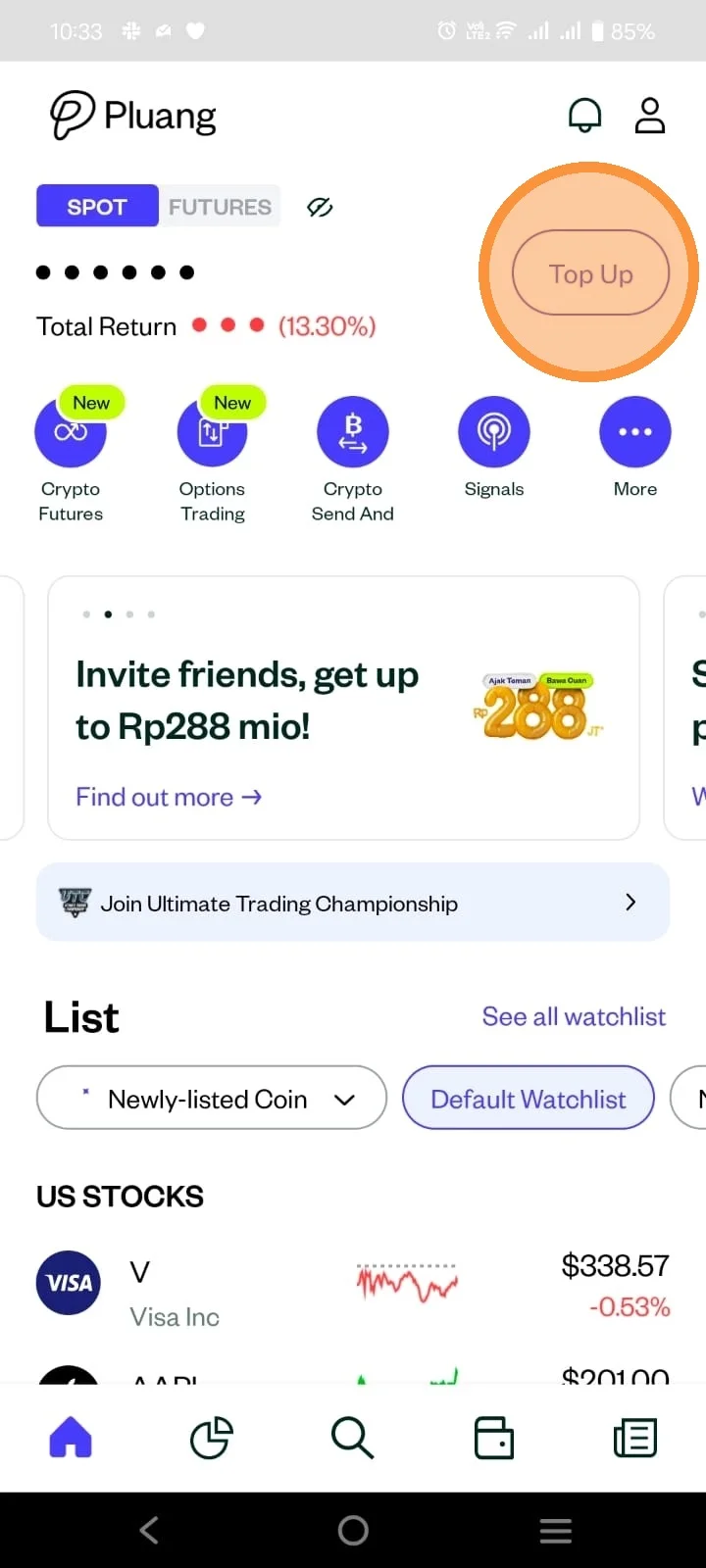
Open Pluang app, click "Top up" on your Homepage.
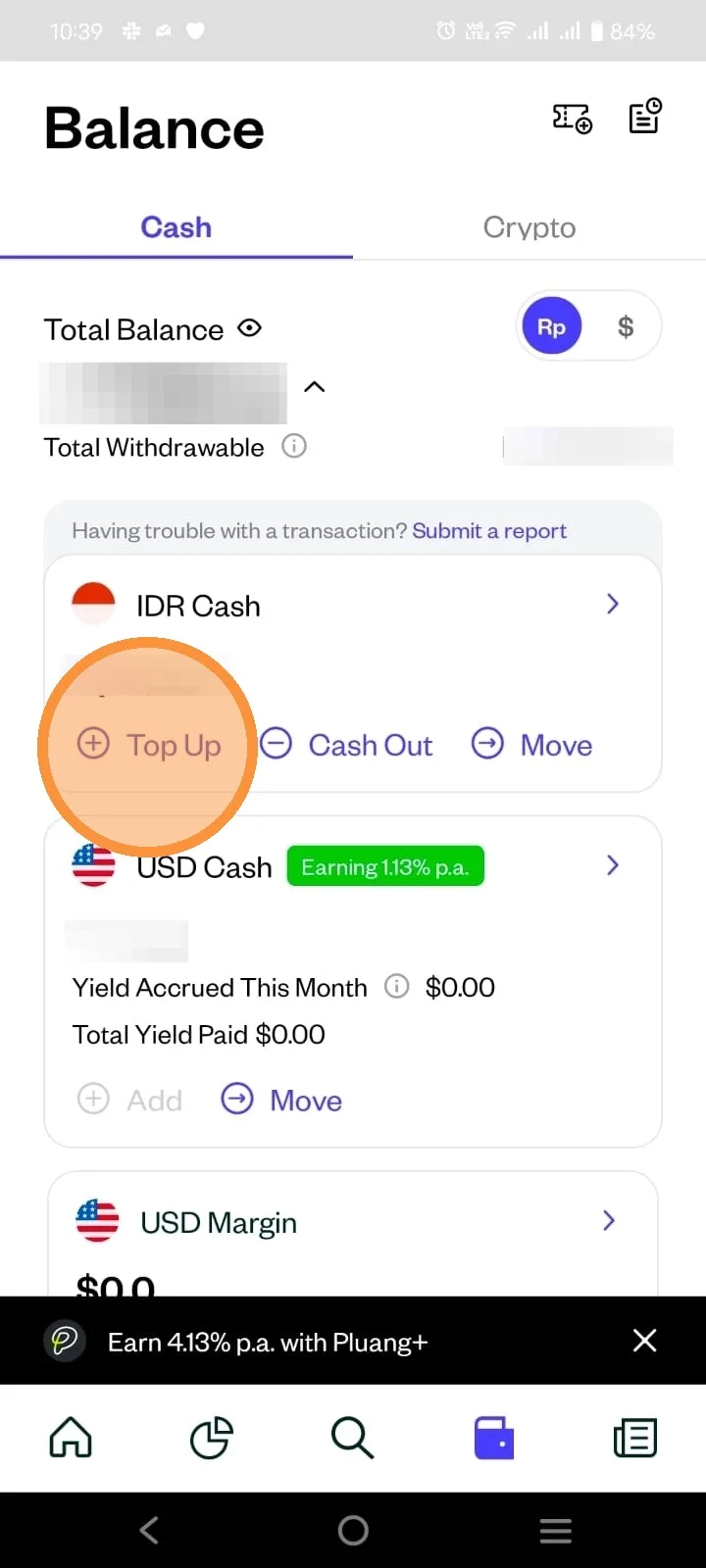
You can also access the top up page through your "Wallet" page.
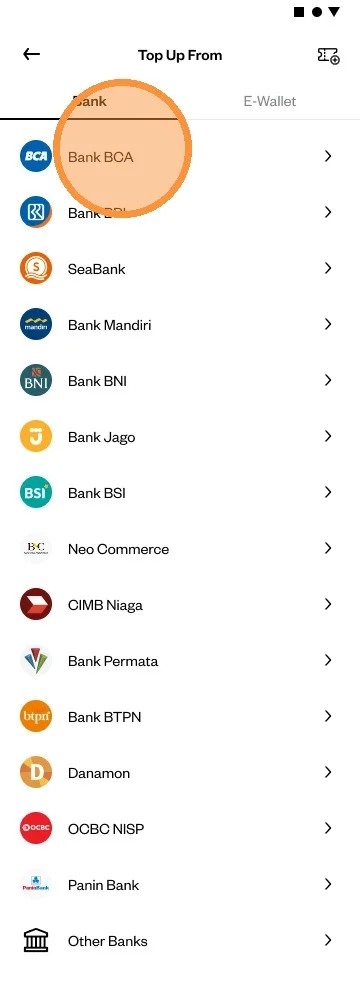
For Direct bank Transfer, select "Bank BCA" to create a top up request.
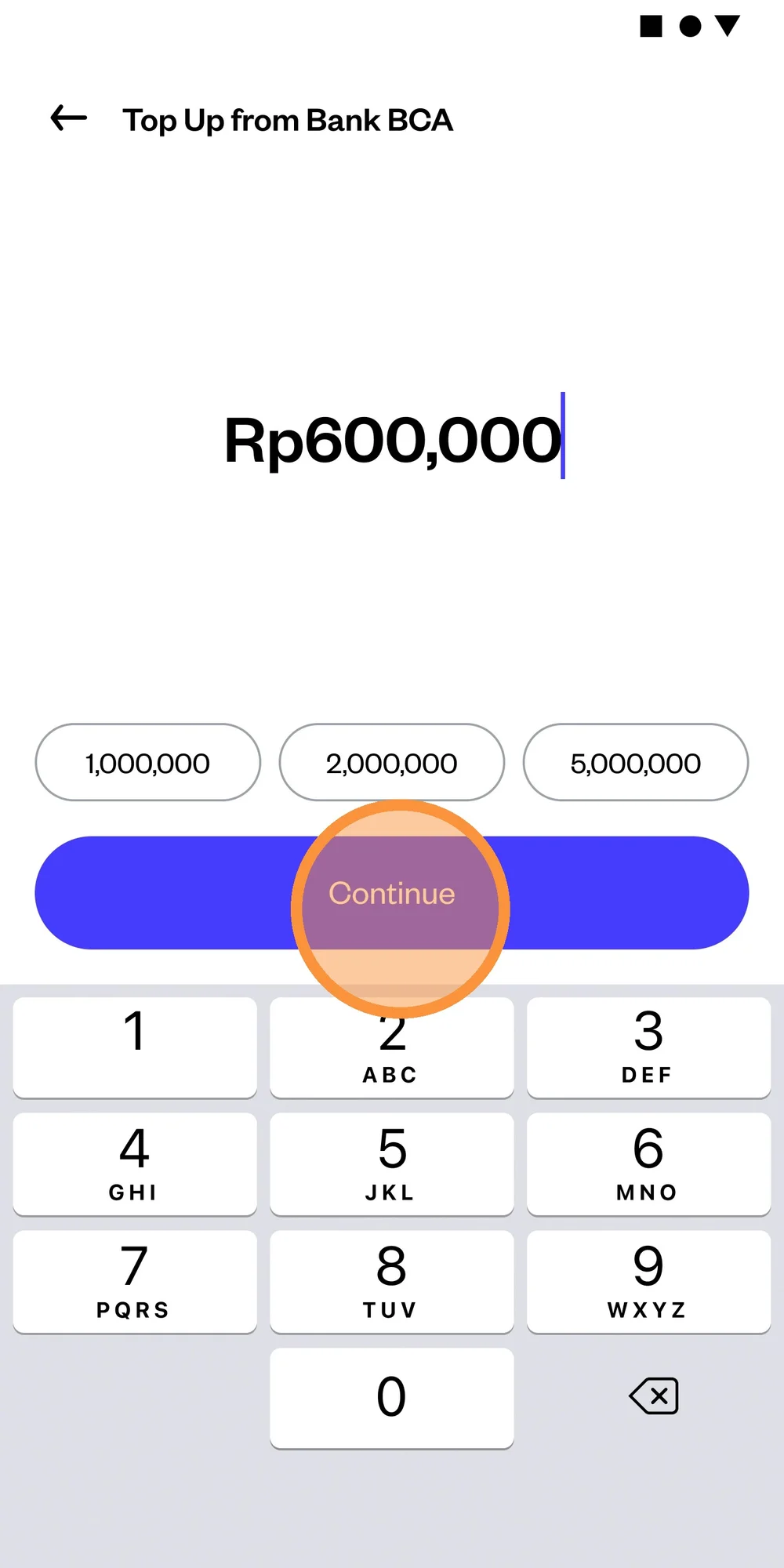
Enter your desired top up nominal, minimum top up via BCA Direct Transfer is Rp500.000.
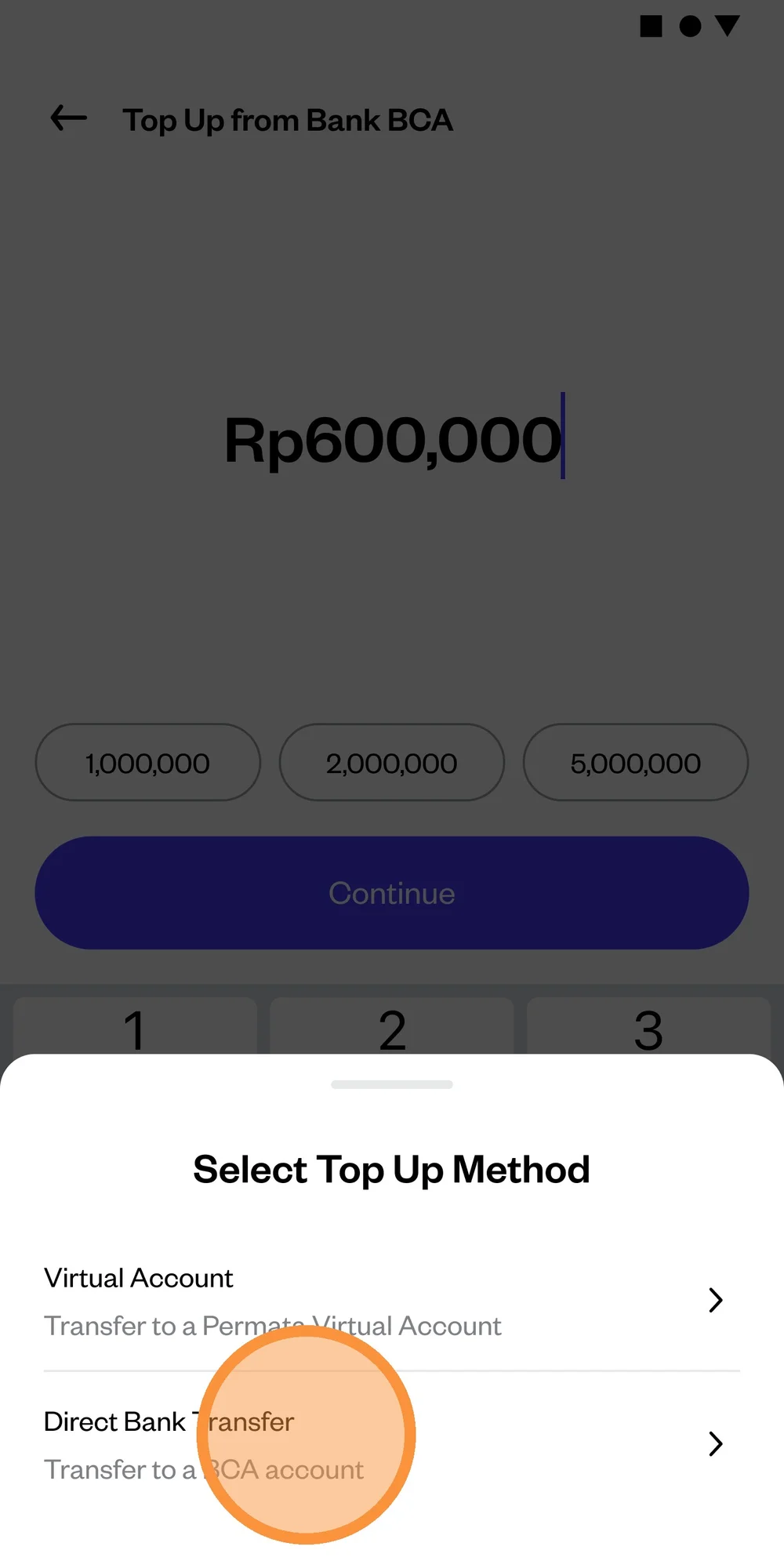
Select the “Direct Bank Transfer” top-up method.
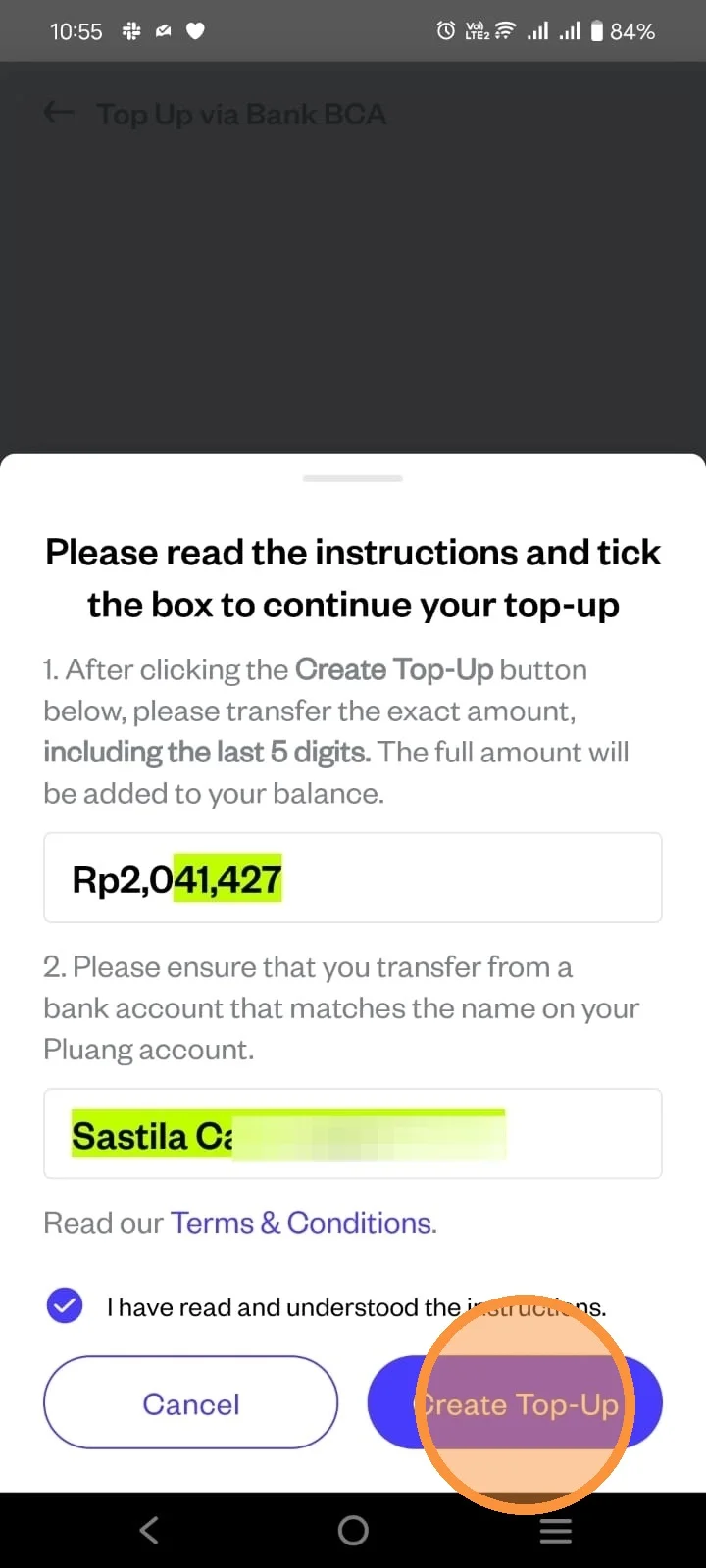
Review the your top up request instructions, accept the "T&C" and click on "Create top up"
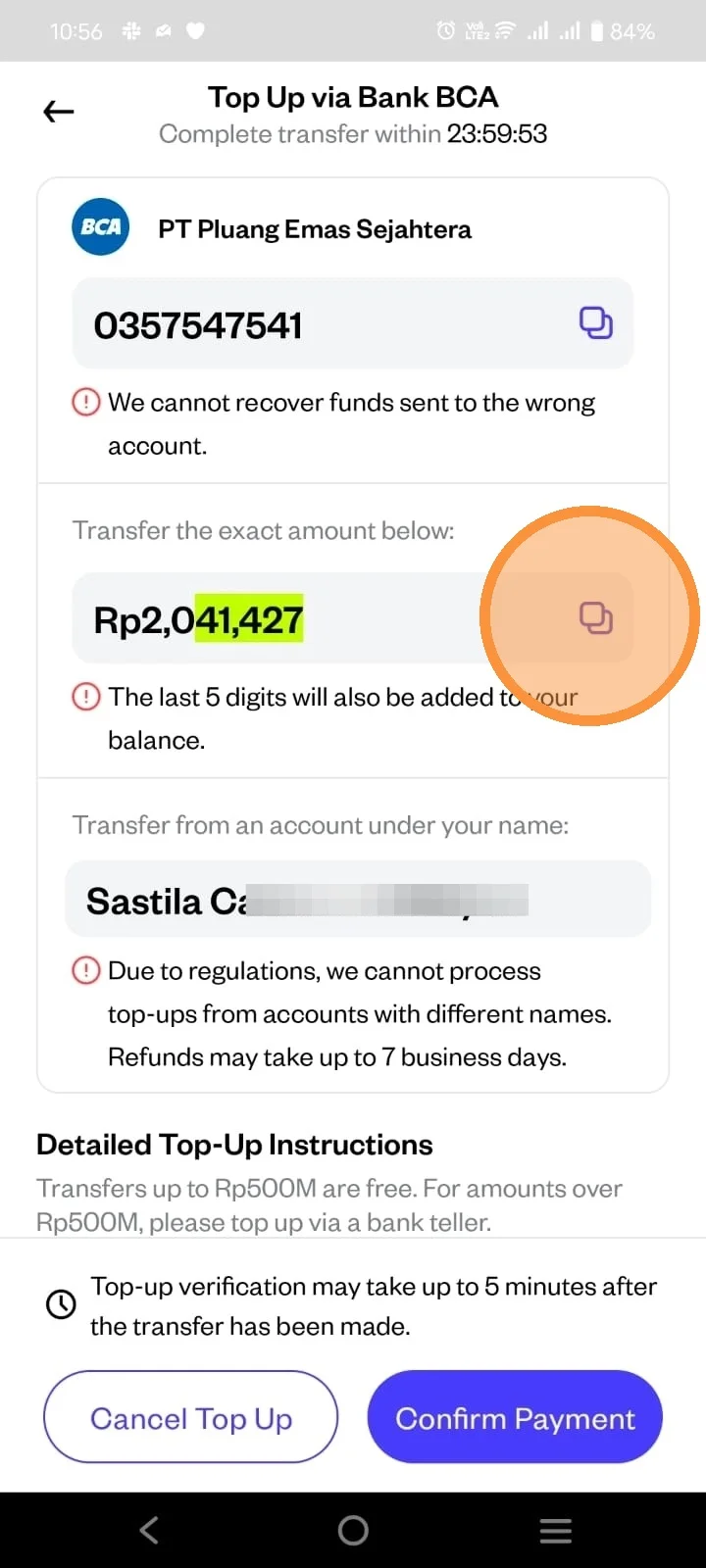
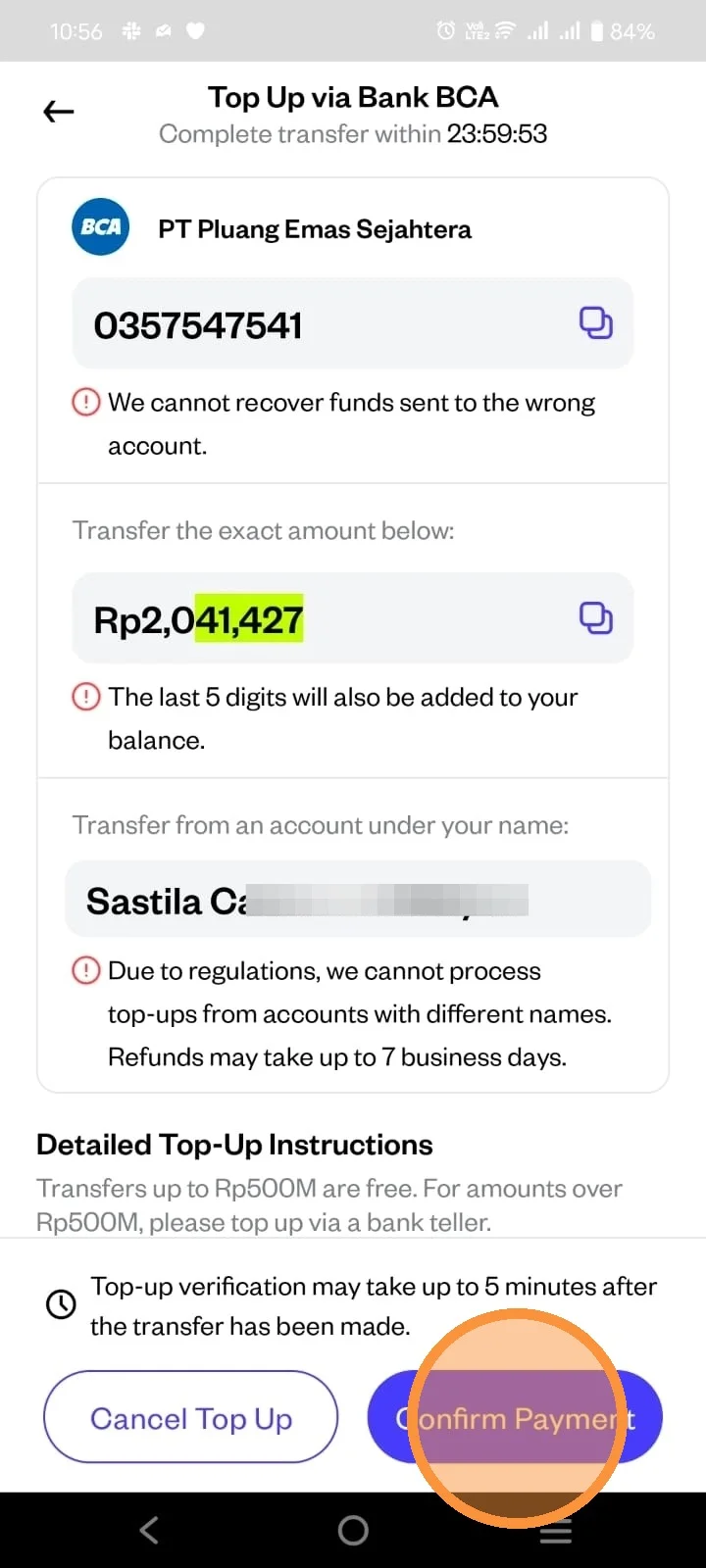
To avoid hassle of processing your top-up, you can click on the Icon to copy the right amount and the unique code.
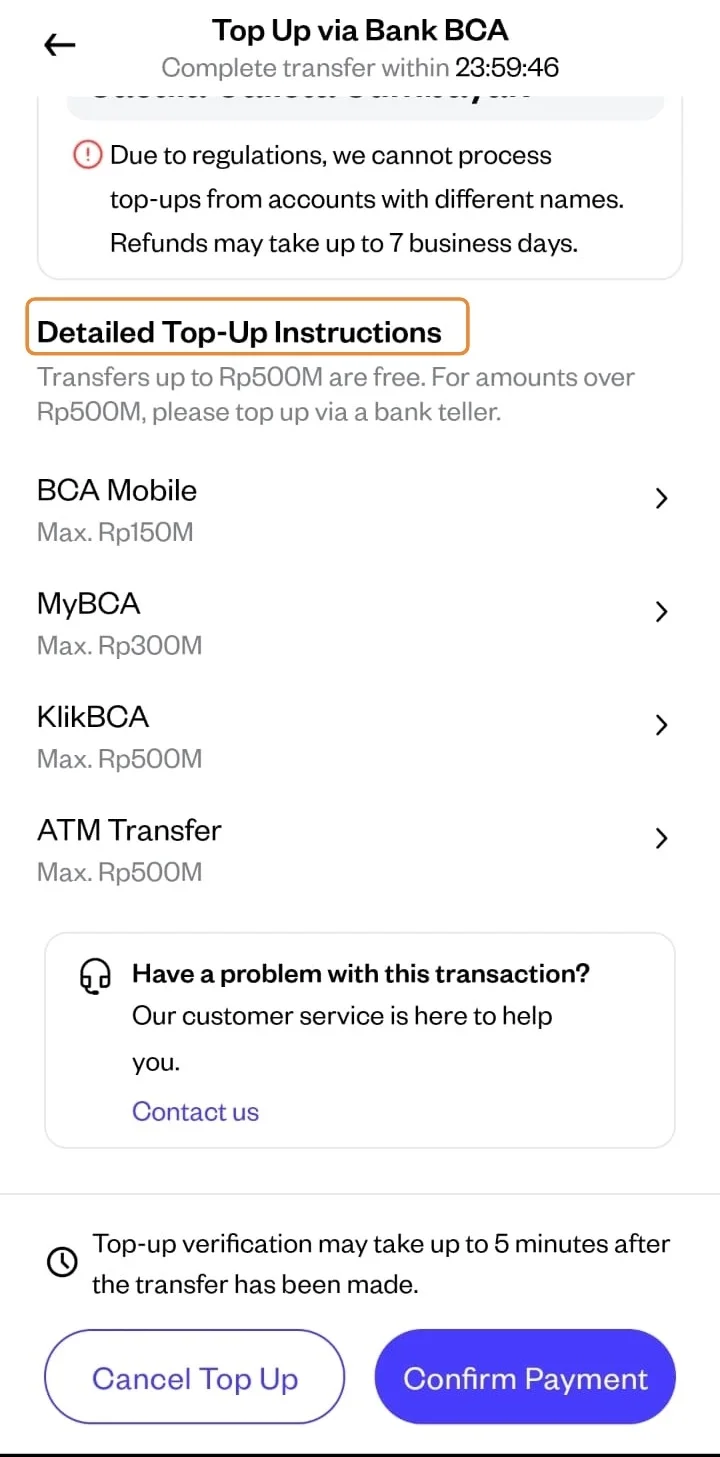
You can follow the instruction on "Detailed Top-Up Instructions" to continue your top up.
Since top-ups via Direct BCA Transfer can be made using bank accounts other than BCA, please note that you must enter the correct amount (including the 5-digit unit), use the “Real-Time Online” transfer method, and the name of the account holder used as the funding source must match the name registered with Pluang.
After you done transfer, click on "Confirm Payment".
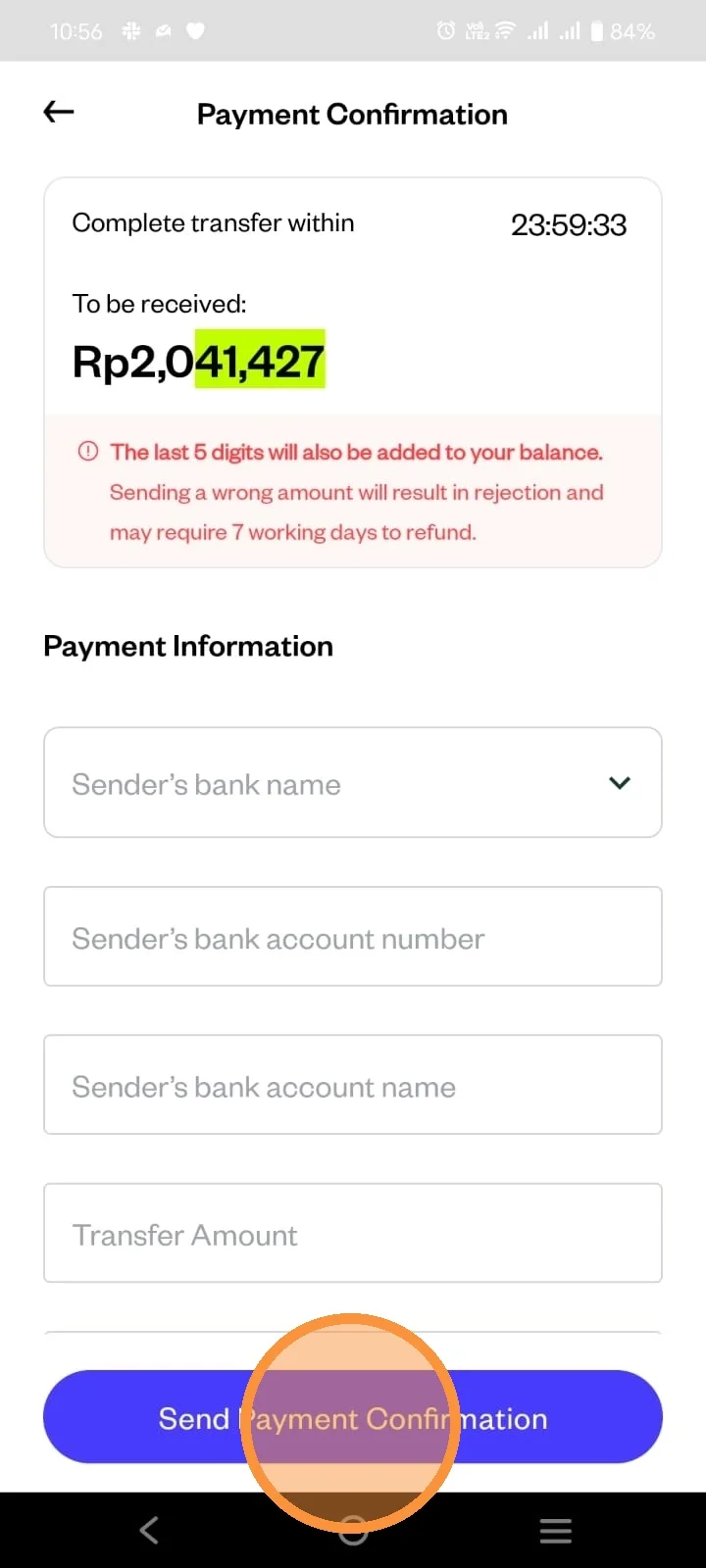
Enter the detail of your top up, and then click "Send Payment Confirmation"
Normally, top up in Pluang are done in real-time, however, every transactions can be processed differently on the Bank's side. If you didn't receive your top-up after 1 business day, you can report to our Customer Support.