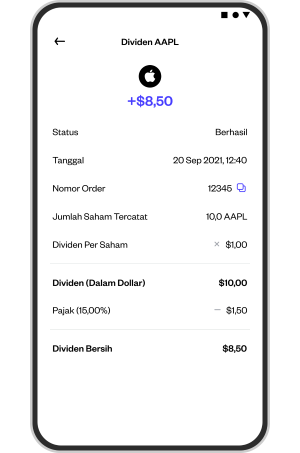
How do I check the dividends I receive?
You can see the dividends you receive in the following menu:
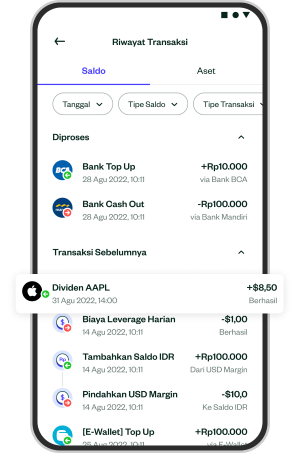
1. Open the menu "Transaction History" in the "Balance".
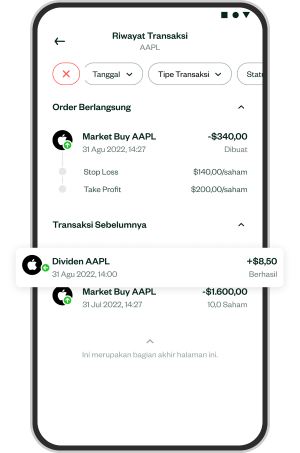
2. You can also click on the logo "Transaction History" in the upper right corner of the page "Asset" that you have.
3. You can see the details of the dividends you received by clicking on the transaction "Transaction History" as follows: