How to check the history of leveraged US stock transactions?
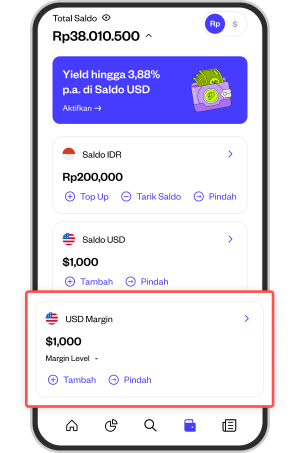
1. Go to the section "Balance" in your Pluang account, then click “USD Margin”.
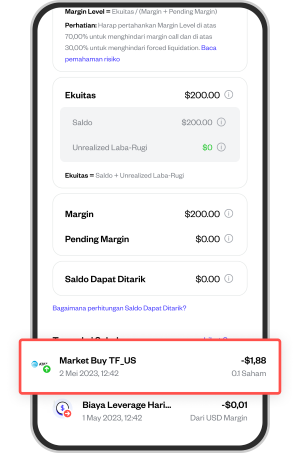
2. Scroll down to the section “Latest Transactions” then you can look at the stock transactions you want.
For additional information, all US Stock transactions that use leverage are indicated by the symbol “F_US” as in the following display example: