How to Transfer Stocks to Pluang
9 Steps
Q: How do I transfer stocks from another broker to Pluang?
A: You can transfer stocks from another broker to Pluang by submitting a stock transfer form to your originating broker. This process is conducted outside the app and facilitated by KSEI (Indonesia Central Securities Depository).
Before you start, make sure:
- Your Indonesian stock account and RDN on Pluang are active
- You have an active stock account and portfolio with your originating broker
- The stocks to be transferred are not locked or pending settlement
Contact your originating broker to request a stock transfer form (transfer out)
Each broker has different procedures — you may request it via customer support, branch office, or their app
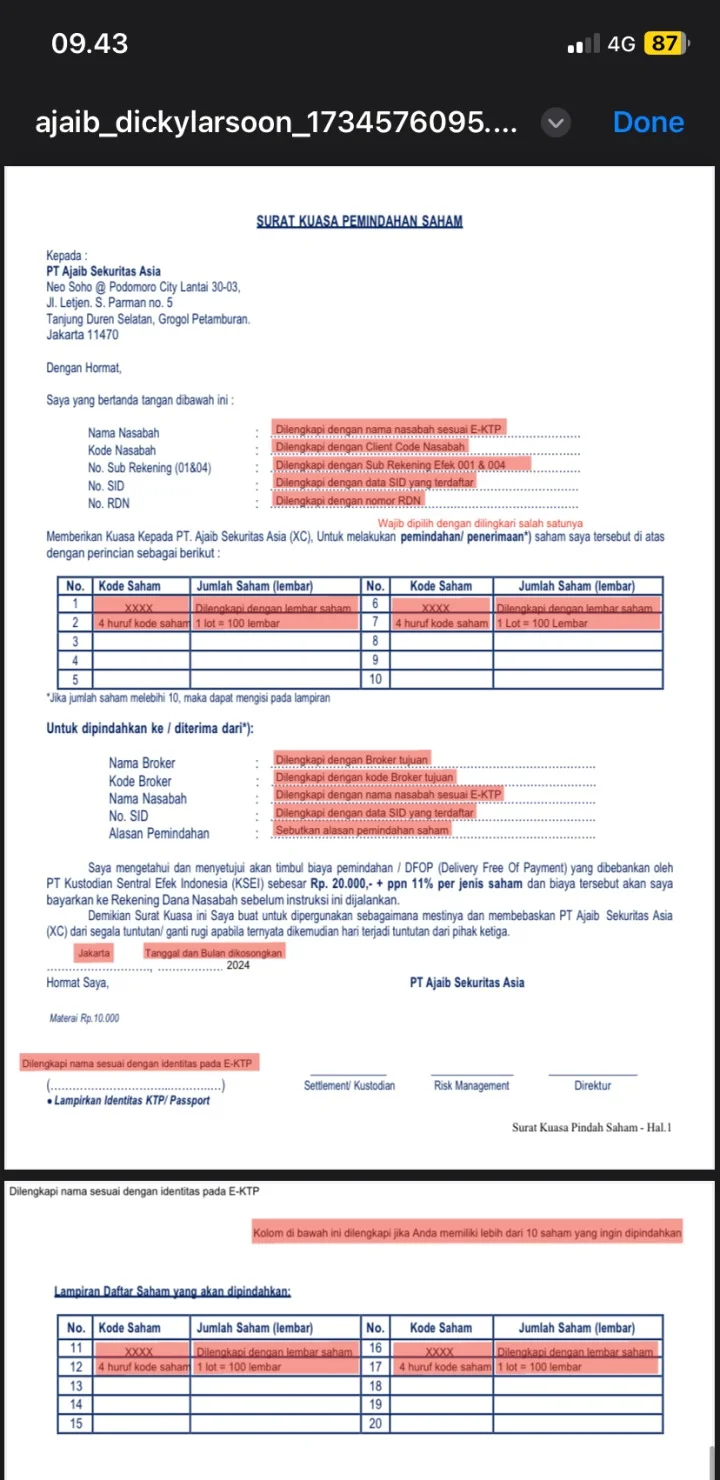
Complete the required information in the form
Fill in stock codes, number of lots, and your personal data according to your ID
Fill in Pluang as the receiving broker
- Broker name: Pluang Maju Sekuritas
- Broker code: RO
Submit the form to your originating broker. Usually via physical submission to their branch office
Success indicator:
Transferred stocks will appear in your Indonesian Stocks portfolio in the Pluang app. You will receive a notification once the transfer is successful.
Things to note:
- The transfer process involves KSEI and may take several business days
- Ensure the broker code (RO) is correct to avoid failure
- Your originating broker may charge transfer-out fees
- Stocks in transfer cannot be traded until the process is complete
Related Mini Q&A:
Q: How long does the transfer process take?
A: It depends on the originating broker’s processing time.
Q: Are there fees for transferring stocks into Pluang?
A: Pluang does not charge incoming transfer fees, but the originating broker may charge transfer-out fees (typically around Rp22,000 per stock).
Q: Which stocks can be transferred to Pluang?
A: All IDX-listed stocks available on Pluang can be transferred.
Q: Will my original purchase price be transferred as well?
A: Yes, all stock details will remain the same after transfer.
Q: What should I do if my stocks do not appear after transfer?
A: Contact Pluang Customer Support with your transfer reference number and proof of submission.