How to Cash Out Your RDN Balance to Your Bank Account
This guide explains how to cash out your RDN balance from the Pluang app to your registered bank account, detailing each step of the process.
13 Steps
You can cash out your RDN balance directly from the Pluang app to your registered bank account. The process takes 1–3 business days after your request is confirmed.
Before you start, make sure:
- Your Indonesian Asset Verification is verified and RDN on Pluang are active
- Your bank account is registered and verified on Pluang
- Your RDN balance is sufficient (minimum Rp10,000)
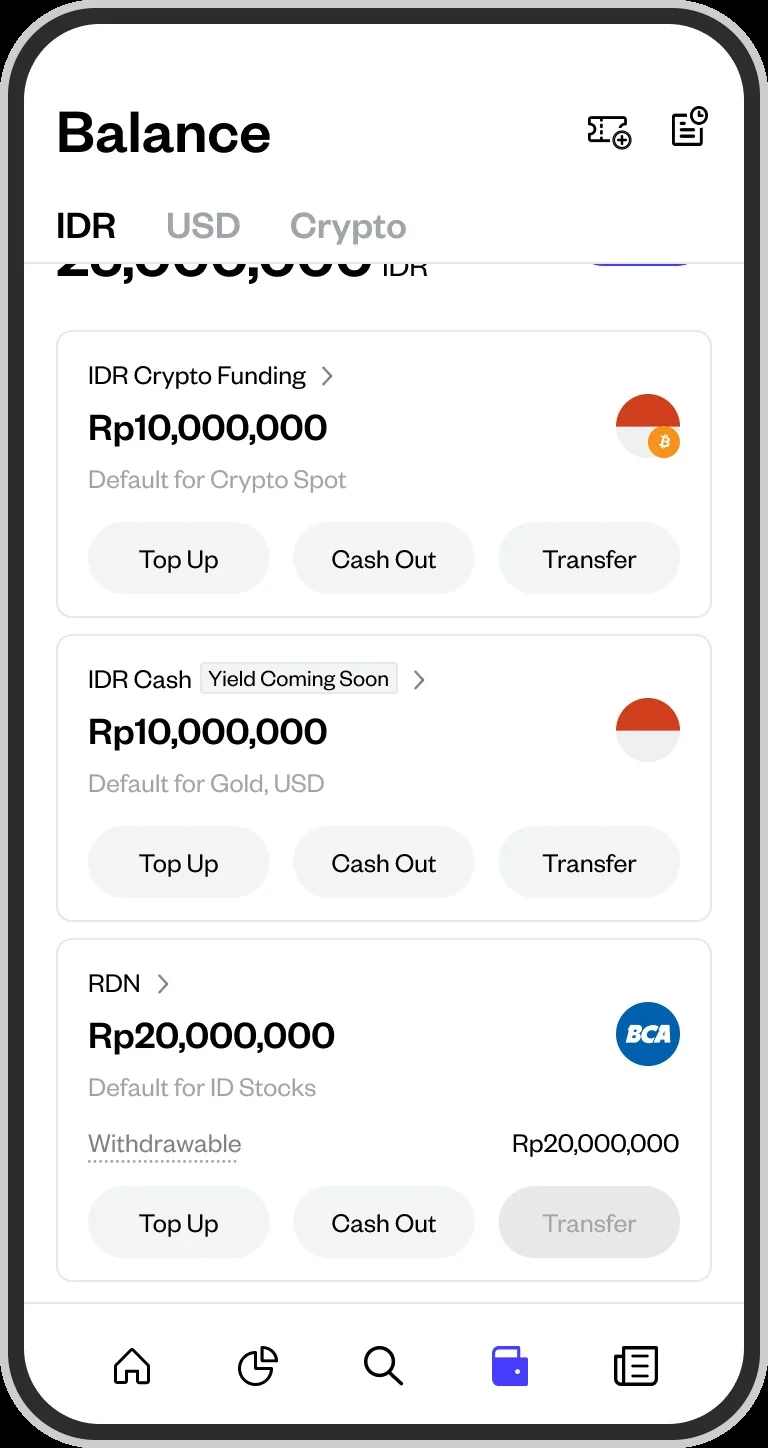
Log in to the Pluang app and navigate to the Balance page from the main menu. Find the RDN Cash section on the Balance page, then tap the Cash Out button.
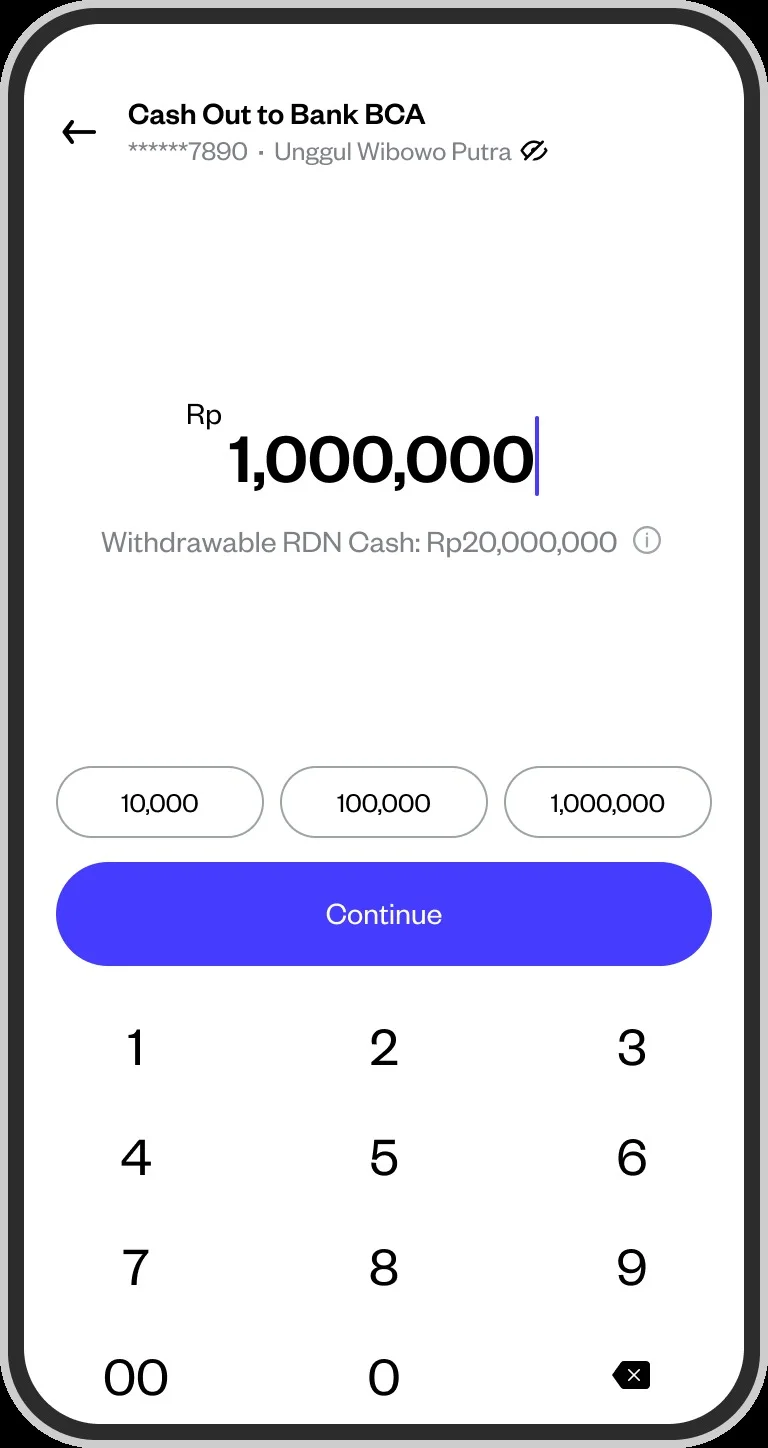
Type the amount you'd like to withdraw or choose from the quick-select options. Make sure the amount does not exceed your available RDN balance.
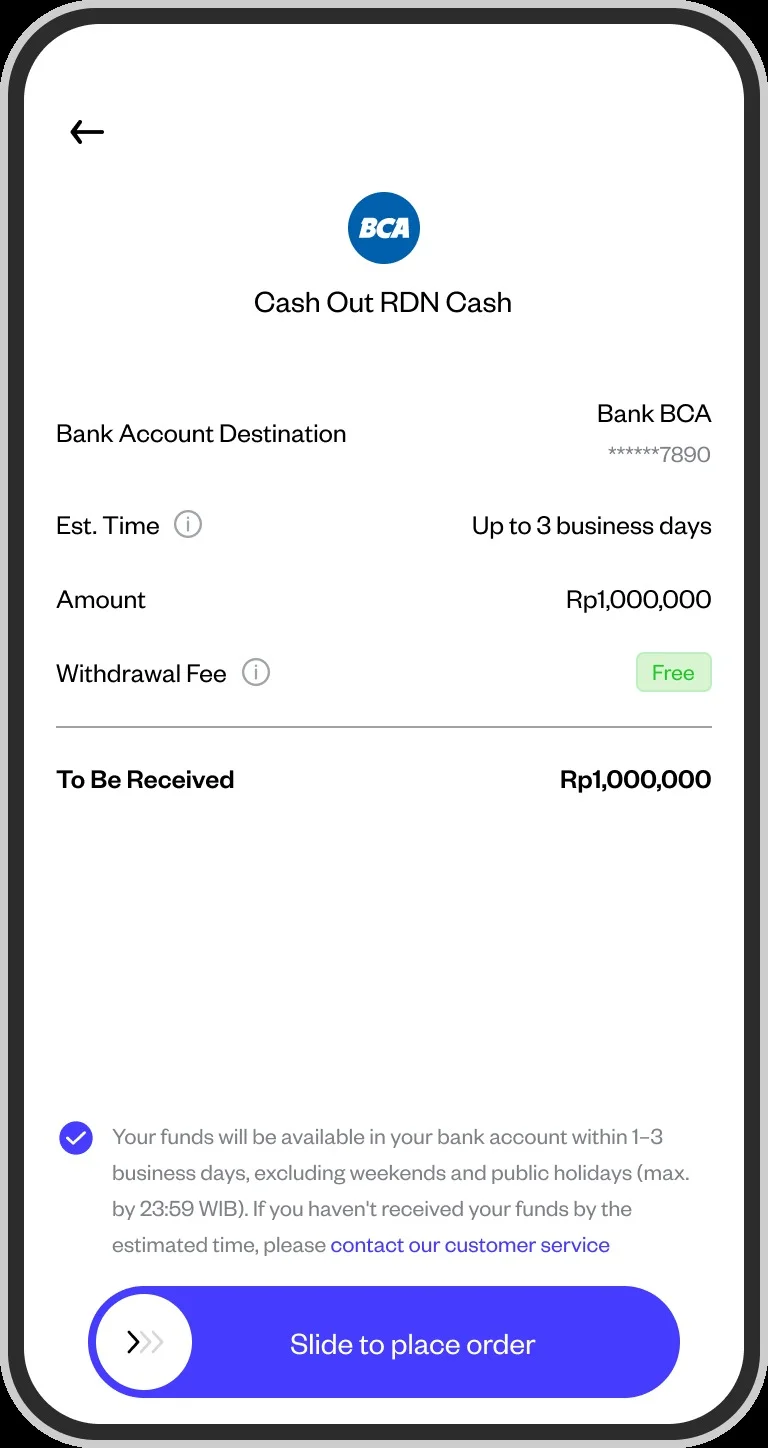
Check the transfer summary — destination account, amount, withdrawal fee, and amount to be received — then slide to confirm.
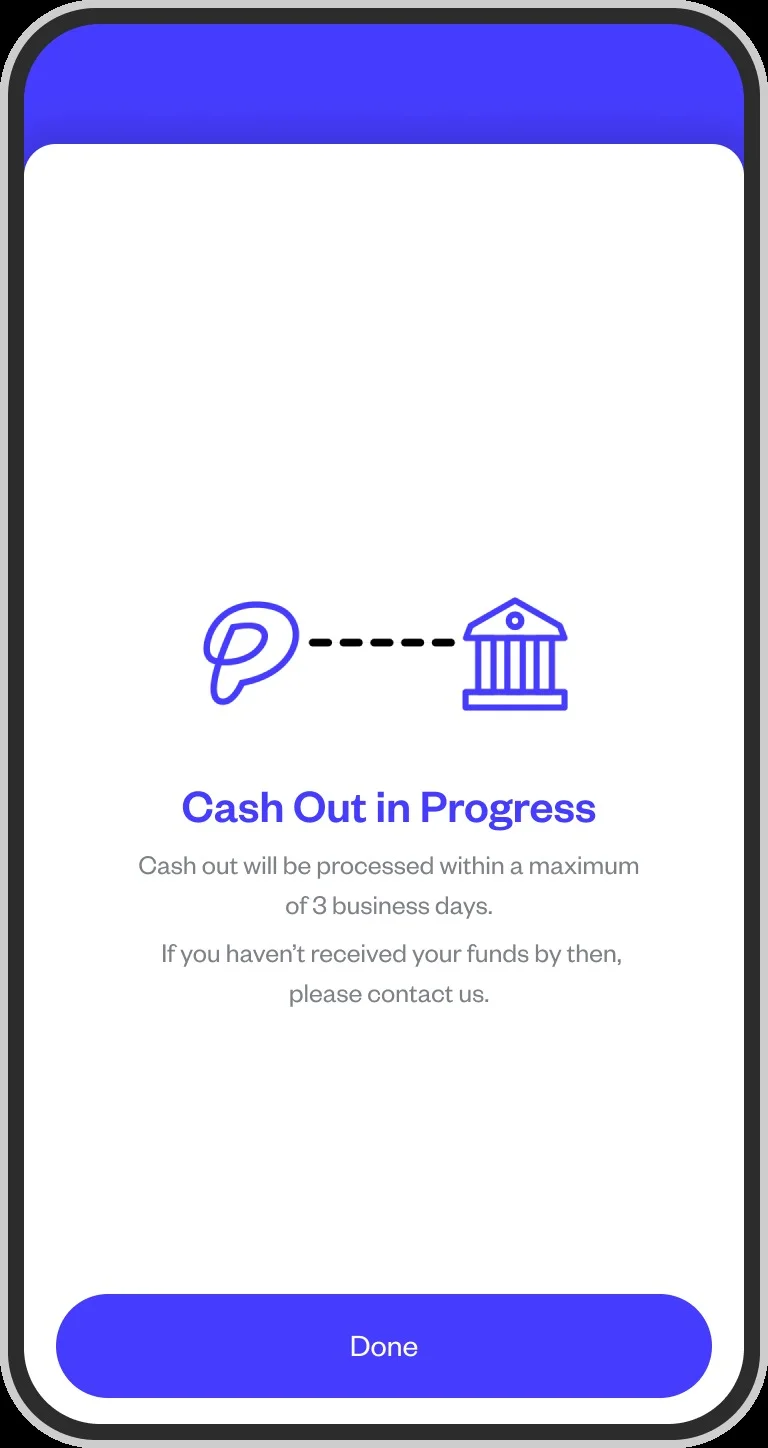
Your cash out request is now being processed. Funds will arrive in your bank account within 1–3 business days.
Success indicator: You will receive a notification once the funds have arrived in your bank account. You can also check the status in your transaction history in the Pluang app.
Things to note:
- Processing takes 1–3 business days, excluding weekends and public holidays
- If funds have not arrived after 3 business days, contact Pluang Customer Support with proof of submission
Q: How long does the RDN cash out process take?
A: Funds will arrive in your bank account within 1–3 business days after your request is confirmed, excluding weekends and public holidays.
Q: Are there fees for cashing out from RDN?
A: Yes. If the bank account you cash out to is at a different bank from your RDN host bank, Pluang charges a flat Rp2,900 per transaction as an interbank transfer fee. Cashing out to an account at your RDN's host bank — either BCA or Bank Jago — is free of charge.
Q: What is the minimum cash out amount?
A: The minimum cash out amount is Rp10,000.
Q: Which bank account will receive the funds?
A: Funds will be sent to the bank account that is already registered and verified on your Pluang account. Make sure your account details are correct before proceeding.
Q: What should I do if funds don't arrive after 3 business days?
A: Contact Pluang Customer Support via the app and provide your transaction reference number and proof of cash out submission for further investigation.
Q: Can I cancel a cash out request?
A: Yes, after a cash out request is confirmed, it can be cancelled by clicking “Cancel”.