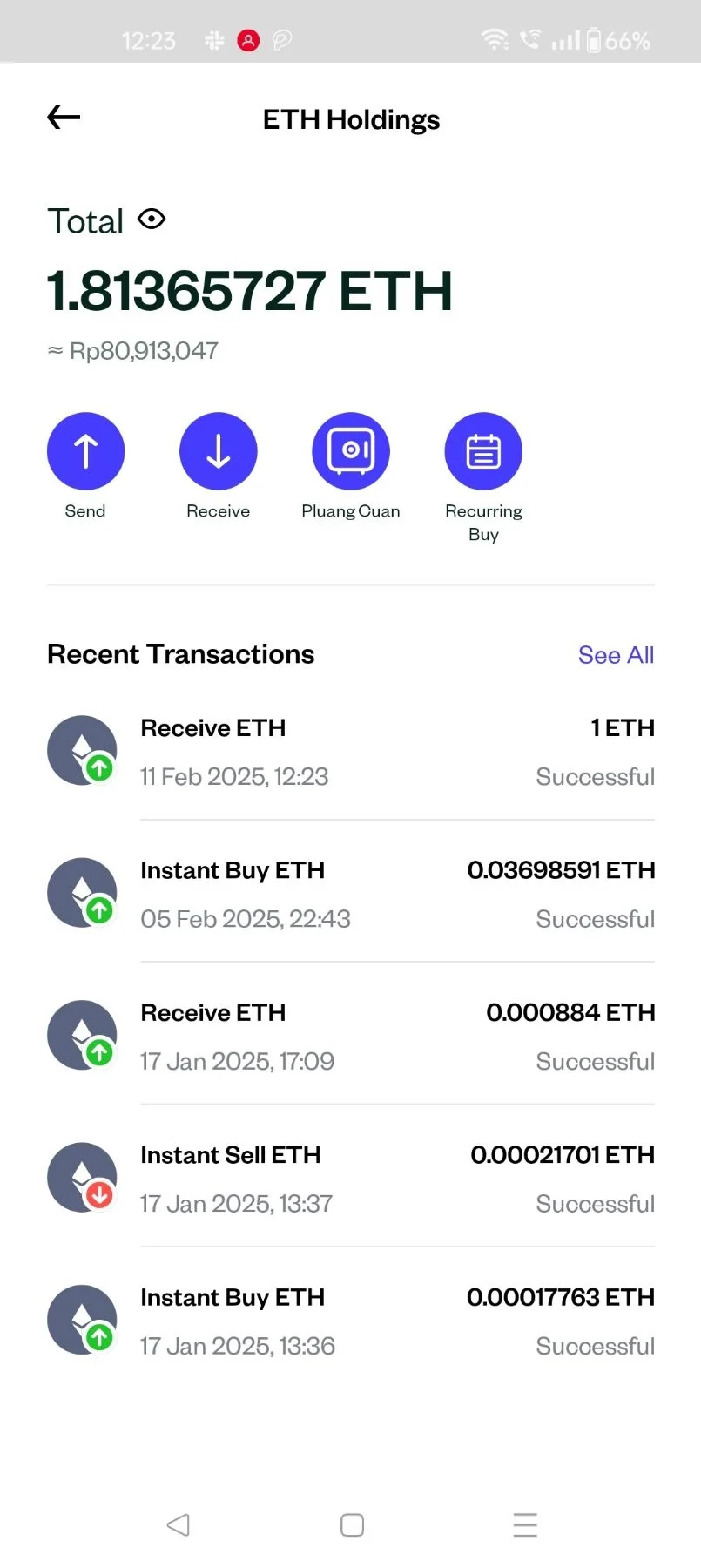
Pluang App: Crypto Recieve
6 Steps
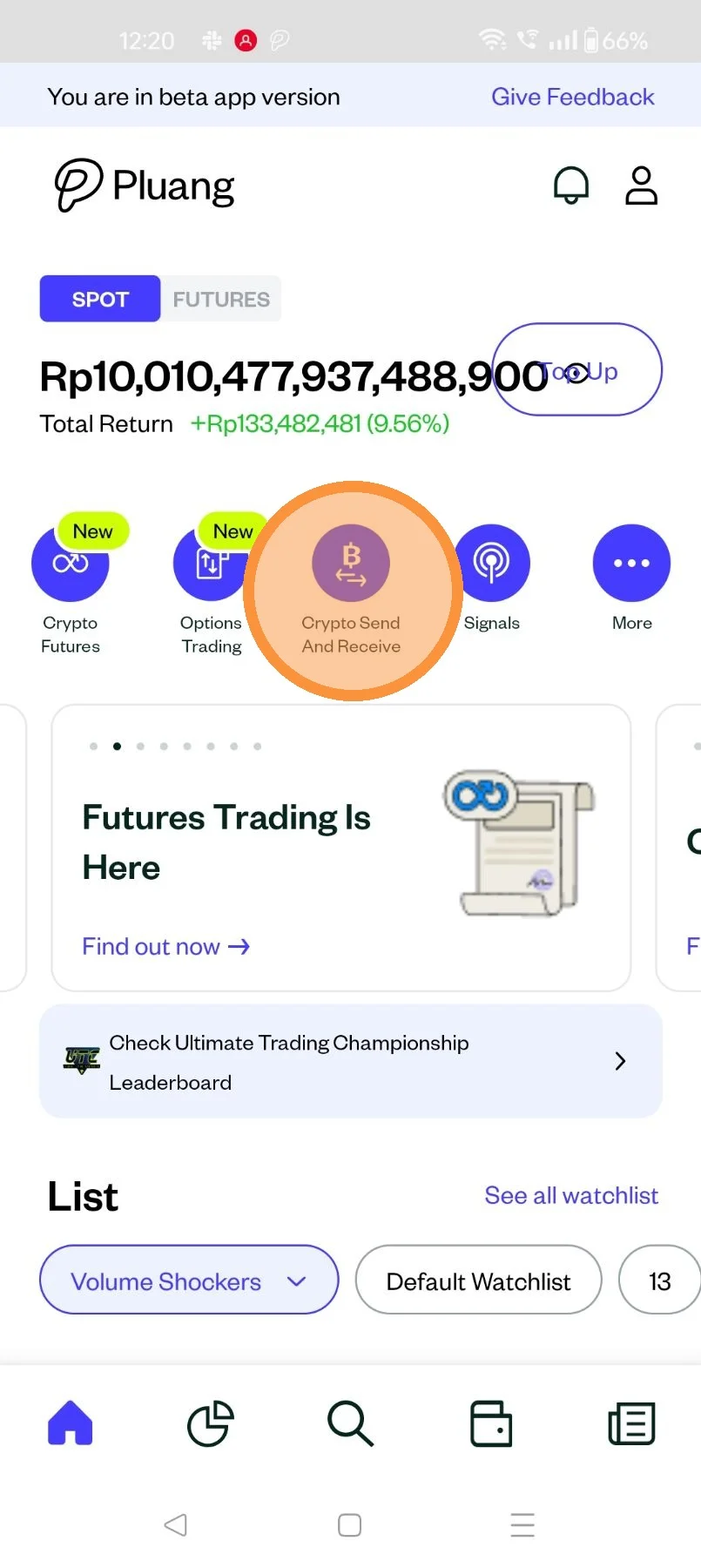
Launch the Pluang app on your mobile device, click on "Crypto Send and Receive"
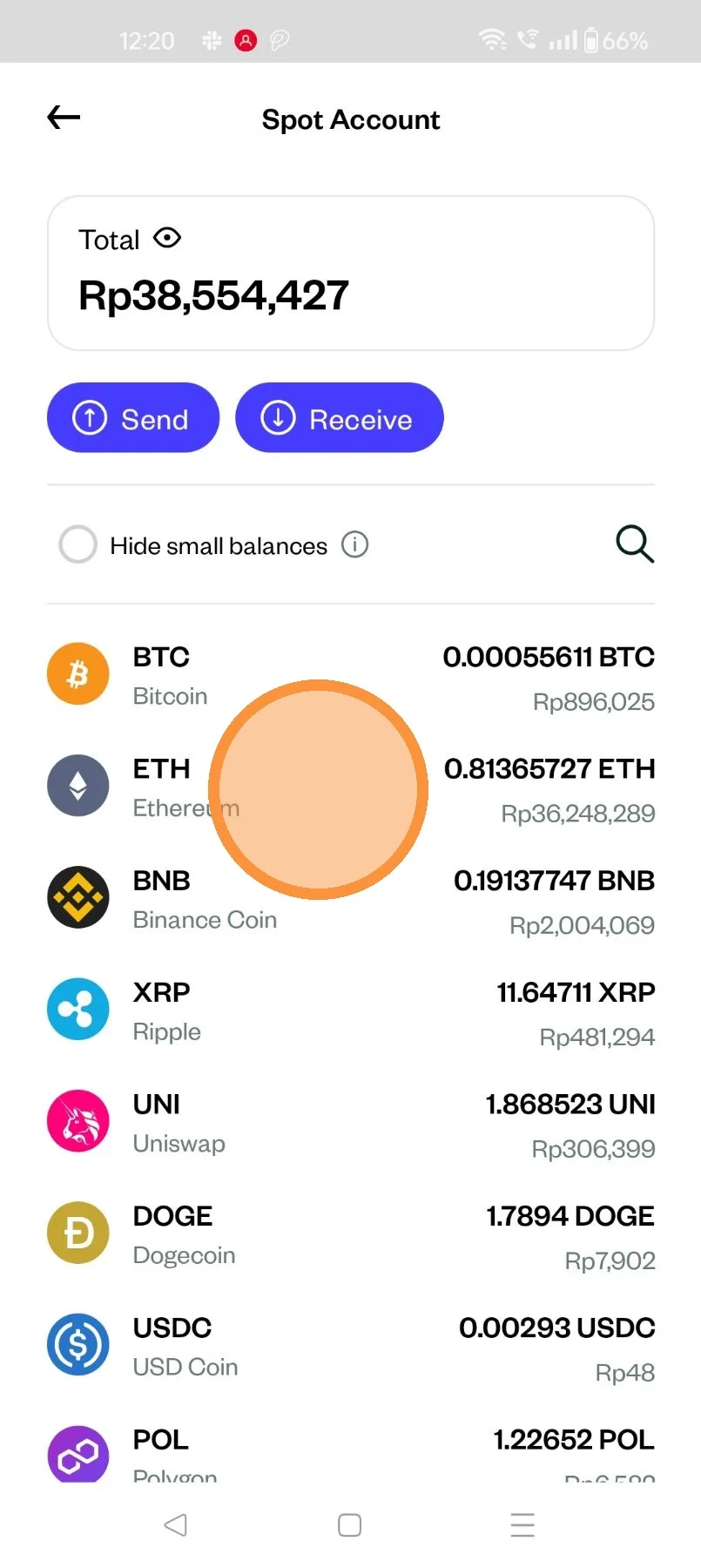
Select your crypto asset you going to receive
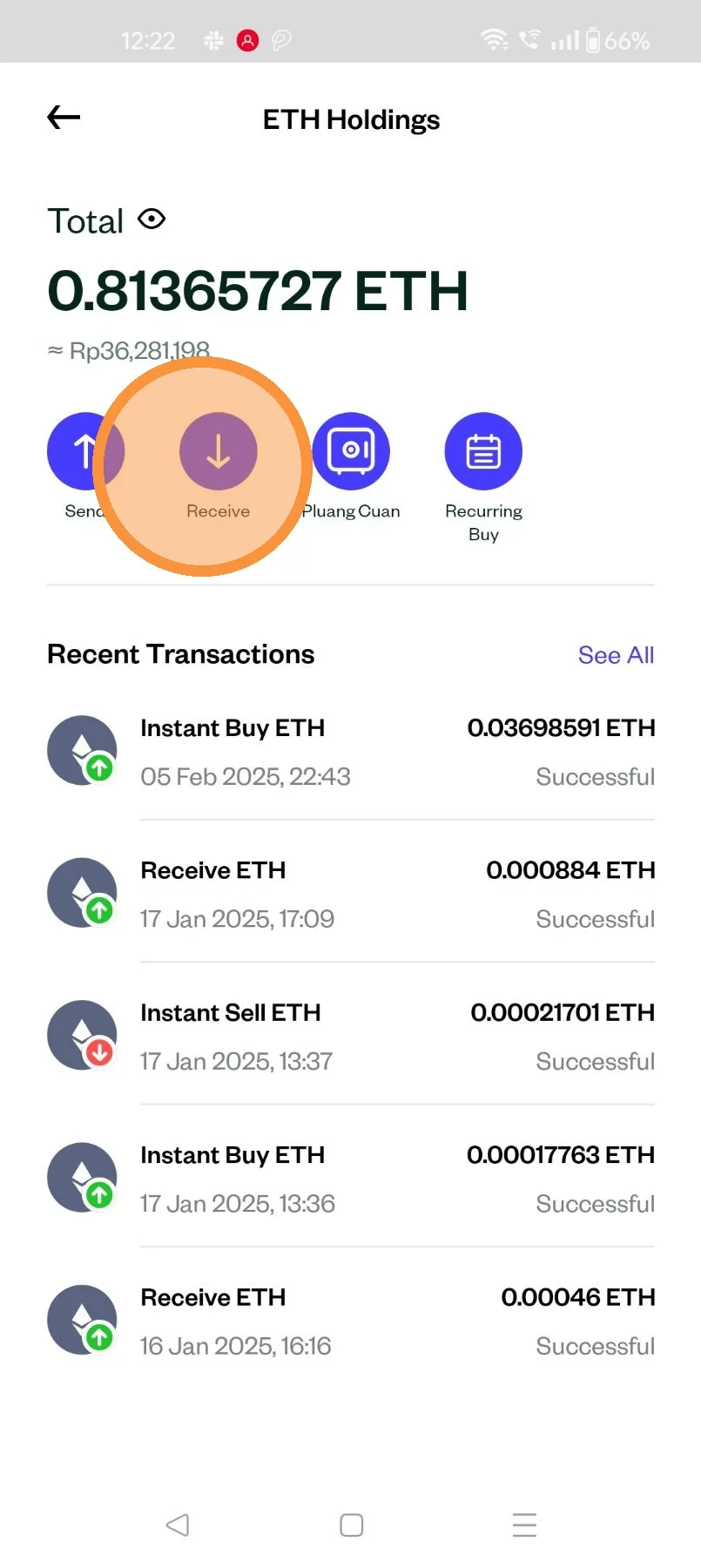
On the Crypto asset "Holding" screen
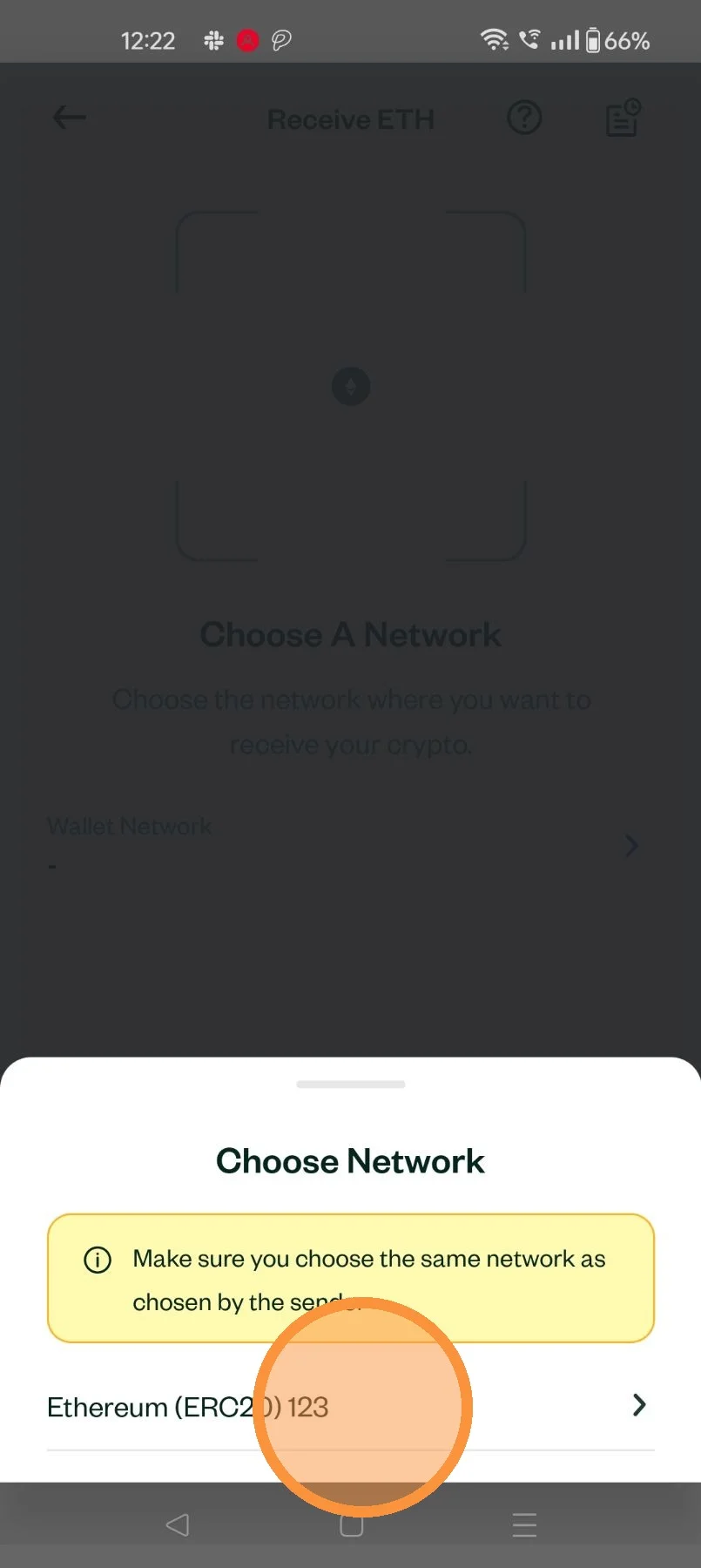
Select the Crypto transfer network
Ensure that the network is the same as chosen by the sender
Share the wallet details with the sender or have them scan the QR code via Pluang App
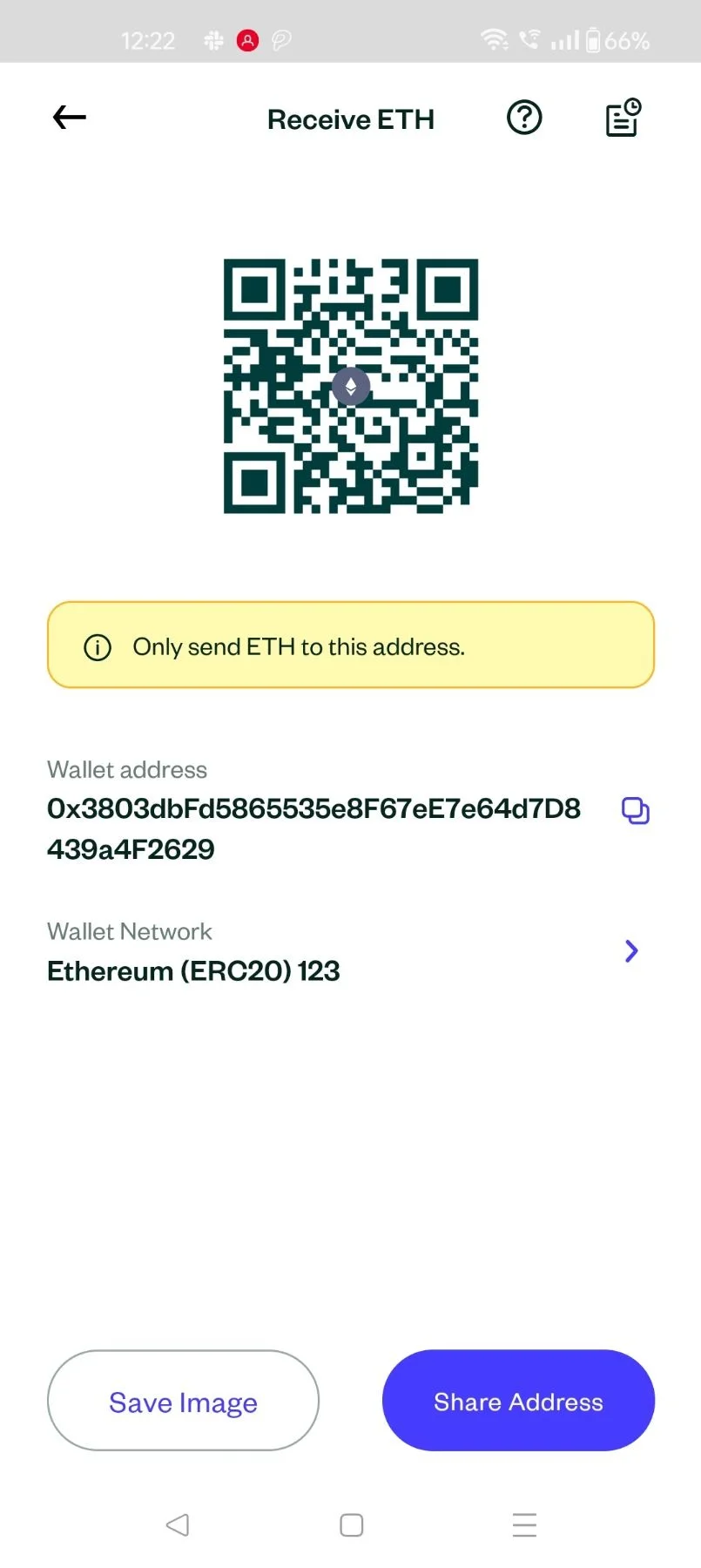
Once received the details can be seen on the crypto asset "Holdings" screen